
Adobe Patents a System That Writes AI Prompts From Whatever Your Cursor Hovers Over
Adobe is patenting a system that watches where your cursor goes and starts generating AI content before you even click. The idea is to cut out the most annoying part of AI tools: writing the prompt yourself.
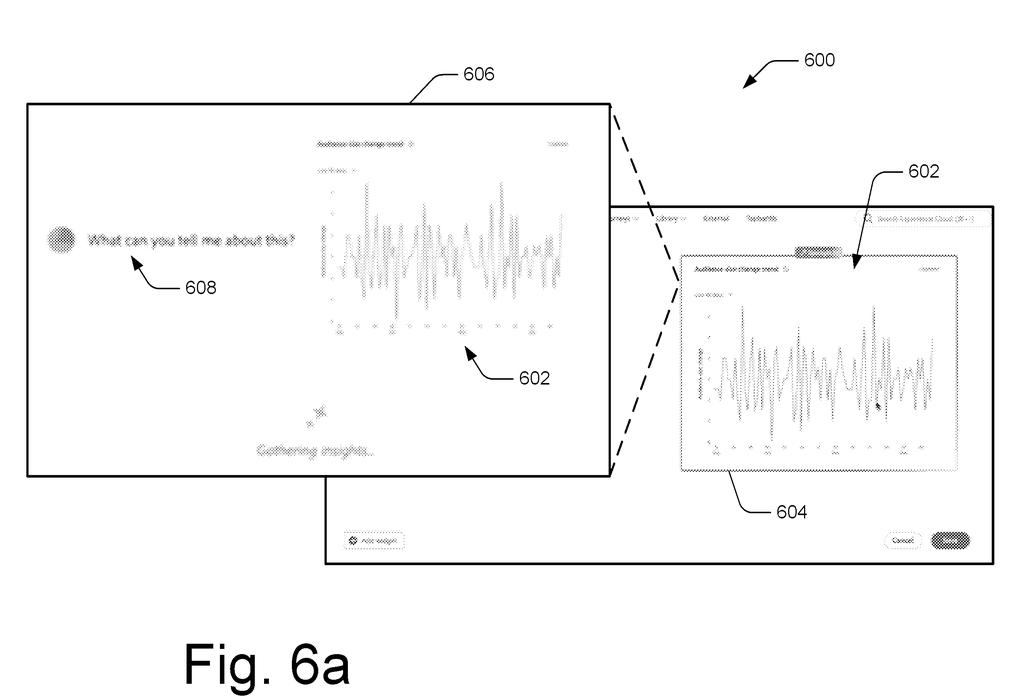
How Adobe's hover-triggered AI prompts actually work
Imagine you're working in a design application and you hover your mouse over a photo on the canvas. Before you do anything else, the app has already figured out what that photo is, what's around it, and what kind of AI-generated replacement or variation you might want. When you finally click, the result is already waiting.
That's the core idea in this Adobe patent. Instead of asking you to type a description into a text box, the system reads the context of whatever you're hovering over and builds the AI prompt automatically. The surrounding content, the type of element, and the design context all feed into that prompt behind the scenes.
The result is that you'd spend less time writing instructions to an AI and more time choosing from results it's already prepared. For designers working quickly, that shift from typing to selecting could meaningfully change the pace of the work.
… before receiving a user selection of the UI element, generating a preliminary prompt based on the UI element and the captured contextual information …
Translation: The system secretly writes the AI prompt before you even click on anything.
How the system captures context before you even click
The patent describes a selection mode inside a user interface where the system actively monitors cursor or pointer movement. As soon as the cursor gets close to a UI element, such as an image, a text block, or a design component, the system captures contextual information associated with that element.
Contextual information here means more than just the element itself. It includes surrounding content, the element's role in the layout, and presumably metadata about the design file. A machine-learning model takes all of that and generates a preliminary prompt, which is essentially the instruction it would send to a generative AI model.
That prompt is sent to the generative AI before the user clicks anything. The AI generates preliminary digital content based on it. When the user does click, the content is already rendered and displayed immediately.
This approach is called pre-emptive generation: the system bets on what you're about to do and does the slow AI work in advance, so the result feels instant from your perspective. The technical cost is that the system may generate content you never end up using.
Context-based prompt generation techniques for generative machine-learning models are described.
Translation: Adobe patented a method that turns your cursor position into a background AI prompt.
What this means for designers using AI generation tools
For anyone using AI generation inside a creative tool, the usual friction is the prompt box. You stop, switch modes mentally, type a description, wait, evaluate, and maybe type again. This patent tries to eliminate most of those steps by making the AI observe your workflow rather than wait to be spoken to.
Adobe's long bet on in-tool AI generation shows up here in a specific way: the filing isn't about making AI more powerful, it's about making it feel automatic. Whether that lands as helpful or intrusive depends heavily on how well the context-reading actually works. If the pre-generated content is consistently off-target, designers will learn to ignore it, and the feature will fade into the background of a cluttered toolbar.
Adobe's 23rd filing we've tracked on our controllable AI image watchlist since May builds on earlier applications like the garbled text fix and text-to-3D scenes.
The system generates AI content before you've asked for it, which means every time you hover over something and move on, it did work for nothing. Across many users doing that dozens of times a day, the wasted effort adds up fast. The bet is that saving you time when it's right justifies burning resources when it's wrong, and that bet only pays off if the system reads your intent correctly most of the time.
When it misreads you, the real cost surfaces: you now have to correct something instead of just creating it. If fixing a bad guess takes as long as describing what you wanted in the first place, the shortcut disappears.
The patent is quiet on how rejection is supposed to work, and that silence matters. A system that guesses wrong and makes the correction feel easy is useful. One that guesses wrong and makes you clean up after it is just friction with a friendlier face.
Get our take in your Top Stories
Liked this breakdown? Add Patentlyze as a preferred source on Google, and our plain-English take shows up more often in your Top Stories the next time Adobe patent news breaks.
There are more where this came from
We read every patent application Big Tech publishes and send you the ones worth knowing. Plain English, free, every week.
The drawings
10 drawing sheets from US 2026/0277979 A1 · click any drawing to enlarge


Show the other 2 sheets


Want this weekly breakdown for a company we don't cover? Patentlyze Pro →
Be the first to weigh in