
Google Patents an AI System That Locks Your Video Call Background in Place
Virtual backgrounds blur or ghost every time you move, which is distracting and often looks terrible. Google has patented a system that uses AI to freeze the background as a single clean image and layer you on top of it, frame by frame, so the scene behind you never shifts.
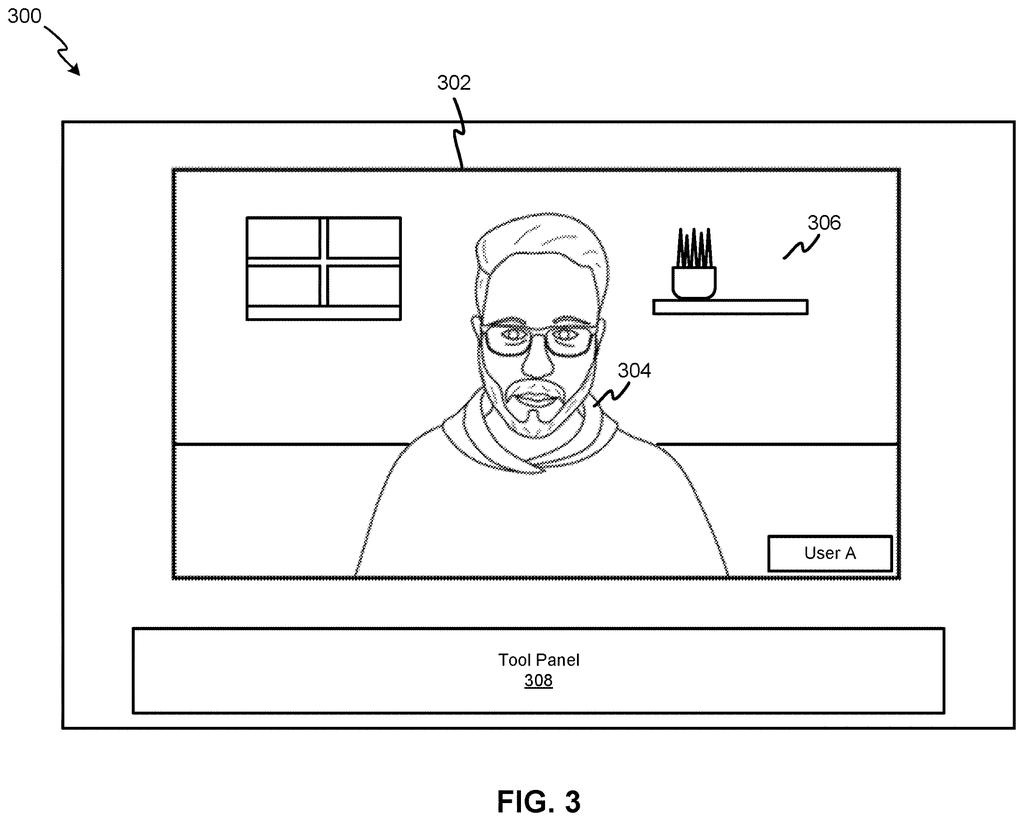
What Google's background freeze actually does in a call
Every time you move on a video call, your virtual background shudders, smears, or leaves a ghost of your arm floating in the air. It happens because the software has to guess, in real time, what's behind you and what's you, and it gets that wrong constantly.
Google's patent describes a different approach. Instead of trying to replace your background in every frame independently, the system picks one frame, removes you from it entirely, and asks an AI model to fill in what the background probably looks like behind you. That becomes a single frozen backdrop. From that point on, every frame of your video just pastes you on top of that still image using the exact size and position you occupy in each frame.
The result is a background that never wobbles, because it's not updating at all. You move. The background stays put. It's a simpler idea than it sounds, and that's partly what makes it interesting.
… causing an image of the participant to be removed from an area of a first frame of the video stream; filling the first frame with a background image generated by an artificial intelligence (AI) model for the first frame with the removed image of the participant; …
Translation: The system takes you out of the picture and uses AI to fill in the empty room behind you.
How the AI rebuilds and composites each video frame
The patent describes a process that runs in three stages per video session.
First, the system decides that a background modification is needed, either automatically or triggered by the user. It then takes a single video frame, segments out the participant (identifying which pixels are the person and which are the room), and removes the person from the frame entirely, leaving a hole where they were.
Second, an AI model fills that hole. This is called inpainting (the AI invents plausible background content for the region it can't actually see, based on the surrounding pixels). The result is a complete, person-free background image.
Third, for every subsequent frame in the video stream, the system does something comparatively simple: it detects where the participant is in that new frame (their location and how large they appear), cuts them out, and composites (layers) them on top of the frozen background image from step two. That composite is what other meeting participants see on their screens, in place of the raw camera feed.
- Stage 1: Detect and segment the person from a reference frame
- Stage 2: AI fills in the background behind where the person was
- Stage 3: Each new frame pastes the person onto that static backdrop
All of this happens on the sending or server side, so the receiving device just sees a normal video stream with an unusually stable background.
… generating a composite image by superimposing an image of a participant depicted in a respective second frame of the one or more second frames of the video stream on the background of the first frame using a location and a size of the image of the participant with respect to the respective second frame, …
Translation: It then drops your live moving body back onto that frozen snapshot of the room.
What this means for video calls and virtual backgrounds
The obvious win here is visual quality. Current virtual background systems re-estimate the person's outline in every frame, which is why you see flickering edges, hair that disappears, and backgrounds that swim when you shift in your seat. A frozen background sidesteps most of that instability because it's not regenerating the scene continuously.
There's also a compute angle. Compositing a person onto a static image each frame is much cheaper than running a full AI background-replacement on every frame. For Google Meet, which runs across a huge range of devices including low-powered phones and Chromebooks, anything that reduces per-frame processing load matters. The tradeoff is that the background is literally frozen: if the room lighting changes dramatically or you move the camera, the static backdrop can start to look wrong. How often the system refreshes that reference frame, and what triggers a refresh, is where the real engineering work lives.
Google's 39th filing in the AI vision work we've tracked since May adds to a run that includes one on remapping your own maps and AI designs its own image pipeline.
The system does its hardest work once, on the first frame, and then coasts through the rest of the call. That's a real efficiency gain, but the cost is honesty: if you move your laptop, open a window, or someone walks through the room, the frozen backdrop keeps showing a reality that no longer exists.
The patent stays quiet on when or whether the system picks a new reference frame, and that silence is where the design is most vulnerable. A background that never updates grows increasingly wrong; one that refreshes without warning produces a visible jump that's jarring and confusing.
The underlying bet is still reasonable. Most video call backgrounds are walls and bookshelves that barely change, so freezing them is usually fine. But "usually fine" is doing a lot of work here, and the refresh logic left unspecified is the thing that will determine whether this feels seamless or broken in everyday use.
There are more where this came from
We read every patent application Big Tech publishes and send you the ones worth knowing. Plain English, free, every week.
The drawings
7 drawing sheets from US 2026/0292106 A1 · click any drawing to enlarge


Want this weekly breakdown for a company we don't cover? Patentlyze Pro →
Be the first to weigh in