
Apple Patents a System That Morphs On-Screen Buttons as You Navigate
Apple is patenting a way to make buttons and interactive elements flow into one another as you move between screens, rather than just snapping in and out of existence. The trick is that the animation only triggers when it would actually look natural.
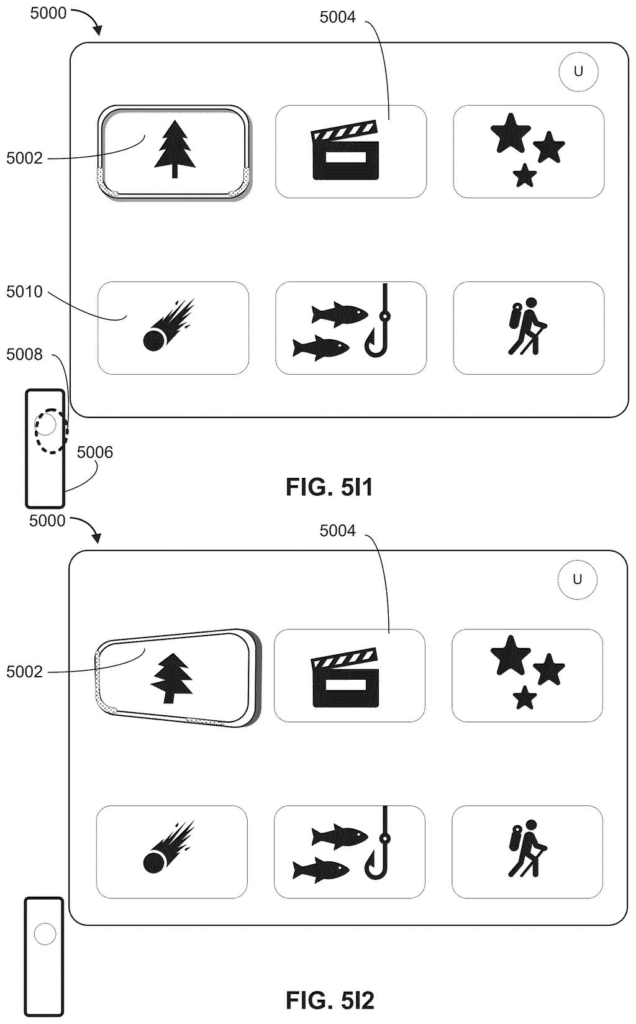
What Apple's morphing button animation actually does
Imagine tapping a button on your iPhone and watching it smoothly stretch and reshape itself into the next button on the screen that follows. That fluid transformation is what Apple is describing here. It's a visual technique where the button you just interacted with physically morphs into the related button on the next screen.
The key detail is that the morph doesn't happen every time. Apple's system checks whether the two buttons are positioned similarly on their respective screens. If they're roughly in the same place, the animation plays. If they're in completely different spots, the app just shows the new button normally, without trying to animate a transition that would look awkward.
This kind of position-aware animation keeps the interface feeling polished without creating jarring motion. It's the difference between an animation that helps you understand where you are in an app and one that just adds noise.
How Apple decides when to morph versus swap a button
The patent describes a system Apple calls a platter, which is essentially a styled container or shape that wraps an interactive element like a button or control. When you navigate from one screen to another, the system compares the spatial arrangement (position and layout) of the platter on the first screen to the position of the corresponding platter on the second screen.
If those positions satisfy certain spatial criteria (meaning the two platters are close enough in screen position or alignment), the system plays a morph animation: the first platter visually transforms into the second one. Think of it like a shape-shifting blob that smoothly transitions between two states.
- If the positions match well enough, the morph animation plays.
- If the positions don't match, the new platter just appears without any animation.
- The decision is made per-element, so different parts of the same screen could behave differently.
The underlying logic is essentially a conditional transition rule: the system only commits to the animated path when the geometry makes it coherent to do so. This prevents the kind of motion that looks like a bug rather than a feature.
What this means for how Apple software feels to use
For everyday users, this kind of animation is what separates software that feels alive from software that just works. Apple has long invested in transition animations as a core part of how its interfaces communicate context, and this patent formalizes a more systematic, geometry-aware approach to that.
From a strategic standpoint, this fits Apple's ongoing push to make its operating systems feel more physically grounded, particularly on platforms like visionOS where spatial layout carries more meaning. Formalizing rules around when to animate, not just how, suggests Apple is building a more principled animation system that could ship across iPhone, iPad, Mac, and headset interfaces.
This is a polish patent, not a platform shift. It describes something designers and animators have been doing by hand for years, but Apple is encoding it into the OS so the system can make those judgment calls automatically. Whether that ends up feeling natural or uncanny depends entirely on execution, but the underlying idea is sound.
There are more where this came from
We read every patent application Big Tech publishes and send you the ones worth knowing. Plain English, free, every week.
The drawings
99 drawing sheets from US 2026/0219757 A1 · click any drawing to enlarge


Want this weekly breakdown for a company we don't cover? Patentlyze Pro →
Be the first to weigh in