
Adobe Patents a System to Keep Shared Documents Identical Across Multiple Editors
When multiple people edit the same document at once, keeping everyone's version consistent is surprisingly hard. Adobe's new patent describes a fingerprinting approach that catches mismatches before they become a mess.
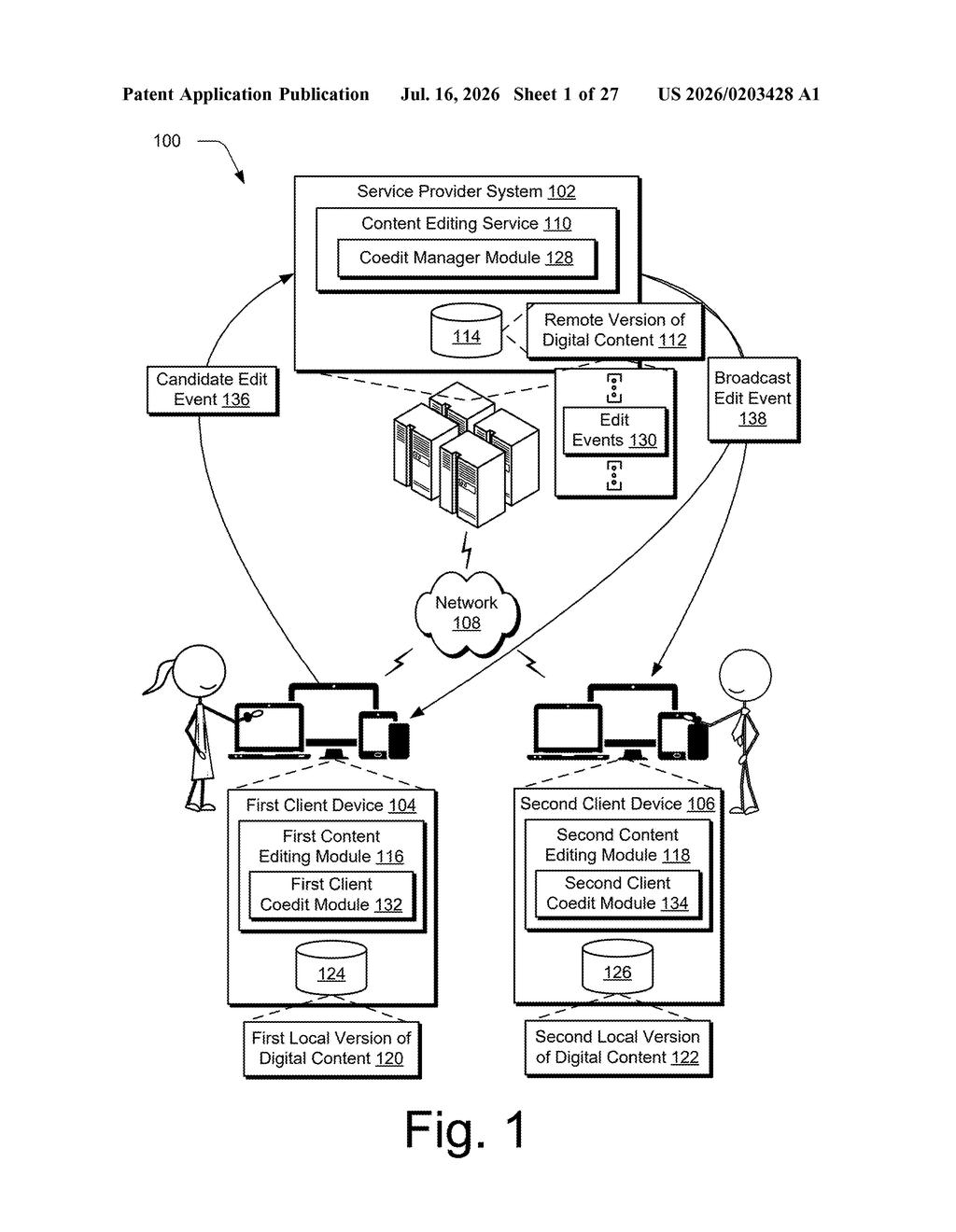
What Adobe's document co-editing sync actually does
Imagine you and two colleagues are editing the same Adobe document at the same time. You change a heading, your colleague edits a table, and a third person tweaks the layout. Without careful coordination, each person's app can end up showing a different version of the file without anyone realizing it.
Adobe's patent describes a system that watches for any change in a shared document and immediately creates a kind of digital fingerprint of whatever just changed. That fingerprint gets sent to every other person's device. If their local copy doesn't match, the system knows something is out of sync and can fix it.
The clever part is that the system can also detect when a part of the document doesn't yet support this live-sync behavior, and it adjusts the rules accordingly. Instead of crashing or silently corrupting the file, it picks a safe mode that controls who can edit what until the situation is resolved.
How Adobe's fingerprint system detects and resolves conflicts
The patent covers a server-side system that monitors a coediting session involving multiple client devices. When any change occurs in the shared document, the system locates the specific elements that changed inside the document model (the internal data structure that represents the file's content and layout).
It then generates a fingerprint based on a hash of a serialization of those elements. In plain terms: it converts the changed content into a standardized text string, then runs that string through a mathematical formula to produce a short, unique identifier. If the content differs even slightly, the identifier changes, making mismatches easy to spot.
The independent claim adds another layer. The system runs a detector module that inspects whether a portion of the document has a recognized "named document state" (essentially a flag that says whether that section knows how to participate in live sync). Based on what it finds, the system picks from several modes:
- Allow full co-editing access as normal
- Restrict access to the session until the document section is ready
- Block editing of that portion entirely
This mode-selection logic is the key innovation. It lets Adobe's platform handle older or partially compatible document sections without breaking the whole collaboration session for everyone else.
What this means for Adobe's real-time collaboration tools
Adobe's creative apps, including Illustrator and InDesign, have been adding real-time collaboration features to compete with browser-native tools like Figma and Google Docs. Those tools were built for live co-editing from day one. Adobe's desktop apps were not, which means parts of their document formats don't always know how to behave when multiple people are editing simultaneously. This patent addresses that exact problem by letting the platform quarantine incompatible sections instead of letting them corrupt a shared session.
For you as a user, this would mean fewer mysterious conflicts and lost changes when working on a shared file. For Adobe, it's part of the longer effort to make its desktop-format files as collaboration-friendly as anything you'd build in a browser.
This is infrastructure work, not a flashy feature. But it's the kind of infrastructure that makes or breaks real-time collaboration in professional design tools. Adobe has a specific and real problem here: its legacy document formats were never built for Google Docs-style live editing, and this patent shows one concrete way it's trying to paper over that gap without rewriting everything from scratch.
There are more where this came from
We read every patent application Big Tech publishes and send you the ones worth knowing. Plain English, free, every week.
Want this weekly breakdown for a company we don't cover? Patentlyze Pro →
Be the first to weigh in