
Adobe Patents Depth-Aware Occlusion Detection for Object-Centric Photo Editing
When you ask an AI photo editor to move, remove, or replace an object, the trickiest part is figuring out what's hiding behind what. Adobe's new patent tackles exactly that — automatically determining which object is occluding which, using depth data.
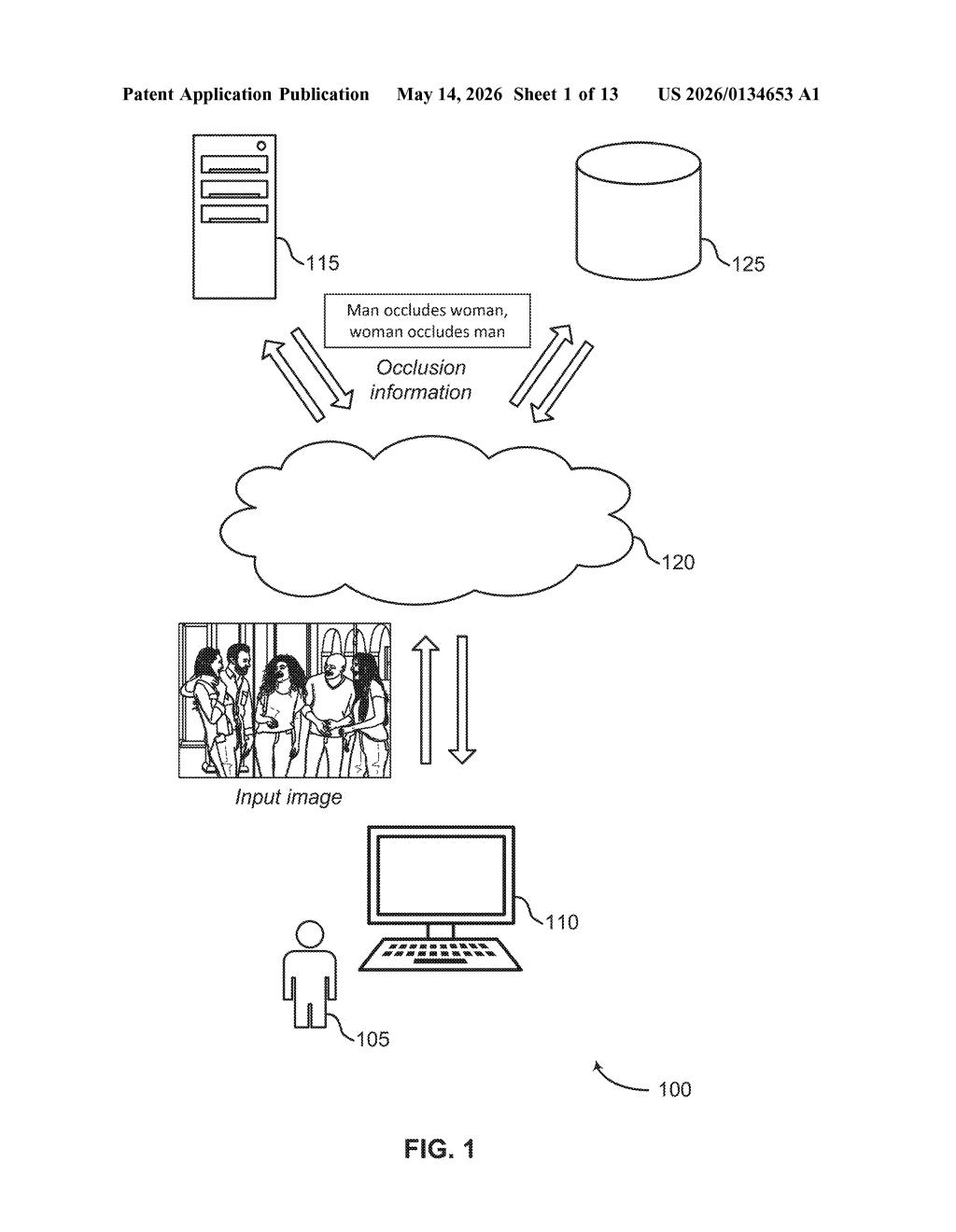
What Adobe's occlusion detection actually does to your photos
Imagine you want to cut a person out of a photo where they're partially standing behind a park bench. Your editing tool needs to know two things: where the person ends and the bench begins, and which one is physically in front of the other. Without that second piece of information, the edit falls apart.
Adobe's patent describes a system that solves this by combining two sources of information: the boundaries between objects in the image, and depth data that tells the software how far each pixel is from the camera. By finding two distinct boundary lines between any pair of objects and checking which one is closer, the system can generate an "occlusion label" — basically a tag that says "Object A is in front of Object B here."
The result is that tools like Photoshop's generative fill or object selection could more accurately handle partially hidden objects, filling in backgrounds or editing subjects without leaving weird artifacts at the edges where one thing overlaps another.
How Adobe maps depth and boundary pixels to label occlusion
The patent describes a pipeline with three main steps:
- Input gathering: The system takes in an image plus disparity information — a depth map (think of it like a grayscale heatmap where brighter pixels are closer to the camera) that can come from stereo cameras, LiDAR, or depth-estimation AI models.
- Dual boundary detection: Rather than finding a single edge between two objects, the system identifies two separate boundary pixel sets — one on each object's side of the overlap zone. This double-boundary approach is key because at an occlusion edge, the foreground and background objects have visually distinct contours that don't perfectly align.
- Occlusion label generation: By cross-referencing the two boundary sets with the depth data, the system determines which object is in front and generates an occlusion label encoding that relationship. The label can be bidirectional — "man occludes woman" or "woman occludes man" — as the patent's own diagram illustrates.
The practical output is structured metadata about object overlap that downstream editing operations — like generative inpainting, object removal, or layer-based compositing — can consume to make smarter, artifact-free edits.
What this means for AI-powered object editing in Photoshop
For AI-assisted photo editing, occlusion has always been the hard part. Tools like Photoshop's Generative Fill or object selection work well on cleanly isolated subjects but struggle when objects partially overlap — which is most real-world photography. A system that reliably labels "who's in front" gives the editing engine a critical piece of context it currently has to guess at.
This also fits neatly into Adobe's broader push toward object-centric editing, where you interact with individual subjects rather than pixels or layers. If the software knows the spatial relationship between every pair of overlapping objects, it can automate a lot of the tedious masking work that even experienced Photoshop users find painful.
This is solid, unglamorous infrastructure work — the kind of thing that quietly makes generative editing tools feel less broken at the edges. It's not a flashy new feature; it's the plumbing that makes existing features work better. Adobe clearly needs this if it wants Firefly-based tools to handle complex real-world scenes without embarrassing edge artifacts.
There are more where this came from
We read every patent application Big Tech publishes and send you the ones worth knowing. Plain English, free, every week.
Want this weekly breakdown for a company we don't cover? Patentlyze Pro →