
Google Patents a Spreadsheet Tool That Writes Formulas by Watching How You Type
Google has patented a spreadsheet feature that watches what you type in a cell, figures out the underlying pattern, and then automatically writes a formula to fill in the rest of your data for you. The clever part: it only kicks in when you've spent enough time and effort on a tricky entry.
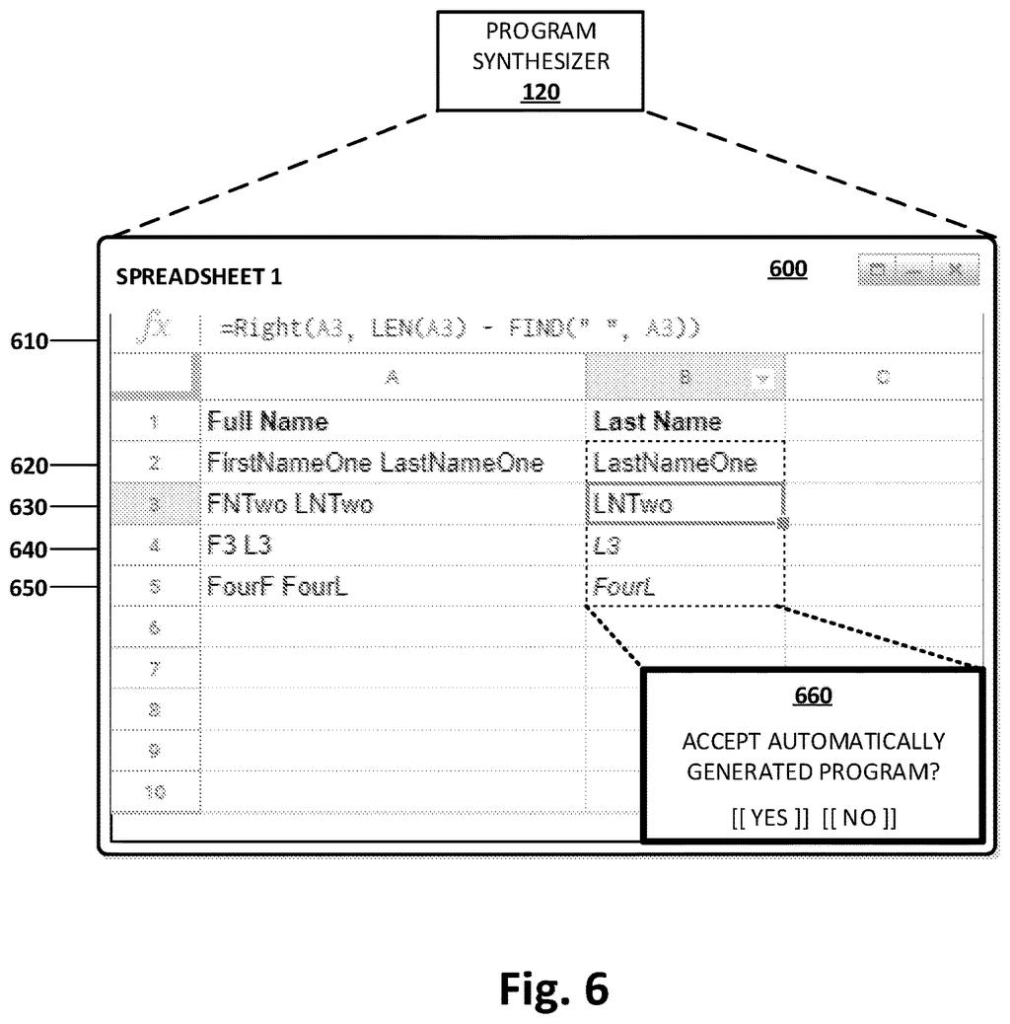
What Google's formula-guessing spreadsheet actually does
Imagine you're building a spreadsheet and you manually type out a reformatted date or a cleaned-up address in one cell. You know you'll need to do the same thing for hundreds of rows below it, but you haven't the faintest idea how to write the formula that would do it automatically.
Google's patent describes a system that watches that single example you typed, notices that it took you a while and that it was fairly complex, then generates the spreadsheet formula that matches your work. It shows you a preview across the related cells and asks: "Do you want to use this?" You can accept or walk away.
If you reject the suggestion, the system learns from that too. It adjusts its threshold so it doesn't jump in too early on future entries. Think of it as a co-pilot that gets better at reading the room the more you use it.
… determining that a display triggering condition is satisfied based on (i) the amount of time spent providing the first user input exceeding a threshold amount of time, and (ii) the level of complexity of the first user input; …
Translation: It decides to help you when you take too long and the formula looks too hard.
How the system decides when to generate a formula
The system monitors two things simultaneously when you type into a spreadsheet cell: how long you spend typing and how complex the result looks. Only when both signals exceed certain thresholds does it trigger formula synthesis.
Once triggered, it runs a program synthesis process (an AI technique that reverse-engineers a program from examples, rather than being explicitly programmed with rules) to produce a spreadsheet formula that would generate your typed value as output. The formula is drawn from the spreadsheet application's own function library, things like text manipulation, date parsing, or conditional logic.
The system then identifies other cells in the spreadsheet that are structurally related to the one you just filled in, typically the rows below it in the same column, and previews what the formula would produce there. It surfaces all of this through a prompt in the user interface asking you to accept or reject.
If you reject the suggestion, the patent describes a feedback loop: the display triggering condition itself is modified. In plain terms, the system raises its own bar for when it will offer the next suggestion, so it becomes less intrusive over time.
… automatically synthesizing a program using the first user input in the first cell as a first example, where the program includes at least one function in a spreadsheet programming language …
Translation: It builds a custom formula for you by looking at the data you just typed.
What this means for everyday spreadsheet users
For most people, spreadsheet formulas are a wall. You either know how to write REGEXREPLACE or you don't, and if you don't, you sit there doing repetitive data entry by hand. This patent describes a path where showing the system one example of what you want is enough to get it to write the formula for you, without you ever opening a help page.
The feedback mechanism is the part worth paying attention to. By adjusting its own trigger threshold after a rejection, Google's interest in adaptive, example-driven coding tools shows up here in a concrete form: a tool that is supposed to get less annoying over time, not just smarter at formula-writing.
Google's 40th filing we've tracked in Enterprise AI since May follows faster image compression work and the alarm-canceling system in showing how the company keeps rethinking core software tasks.
The system waits until you've spent real effort on a cell before offering a suggestion, which is a reasonable way to avoid pestering people on simple entries. But "effort" is a blunt signal. A complicated entry about something the system is bad at will still trigger an offer, and the user absorbs the interruption for nothing.
When someone rejects a suggestion, the system lowers its overall eagerness rather than learning what went wrong. So a user who keeps declining help with dates might still get interrupted on the next tricky text entry. The system gets quieter in general, but no smarter about when it actually has something useful to say.
Whether this reads as helpful or annoying will come down almost entirely to how well those starting thresholds are tuned before launch. The design gives up precision in exchange for simplicity, and that trade probably holds if the defaults are good and breaks badly if they are not.
There are more where this came from
We read every patent application Big Tech publishes and send you the ones worth knowing. Plain English, free, every week.
The drawings
7 drawing sheets from US 2026/0278259 A1 · click any drawing to enlarge


Want this weekly breakdown for a company we don't cover? Patentlyze Pro →
Be the first to weigh in