
Apple Files Patent to Help a Voice Assistant Tell When You're Talking to It
Your voice assistant hears everything, including the sentence you meant for your roommate. Apple's filing describes a way to judge, before answering, whether you were talking to it at all.
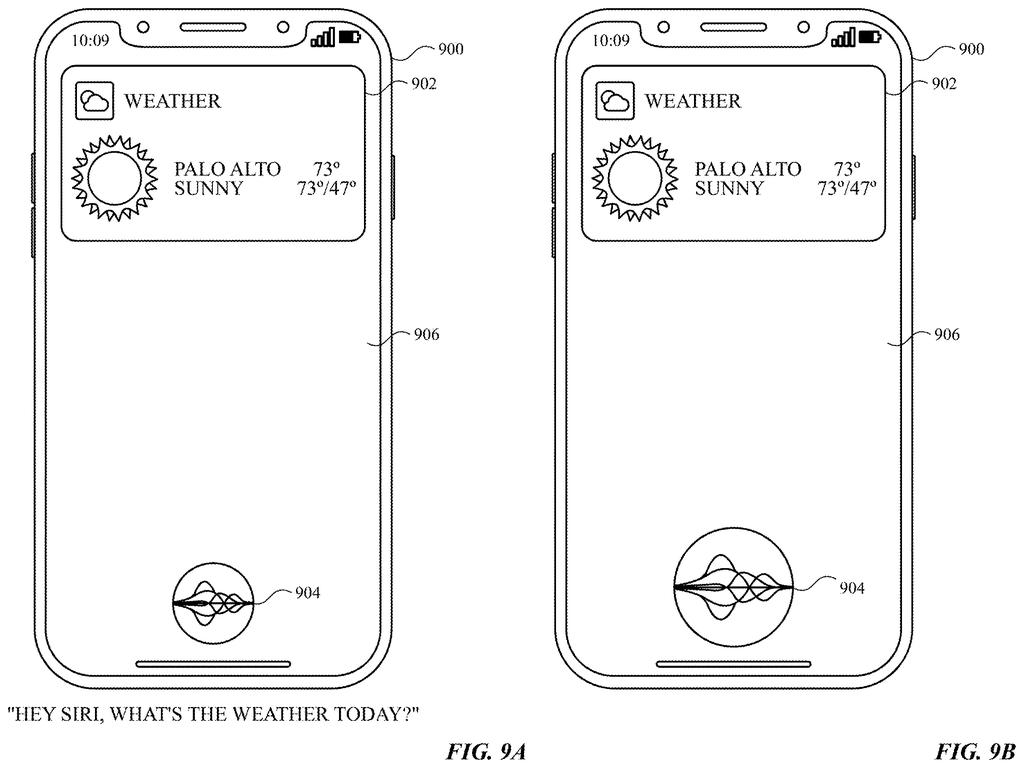
What Apple's double-check voice assistant does
Ever turned to a friend and asked, "Should we order pizza?" while a voice assistant in the room perked up as if you meant it? Assistants hear a lot, so working out who you are talking to is a real problem.
Apple's patent application describes a double check. The device looks at how your speech sounds and also at what you said, and each check produces a score for whether the words were meant for the assistant. The two scores are then combined into one verdict.
If the verdict is yes, the assistant starts the task and shows or tells you what it is doing. If the verdict is no, it stays out of the way. The filing also lists extras the system could add, like checking who is speaking or noticing a gesture. The stated aim is fewer repeated requests and fewer wrong answers you have to cancel.
… determine, based on an acoustic representation of the speech input, a first score indicating whether the speech input is intended for a digital assistant operating on the electronic device; determine, based on a textual representation of the speech input, a second score indicating whether the speech input is intended for the digital assistant; …
Translation: The device scores both how you sound and what you said to see if you are talking to it.
How the sound and word scores get combined
The main claim is a two-signal check. When the device receives speech, one score comes from the acoustic representation (the audio itself, rather than the words). A second score comes from the textual representation (the words that speech recognition turned the audio into). Each score estimates whether the speech is meant for the assistant, and a third step combines them into a final decision. If the answer is yes, the assistant starts the task and provides an output.
The dependent claims add optional extra signals:
- Utterance type and domain match: does the sentence look like a request, and does it fall into something the assistant handles?
- Contextual continuity: does a follow-up sentence connect to an earlier one that was meant for the assistant?
- Speaker identification and gestures: who is talking, and did you make a recognized gesture?
- Task flow score: can the assistant work out the details the task needs?
A neural network (a trained pattern-matching program) can merge the scores into a final one. The text score can be fed an ASR lattice (speech recognition's list of possible transcriptions, rather than just its top guess). The check can run without a button press, and when the verdict is no, the assistant simply does not respond.
The description also covers a version that uses a camera to track where you look while you speak.
… determining, based on the textual representation of the speech input, a second score representing a correspondence between the user utterance and a domain recognized by a digital assistant; …
Translation: It checks if your words match topics the assistant actually knows about.
Why fewer false answers matter on your devices
If it works, you could talk to your devices more naturally, with less need for a button press or special phrase before every follow-up, and fewer awkward moments when the assistant jumps into a conversation you never invited it to. The filing says the goal is fewer repeated requests and fewer wrong answers to cancel, and it also ties that to saving power and battery life.
The follow-up case is where you would likely notice it most. After you ask for something, the assistant checks whether your next sentence connects to the first, so a back-and-forth can flow. The filing describes devices from watches and phones to speakers, TVs and desktop computers, so the same judgment could run in many places. It is a patent application, so none of this is a promise of a feature.
Apple's sixth filing in the Voice & speech AI work we've tracked since June builds on ideas like the voicemail booking patent and screen-aware voice commands.
Every guess costs something. If the assistant gets pickier about when it answers, sometimes it will wrongly stay silent when you really were talking to it, and a silent assistant feels broken in a way a chatty one does not.
The other cost is attention. To make this call, the device has to analyze the speech it picks up, and the optional extras bring in a camera watching your gaze and a check on who is speaking. That is a lot of listening and watching for a feature meant to spare you a wake phrase.
Still, the trade reads as worth making. Answering a sentence meant for your spouse is annoying, and being ignored is annoying too, but repeating yourself is a cheap fix. Requiring two separate signals to agree is a sensible way to cut false alarms, though the filing offers no accuracy numbers, so how often it misjudges is unknown.
Get our take in your Top Stories
Liked this breakdown? Add Patentlyze as a preferred source on Google, and our plain-English take shows up more often in your Top Stories the next time Apple patent news breaks.
There are more where this came from
We read every patent application Big Tech publishes and send you the ones worth knowing. Plain English, free, every week.
The drawings
24 drawing sheets from US 2026/0331104 A1 · click any drawing to enlarge


Show the other 16 sheets


Want this weekly breakdown for a company we don't cover? Patentlyze Pro →
Be the first to weigh in