
Qualcomm Files Patent for Phones That Ask the Network for Their Own Connection Settings
When your phone overheats, it usually has to finish connecting to the network and wait for a setup message before it can say so. This Qualcomm filing lets it speak up during the first handshake instead, and ask for settings of its own design.
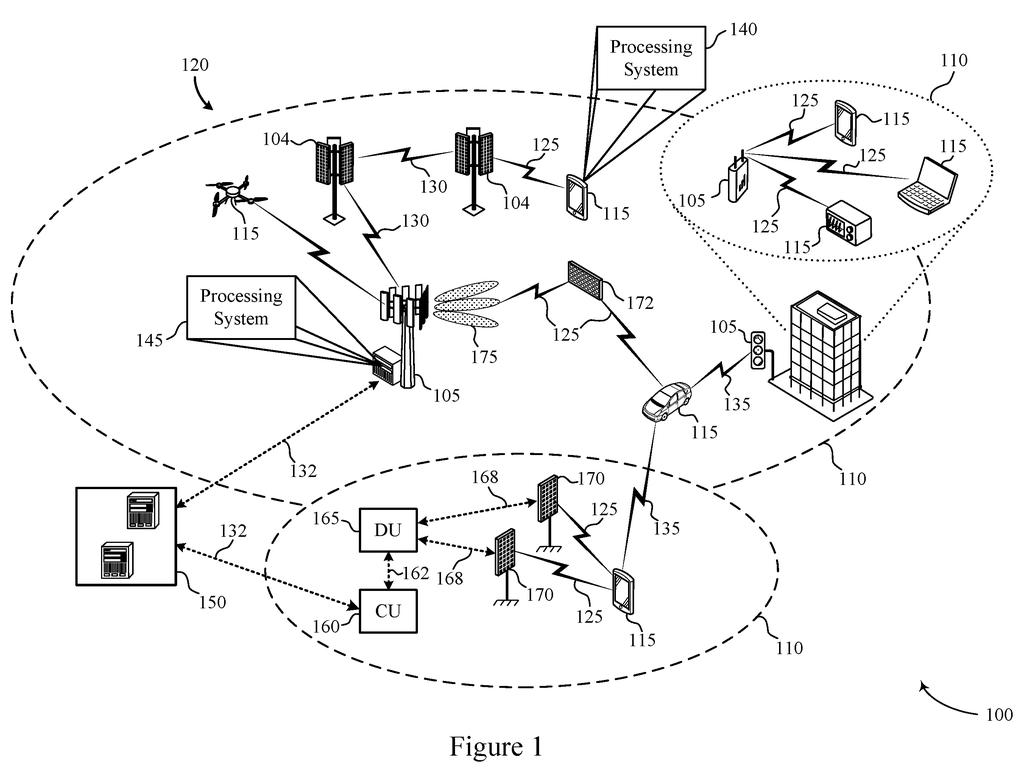
What Qualcomm's phone-settings request does
Every time your phone starts running hot, it can't simply tell the cell network to go easier on it. Today it has to finish connecting, receive a setup message, and sometimes wait out a timer before it can report the problem. Then the network sends yet another setup message back.
Qualcomm's patent application describes a shortcut. The network hands your phone a menu of ready-made profiles (bundles of settings), each meant for a situation like overheating, interference, or moving fast. Your phone can then send back a custom request that isn't on the menu, such as a different range of values for one setting.
The phone can send that request during its very first handshake with the network, or later while connected. It can also say why it's asking, and the network gets to answer yes or no.
… transmit a requested RRC configuration profile that is different from each RRC configuration profile of the plurality of RRC configuration profiles, wherein the requested RRC configuration profile comprises requested parameter information for a particular communication scenario …
Translation: The device asks the network for a custom connection setup that is not part of the standard preset options.
How the phone's request travels to the network
The network starts by sending the phone a set of radio resource control (RRC) profiles. RRC is the layer of cell-network software that decides how a phone and a tower talk to each other. Each profile holds a set of parameters (specific settings and values) and matches one scenario, such as overheating, an expected traffic pattern, interference, movement, or connected-mode discontinuous reception (C-DRX, a power-saving cycle where the phone sleeps between checks for incoming data).
The phone then transmits a requested profile that differs from every profile it was given. According to the description, that could be a completely different profile, a brand-new one for a scenario the phone wasn't set up for, or updated values (or ranges of values) for an existing profile. After that, the phone and network communicate under that scenario.
The filing describes several supporting pieces:
- Timing: the request can ride in the first handshake messages (called Msg3 or MsgA) or in regular connected-mode signaling.
- Reason: the phone can attach why it's asking, such as overheating or interference.
- Replacement: it can name an existing profile by its ID and ask to swap it out, even sending only the change.
- Approval: the network can reply with an ACK/NACK (a yes or no), and phones can announce that they support the feature.
The description says a phone may use a built-in AI model to manage these updates. The claims cover the request itself.
… artificial intelligence (AI)-native radio resource control (RRC) profile adaptation for user equipment …
Translation: The phone uses built in artificial intelligence to adapt its connection settings based on what it needs.
What this means for hot phones and batteries
The practical gain is speed. Right now a hot phone has to connect, wait for the network's setup message, and sometimes sit through a reporting timer before help arrives. Asking during the first handshake could mean the network adjusts sooner, and the filing says this should cut delay and extra messaging. It also lists reduced energy use on both the phone and the network side.
The network still has the last word. The description says it can refuse a request, limit how many a phone sends, or turn the feature off for certain phones, places, or times. Since the tower has to understand the request too, this only matters if carriers and equipment makers support it.
Qualcomm's 568th filing in our Qualcomm coverage since May adds to a run that includes blurring faces in video and porting AI models across chips.
Most people will never read the words in this filing, but they may feel the result. A phone that flags overheating or interference at the moment it connects, instead of after a round of setup messages, has a better chance of cooling down before the screen dims or a call stutters.
Your phone only gets what the network agrees to. The filing lets the network say no, cap how many requests a phone can make, or switch the feature off, so asking faster does not guarantee a better outcome.
The AI in the title shows up in the description as an option for deciding when to ask. The claims cover the asking itself. If carriers and tower makers adopt it, you might notice a phone that stays cooler with no setting for you to touch. If they do not, you will notice nothing at all.
Get our take in your Top Stories
Liked this breakdown? Add Patentlyze as a preferred source on Google, and our plain-English take shows up more often in your Top Stories the next time Qualcomm patent news breaks.
There are more where this came from
We read every patent application Big Tech publishes and send you the ones worth knowing. Plain English, free, every week.
The drawings
10 drawing sheets from US 2026/0353403 A1 · click any drawing to enlarge


Show the other 2 sheets


Want this weekly breakdown for a company we don't cover? Patentlyze Pro →
Be the first to weigh in