
Microsoft Patents an Audio-Guided Screen Capture Tool for Visually Impaired Users
Taking a screenshot sounds trivial — unless you can't see the screen. Microsoft is filing a patent for a screen capture system that narrates what's on screen, confirms the right object is selected, and embeds accessibility metadata directly into the image file.
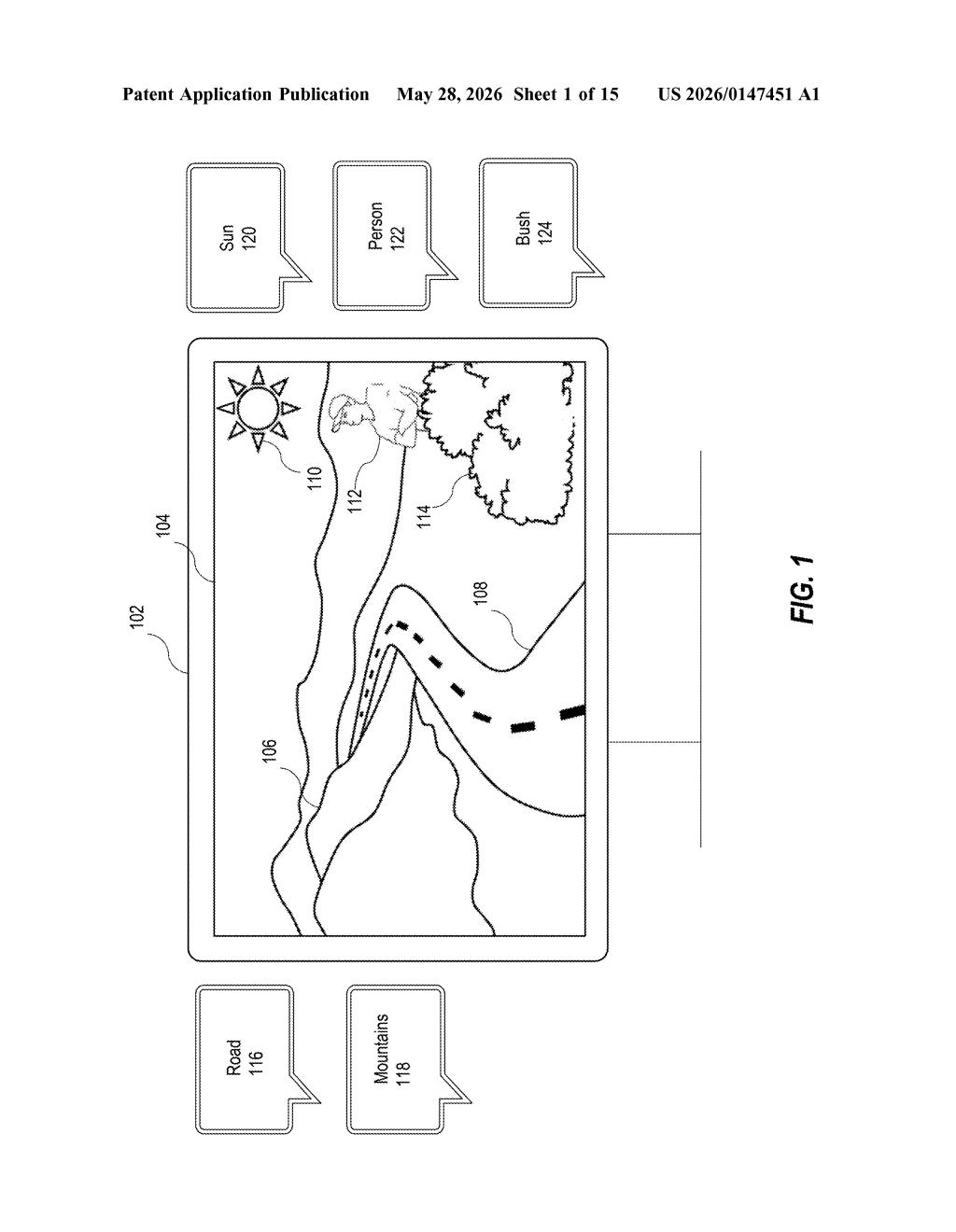
What Microsoft's accessible screen capture actually does
Imagine you're using a screen reader and you need to take a screenshot to send to tech support. Today, that process is genuinely painful — you can't easily confirm you've captured the right thing, and the resulting image file contains zero context for anyone who later needs to describe it to you.
Microsoft's patent describes a system that changes this. When you hover over or focus on something on your screen, the system narrates a description of that object so you know what you're targeting. Once you confirm your selection, it checks that the object you originally selected is actually inside the capture area before snapping the shot — no extra confirmation step needed from you.
The final screenshot isn't just a dumb image, either. The system embeds application metadata — structured information about the objects in the capture — directly into the image file. That means the screenshot itself carries context that assistive tools can read back later.
How the object-matching and narration pipeline works
The patent describes a multi-step pipeline that makes every stage of screen capture accessible, not just the end result.
First, the system scans the user interface and narrates descriptions of objects as a user navigates — think of it like a spatial audio tour of what's on screen. When you select an object as your capture target, that selection is registered before the capture process begins.
Then comes the clever validation step. The system temporarily applies the chosen screen capture type (which could be a full screen, a window, or a region) and identifies a "second object" inside that capture area. It then checks whether the first object you selected and the second object it found are the same thing. If they match, the screenshot fires automatically — without asking you to reselect your target. That removes a redundant confirmation step that would otherwise break the accessibility flow.
The output is an image-based screen capture with embedded application metadata — structured data about the captured objects baked into the file itself. The system also generates a text description of the capture and narrates it, so you get auditory confirmation of what was captured. The whole loop closes without requiring sighted assistance.
What this means for accessibility in Windows workflows
Screen capture is one of those features that most software treats as a purely visual task — point, click, done. For users who rely on screen readers, that assumption creates a real gap: you can trigger a screenshot, but you can't easily verify what you captured, and the resulting file is opaque to assistive technology.
This patent suggests Microsoft is thinking about accessibility at the output format level, not just the interaction level. Embedding metadata into the image file means the screenshot becomes a richer artifact — one that downstream tools, support agents, or other assistive systems could interrogate. If this lands in Windows or a Microsoft 365 tool, it would be a meaningful upgrade for the roughly 253 million people globally with moderate-to-severe vision impairment who use computers daily.
This is a quiet but genuinely useful patent — it addresses a specific, reproducible pain point rather than papering over accessibility gaps with a generic 'add alt text' solution. The object-matching validation step in particular is an elegant way to remove friction from a workflow that's currently full of it. Worth watching for a Windows 12 or Narrator update.
There are more where this came from
We read every patent application Big Tech publishes and send you the ones worth knowing. Plain English, free, every week.
Want this weekly breakdown for a company we don't cover? Patentlyze Pro →