
Adobe Patents a Tool That Snaps Objects Into Perfect Diagonal Alignment
Adobe's design tools already help you line things up horizontally and vertically. This patent extends that idea to any angle, automatically snapping objects into perfect diagonal alignment so they're evenly spaced along a tilted line.
What Adobe's diagonal snapping guide actually does
Imagine you're arranging icons along a diagonal banner in a poster design. Getting three of them to sit at perfectly equal distances from each other, along a tilted line, is tedious to do by hand. You'd need to do a lot of mental math or drag-and-drop guesswork.
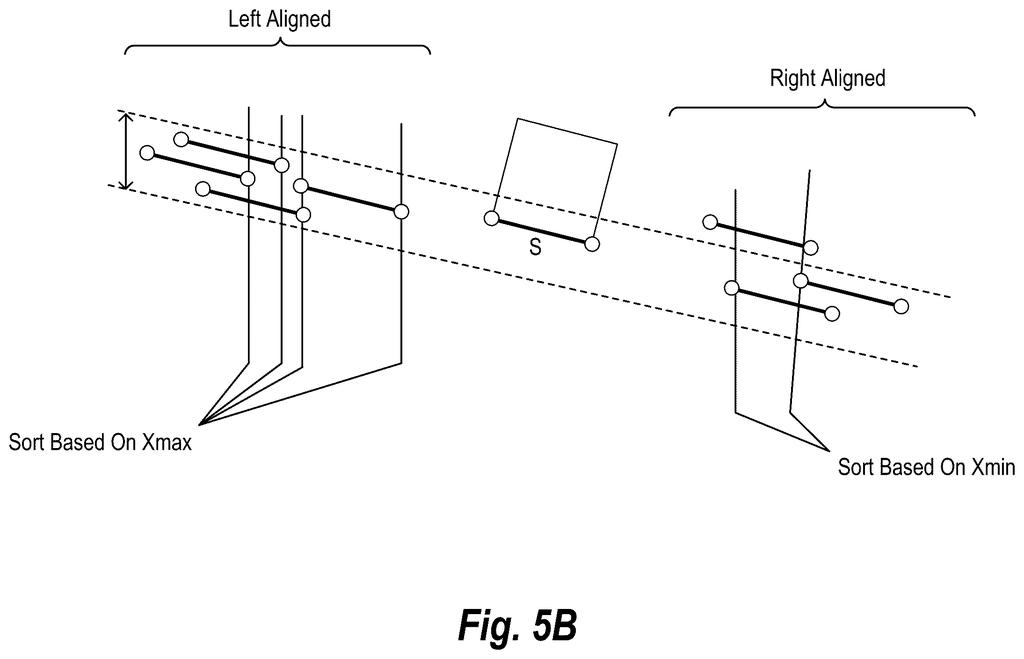
Adobe's patent describes a system that figures out that diagonal for you. When you move one object near two others, the software detects that a diagonal alignment line already exists between those two objects, then calculates exactly where the third one needs to land to be evenly spaced along that same angle. A small clickable indicator appears, and tapping it snaps your object into place.
Think of it like the magnetic snapping guides already common in tools like Illustrator or Figma, but extended beyond straight horizontal and vertical lines to any arbitrary angle.
How the system calculates equal spacing along an angle
The patent describes a method for generating what Adobe calls angular alignment guides, diagonal guidelines that aren't locked to 0, 45, or 90 degrees but instead match whatever angle already exists between objects in the canvas.
Here's the core sequence:
- The system scans the canvas for snappable segments, meaning the edges or center lines of objects the user might want to align.
- When the user starts dragging an object, the software detects a non-horizontal, non-vertical line that already passes through two other nearby objects.
- It calculates a modified alignment position, the exact spot where the dragged object would sit if all three objects were equally spaced along that diagonal line.
- A small UI element appears near that position. Clicking it snaps the object there instantly.
The equal-spacing calculation is the key detail. The system isn't just finding a line; it's finding the specific point on that line where the gaps between all three objects are identical. That's the part that would otherwise require manual measurement.
Why it matters
This is the kind of small-but-annoying problem that slows down professional design work constantly. Horizontal and vertical snapping guides have existed for decades, but diagonal alignment has always required workarounds, rotating a frame, using grids, or doing the math yourself.
For Adobe, this fits a clear pattern of investing in vector design intelligence inside Illustrator and similar tools. It won't headline a product launch, but it's the sort of quality-of-life fix that makes a daily-use application feel more polished. If you regularly work with angled layouts, timelines, or infographic designs, this is the kind of feature you'd notice immediately.
This is a narrow but genuinely useful patent. Diagonal alignment is a real pain point in vector design, and the equal-spacing twist makes it more interesting than a simple 'snap to angle' feature. It's not a headline product move, but it's the kind of workflow improvement that would earn quiet appreciation from professional Illustrator users.
There are more where this came from
We read every patent application Big Tech publishes and send you the ones worth knowing. Plain English, free, every week.
The drawings
13 drawing sheets from US 2026/0212444 A1 · click any drawing to enlarge


Want this weekly breakdown for a company we don't cover? Patentlyze Pro →
Be the first to weigh in