
Apple Files Patent to Nudge You Into Position for Eye-Scan Logins
Apple's patent gives an eye-scanning device a way to tell you what's wrong when it can't get a good look at you, so you can fix it instead of just failing.
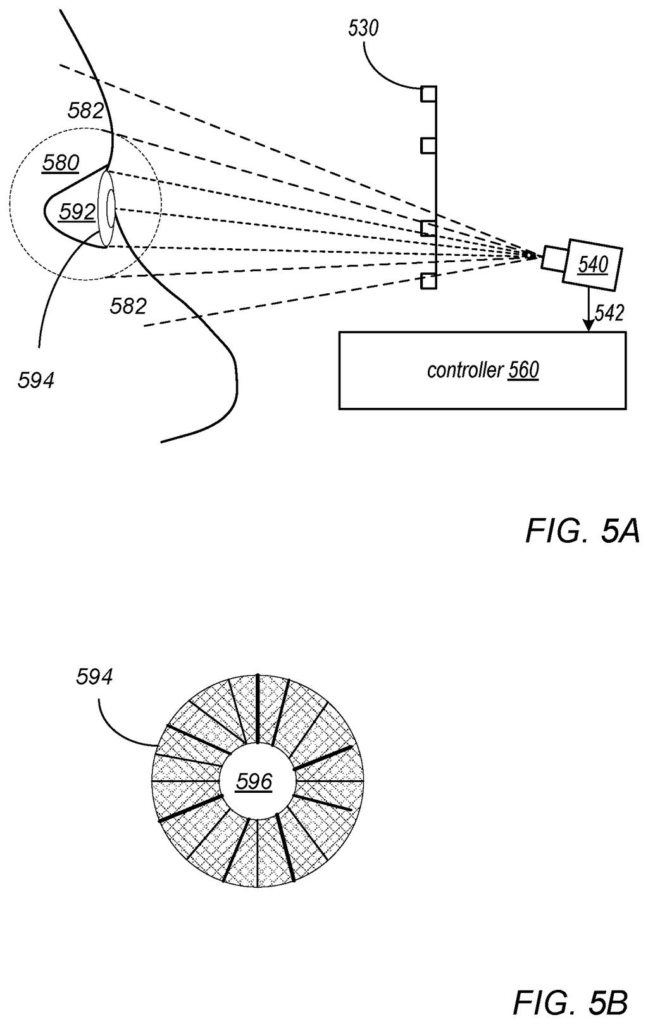
What Apple's eye-scan alignment prompt does
Eye-based logins only work when the camera gets a clear look at your eye, and that is harder than it sounds. A headset can slip on your head, a lens can get smudged, and a clip-on lens can change the view, so image quality shifts from one attempt to the next. Apple's filing points out that image quality affects how well the scan works.
Apple's fix is for the device to check its own view first. If your eye is sitting at a bad angle, it tells you, with a buzz, a sound or a cue on screen, to look a different way or nudge the device. Then it tries the scan again.
The filing also describes a version where the camera itself tilts, moves or zooms, so you have less to do.
… determine based on the evaluation that the current eye pose is not satisfactory for capturing images to be used in a biometric authentication process; signal the user to adjust their eye pose or to adjust a position of a device including the camera …
Translation: The system checks if your eyes are lined up correctly and tells you to move if they are not.
How the camera judges whether your eye is lined up
The claims cover a camera pointed at your eye region plus a controller (the chip and software that run the logic). The controller first works out your eye pose, meaning where your eye sits and which way it points relative to the camera. It then decides whether that pose is good enough to capture images for a biometric scan (identifying you from your body).
If the pose falls short, the controller signals you to change your gaze or move the device, then runs the scan on images taken after you adjust. The claims also cover repeating the check and the prompt until the pose is satisfactory. To judge a pose, the controller can test the images against objective criteria, such as:
- Gaze direction, exposure and contrast
- Shadows, streaks and unwanted reflections
- Sharpness and evenness of lighting
- Anything blocking the eye
Once it has good images, it can score different features (iris patterns, eye veins, eyelids, eyebrows, skin or nose features) and use the best ones for the match. The hardware can be infrared LEDs with an infrared camera, in a headset, a handheld device or a wall-mounted unit.
The description adds a variation: the controller can direct the camera to tilt, move or zoom, and the feedback to you can be a vibration, a sound or an on-screen indication.
… the eye pose may be improved by the user manually adjusting the device or their pose/gaze direction in response to a signal from the controller, and/or in which the imaging system is mechanically adjusted …
Translation: The device tells you to reposition yourself or automatically moves its camera to get a better scan.
Why failed eye scans on headsets could get rarer
If you have ever had a face or fingerprint scan fail for no clear reason, you know the frustration of not knowing what to fix. This filing adds a hint: the device tells you what to change. The most obvious fit is a headset, where the description says cameras often sit at awkward angles and the device can shift on your head, but the claims also name handheld and wall-mounted devices.
For Apple the appeal is reliability. If scans work on the first or second try, people have more reason to use eye-based sign-in. The filing's own tradeoff diagram notes that automating the fix, such as shifting the camera, can make setup easier on you. A filing is not a product, and nothing here says this ships.
That makes this Apple's 47th filing we've tracked since May on our eye and hand controls watchlist, adding to earlier work on flat apps reading gaze and touch and cameras in the nose bridge.
The cost here is your patience. A device that stops to say your eye is out of position adds a step to something that should feel instant, and the claims let the check and the prompt repeat until the view is good enough. If your headset sits loose or a lens is smudged, you could get nagged more than once.
The filing admits a second trade. A more complex machine can ask less of you, for example by tilting the camera for you. That means extra moving parts in a small headset, which adds cost and one more piece that can wear out.
Even so, the trade reads as worth it. A clear instruction like "look a bit to the left" beats a failed scan with no explanation, and the prompt costs only a moment when it works. The open question is how often the device would speak up, and the filing leaves that unanswered.
Get our take in your Top Stories
Liked this breakdown? Add Patentlyze as a preferred source on Google, and our plain-English take shows up more often in your Top Stories the next time Apple patent news breaks.
There are more where this came from
We read every patent application Big Tech publishes and send you the ones worth knowing. Plain English, free, every week.
The drawings
22 drawing sheets from US 2026/0340098 A1 · click any drawing to enlarge


Show the other 14 sheets


Want this weekly breakdown for a company we don't cover? Patentlyze Pro →
Be the first to weigh in