
Apple Files Patent for a Live Navigation View That Picks Which Objects to Highlight
Apple has filed a patent for a navigation view that decides which objects around you deserve a spotlight and which should stay in the background. The call depends on the path leading to each one.
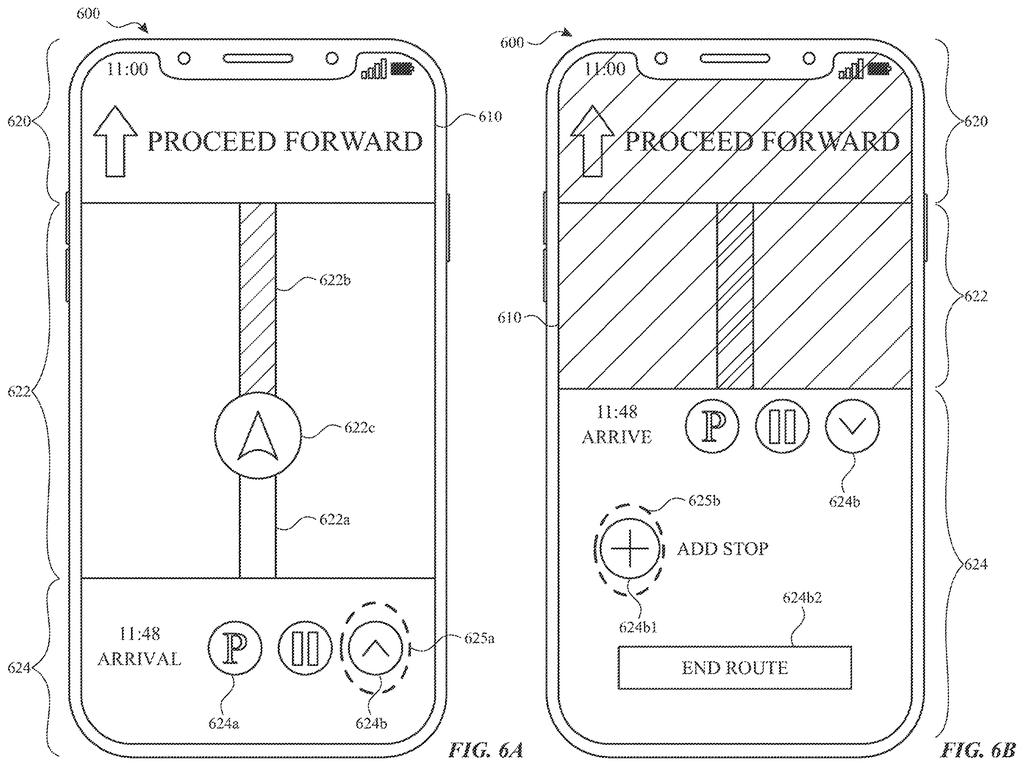
What Apple's object-highlighting navigation view does
A navigation screen shows a picture of the space around you, and a dozen objects are competing for your eye. Highlight all of them and the screen turns into visual noise. Highlight none and you're left hunting on your own.
Apple's filing describes a way for a device to sort this out. It uses its sensors to spot an object, then checks what kind of path leads to it. For one kind of path, the object gets emphasized. For the other kind, the object is left alone.
The claims list the clues the device might weigh: how far away the object is, how fast it or you are moving, whether it's standing still, and which direction it's in. If you tap an object that can be selected, the device starts navigating to it.
in accordance with a determination that a path to the first object is a first type of path, emphasizing the first object; and in accordance with a determination that the path to the first object is a second type of path that is different from the first type of path, forgoing emphasis of the first object.
Translation: The system highlights an item only if the route to it matches a specific type.
How the device decides which objects get spotlighted
The independent claims describe a computer system connected to a display and one or more sensors. The display shows a representation of a physical environment (a view of the space around the device). While that view is up, a sensor detects an object in the real world.
Then comes the decision. The system works out whether the path to that object is a first type of path or a second type of path. For the first type, it emphasizes the object on screen. For the second type, it deliberately skips the emphasis. The claims never spell out what the two types are.
Dependent claims name factors that can decide the type:
- The distance between the device and the object
- The speed of the object
- The speed of the device itself
- Whether the object is stationary
- The direction of the object from the device
Other claims add that if you tap an object and it is selectable, the device starts navigation to it, which can include drawing a path to it. If the object can't be selected, nothing happens. The description also covers related ideas in other sections, such as emphasizing every object of one type when you tap a matching button, changing a destination mid-trip, and moving part of the device when it detects a gesture. These ideas sit outside what the claims here cover.
Why a quieter navigation screen could help you
If you've ever stared at a map crowded with pins and labels, you know the value of a screen that knows what to leave out. Under this filing, your device would choose which nearby objects to point out based on things like distance and direction, so the useful ones stand out and the rest fade into the background.
The patent office has approved this application, and once Apple pays the final fee it should be issued as a granted patent. The filing says its stated goals are fewer taps, less mental effort for you and better battery life. Those are modest, practical aims, and they fit a feature that would live inside a navigation experience rather than stand as a product on its own.
Apple's 106th filing we've tracked since May in our AR glasses watch follows work on nose-bridge eye tracking and faster-dimming tinted lenses.
As a ship-path question, this one looks close to a software-only feature. The claims need a display, some sensors and decision logic, and the filing lists phones and tablets with cameras and depth sensors as example devices. No new hardware has to exist first.
What's missing is the definition. The claims never say what the two types of path are, only that distance, speed, direction and whether the object is standing still can feed the decision. A product team would have to settle that first, and that choice is the whole feature.
Once it's settled, the shortest route is an update to a maps-style app. The document itself is thin on detail, so the hard work would happen in testing rather than on paper.
Get our take in your Top Stories
Liked this breakdown? Add Patentlyze as a preferred source on Google, and our plain-English take shows up more often in your Top Stories the next time Apple patent news breaks.
There are more where this came from
We read every patent application Big Tech publishes and send you the ones worth knowing. Plain English, free, every week.
The drawings
37 drawing sheets from US 2026/0328577 A1 · click any drawing to enlarge


Show the other 29 sheets


Want this weekly breakdown for a company we don't cover? Patentlyze Pro →
Be the first to weigh in