
Apple Patents a Side Button That Knows Exactly Where You Pressed It
Apple is filing patents on a side button that can detect not just how hard you press it, but precisely where along its surface your finger landed, and then trigger different actions based on both.
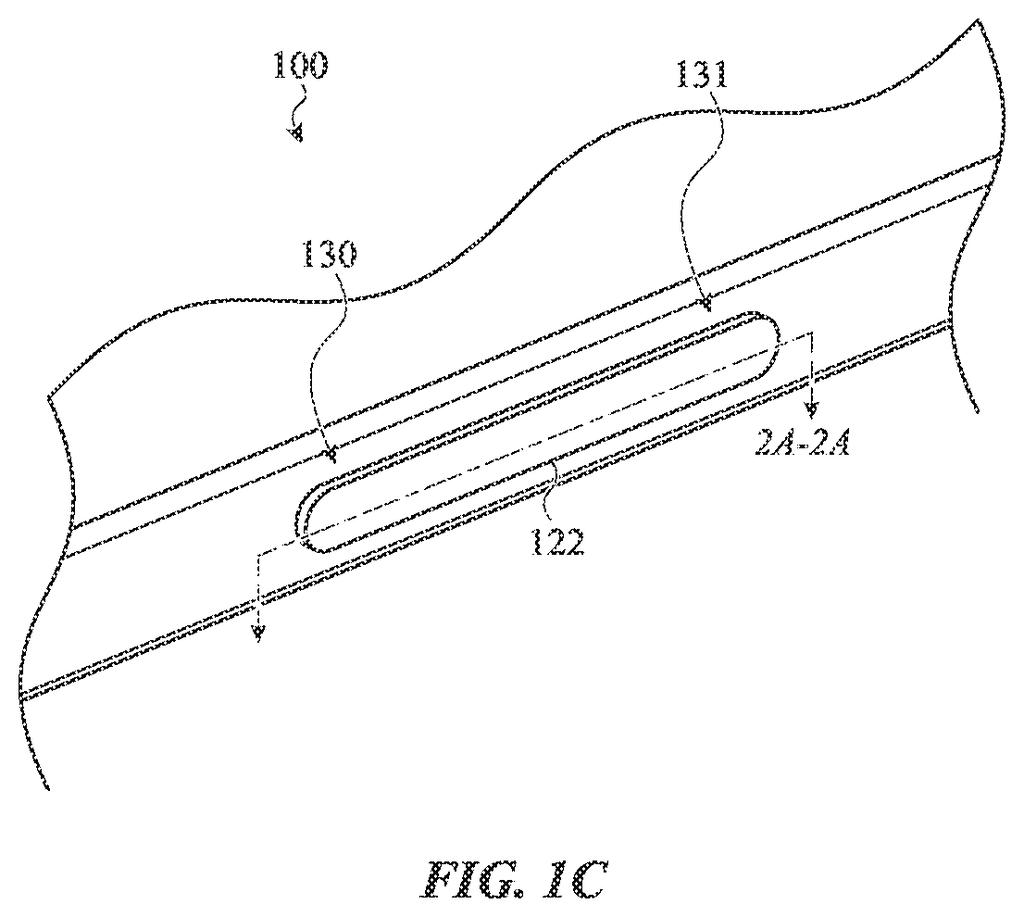
What Apple's pressure-sensing side button actually does
Today's physical buttons on phones and tablets are binary: you press them, or you don't. They can't tell whether your thumb landed on the top half or the bottom half, and they certainly can't do one thing for a light tap and something else for a firm press.
Apple's newly filed patent describes a side button with two tiny pressure sensors mounted on an internal beam. When you press the button, the beam bends slightly. Because the two sensors sit at different spots along that beam, the way each one bends tells the device's processor exactly where your finger made contact, and how much force you applied. A light press in one spot triggers one action; a harder press collapses a secondary mechanism called a dome switch, which fires a separate command.
In practice, that could mean a single physical button doing the work of several, with location and pressure together acting like a small grid of invisible inputs right on the side of your device.
… a beam structure at least partially within the enclosure, the beam structure configured to be deflected as a result of the force input on the input member; a first strain sensing element at a first location of the beam structure; and a second strain sensing element at a second location of the beam structure; …
Translation: An internal metal beam bends under your finger, and two sensors measure the stress at different spots.
How two strain sensors map your press to a location
The system replaces a standard button's simple on/off signal with a richer set of data. Inside the device enclosure, a beam structure connects to the exterior input member (the button you touch). When you press the button, the beam flexes.
Two strain sensing elements (tiny sensors that measure how much a material is bending) sit at two different positions along that beam. Because physics dictates that bending a beam produces different strain levels at different points, the ratio of the two sensors' readings tells the processor where along the button's length the force originated. This is the same principle used in industrial load cells and guitar pickup bridges, applied here at smartphone scale.
The processor then uses this location data alongside the raw force reading to decide what to do:
- A press that exceeds a first force threshold triggers one operation (say, launching the camera)
- A press hard enough to collapse an internal dome switch (a second, higher threshold) triggers a separate operation (say, taking a photo)
- Location along the button can further differentiate commands without adding any extra physical buttons
The dome switch acts as both a tactile confirmation and a fail-safe divider between the two pressure tiers, so the user gets a physical click sensation at the harder press level.
What this means for iPhone and iPad button design
For you as a user, a button that understands location and pressure could eliminate some of the button clutter on the sides of a phone or tablet. Instead of separate volume-up, volume-down, and action-button controls, a single elongated button with these sensors could handle multiple commands based on where and how firmly you press.
Apple's interest in solid-state and force-sensitive input has shown up across several device categories, and this filing extends that thinking to what is otherwise one of the most unchanged parts of device design: the humble side button. Whether this ever appears in a shipping product is a separate question, but the underlying idea targets a real limitation in how buttons work today.
Apple files its eighth application in the input and haptics work we've tracked since May, a topic that already includes filings on a pressure-sensing crown and a self-adjusting stylus.
The tradeoff here is legibility. A button that does different things depending on where you press it asks users to build a mental map of invisible zones on a small physical surface. That works well in a touchscreen context, where visual feedback teaches you where things are. On a physical button you're often pressing without looking, that spatial precision is harder to learn and easier to get wrong.
The dome switch as a secondary threshold is a genuinely practical move. It gives users a physical click as confirmation of the harder press, which reduces the guesswork. But the location-detection layer still requires the processor to be confident about positional accuracy from just two sensors, and any drift in sensor calibration over time could make the button feel inconsistent.
The design makes the most sense on a larger device, like an iPad or a thicker accessory, where the button has enough physical length that top-versus-bottom is obvious to the fingers. On a phone, the margin for error shrinks considerably. Whether the engineering precision is tight enough to make this reliable in daily use is the real question this patent leaves open.
There are more where this came from
We read every patent application Big Tech publishes and send you the ones worth knowing. Plain English, free, every week.
The drawings
14 drawing sheets from US 2026/0277336 A1 · click any drawing to enlarge


Want this weekly breakdown for a company we don't cover? Patentlyze Pro →