
Apple Patents Per-Person Content Permissions Inside 3D Virtual Meetings
In a virtual meeting where everyone shares the same 3D space, who gets to see what? Apple's new patent answers that question with a permission system that hides or reveals content based on each participant's access rights, and even blocks unauthorized users from moving objects they can't see.
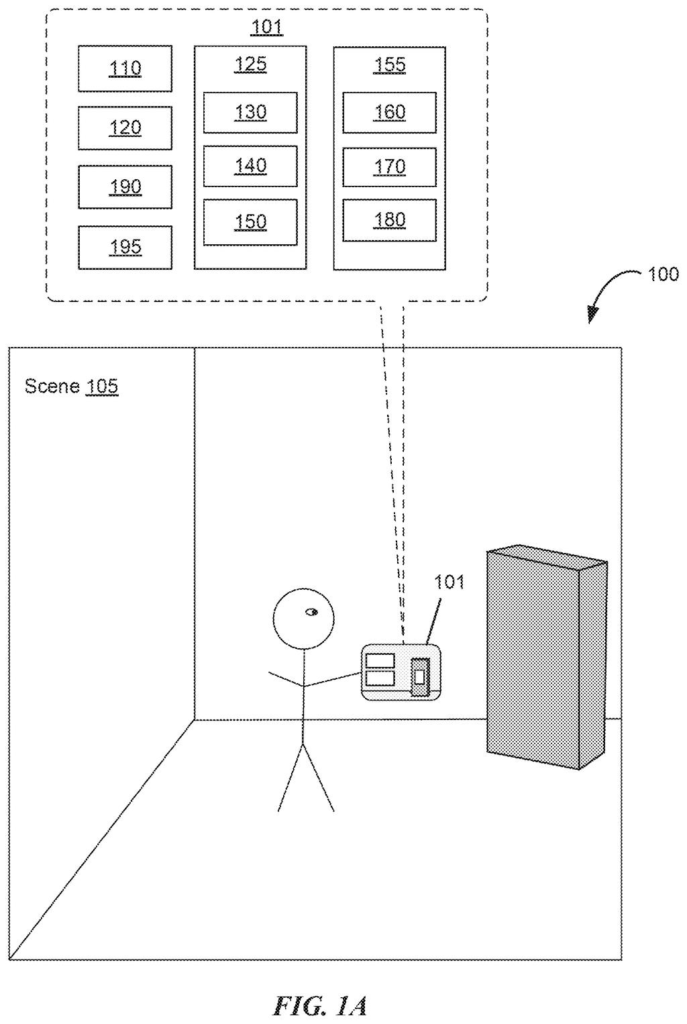
How Apple's 3D meeting sharing permissions would work
In a regular video call today, screensharing is all-or-nothing: everyone sees the same thing. That works fine for a slide deck, but it falls apart when a meeting involves documents or materials that only some people are cleared to view.
Apple's patent describes a system for 3D virtual meetings, the kind you'd have wearing a headset like Vision Pro, where a piece of content placed in the shared virtual room looks different depending on who's looking at it. If you have permission, you see the actual document or image. If you don't, you see a placeholder in the same location, so you know something is there, but not what it says.
There's a practical detail worth noting: the system also blocks unauthorized participants from moving those objects. You can't grab and reposition something you aren't allowed to view. It's a small but important consistency, keeping the experience from falling apart when someone reaches for something they shouldn't access.
A computer system optionally displays a user interface object that reveals content based on whether the content is private or shared.
Translation: The system shows or hides virtual items depending on their privacy settings.
How the system checks entitlement before showing content
The patent covers a computer system connected to a headset or other 3D display that manages a real-time communication session taking place in a virtual three-dimensional environment.
When content (a document, image, or other item) is selected during that session, the system places a virtual object representing that content in the shared 3D space. The object occupies a specific position in the scene so everyone can orient around it. Here's where the permissions layer kicks in:
- If a participant has entitlement (authorized access) to the content, their virtual object shows the actual content.
- If a participant does not have entitlement, their virtual object is present at the same location in the scene but does not reveal the content, acting as a visible-but-blank placeholder.
- If an unauthorized participant tries to reposition that object, the system ignores the input entirely and the object stays put.
The patent also mentions a sharing indicator, a UI marker that flags to participants when content is being shared with others in the session. The system is designed to operate within real-time communication sessions, meaning live calls or collaborative meetings, not asynchronous file sharing.
What this means for Vision Pro meetings and shared workspaces
For anyone using Apple's Vision Pro headset in a professional context, this closes a real gap. Right now, running a sensitive meeting in a shared virtual space is tricky because there's no clean way to have confidential materials in the room without either kicking people out or switching apps entirely. Apple's system would let a manager share a performance review in the same virtual space where the broader team meeting is happening, with only the relevant people able to see the contents.
Apple's long bet on spatial computing shows up clearly here: the company keeps solving the practical problems that would block Vision Pro from being used for actual work. A permission system for shared 3D content is less about futuristic immersion and more about making the headset useful in a Monday morning meeting.
Apple's 54th filing AR glasses applications we've tracked since May builds on earlier work like shifting 3D depth displays and virtual try-on stores.
The payoff for a real user here is specific and practical. You would notice this feature the moment you tried to run a meeting that mixed public and confidential content in the same virtual space. Without something like this, you'd have to constantly shuffle people in and out of rooms or share separate screens. This patent describes the fix.
The placeholder object behavior is the most thoughtful detail. Showing unauthorized users a blank stand-in at the correct position is better than hiding the object entirely: it preserves the shared spatial layout of the meeting so everyone knows where things are, without leaking anything.
This is infrastructure work, not a headline feature. Most users will never consciously register that it's running. But the absence of it would be felt immediately in any professional meeting that involved mixed access levels, which is most of them.
Get our take in your Top Stories
Liked this breakdown? Add Patentlyze as a preferred source on Google, and our plain-English take shows up more often in your Top Stories the next time Apple patent news breaks.
There are more where this came from
We read every patent application Big Tech publishes and send you the ones worth knowing. Plain English, free, every week.
The drawings
37 drawing sheets from US 2026/0277387 A1 · click any drawing to enlarge


Show the other 29 sheets


Want this weekly breakdown for a company we don't cover? Patentlyze Pro →
Be the first to weigh in