
A New Apple Patent Turns Flat Web Pages Into Rooms You Can Step Into
Apple has filed a patent for a second way to view a web page on a headset, one that stretches photos, video and text out into the room around you. Flip a switch in the browser and the same article gains depth, curved panoramas and a calmer backdrop.
What Apple's 3D web reading mode actually does
Ever tried to read a travel article full of photos on a flat screen and wished you could just step into the pictures? That is the itch this filing scratches.
Apple describes a web browser for a headset with two ways to show a page. The first looks like a normal window floating in your room. Choose the second from the browser's menu bar and the page is replaced with a richer version: images and video can gain depth, a panorama can curve around you, and the text can sit at a different distance than the pictures.
The browser also gets new controls. You can dim your surroundings, turn a dial to bring more of the scene in or push it back, and scroll with your eyes.
… displaying, via the one or more display generation components, content of a respective website in a first mode of presentation in a three-dimensional environment, wherein the content is displayed in a web browser application that is capable of displaying content from multiple different websites …
Translation: Your browser normally shows standard flat web pages inside an immersive 3D space.
How the browser switches a page into its 3D mode
The core claim is simple: the browser shows a website's content in a first mode of presentation (a regular page in a window), then switches to a second mode when you ask. In the second mode, the page appears with spatial elements (extra 3D touches tied to the content) that the first mode does not have.
The dependent claims list what those touches could be. Photos and videos can look three-dimensional, a panorama can be shown with a simulated curve, and 3D objects can appear as virtual models. Text and media can sit at different depths, and the edges and lighting can change between modes.
The page can also sit inside a portal (a framed opening, like a window into the scene) that can have different shapes and a virtual shadow. Other claims describe:
- Scrolling by looking at the content (gaze scrolling)
- A side panel with navigation and related content
- Changing font characteristics
- Video shown in its own separate frame
- Twisting a mechanical dial to raise or lower the level of immersion, meaning how much of the real room is replaced by virtual content
The description adds that the system can automatically build 3D-looking content from flat photos, and can recolor the room around a piece of content.
… a computer system displays content with a three-dimensional appearance based on two-dimensional content …
Translation: The software automatically gives flat internet content a 3D look.
Why this matters for reading on a headset
If you wear a headset, a web page is one of the most common things you will look at, and floating a flat rectangle in your living room wastes the main thing the device can do. This filing shows how Apple might make ordinary browsing feel different in a headset than on a laptop, without asking website owners to rebuild anything.
It also fits a pattern in the description: a dial that dims the room, a portal that frames content, and gaze-based scrolling. Those are the controls of a headset where reading and watching are everyday jobs. The filing mentions the idea of showing 3D treatment even for content that does not come with it, which would matter most for the huge number of existing sites.
That makes this Apple's 112th filing we've tracked since May on our Apple AR glasses watchlist, joining one letting sites build 3D worlds and one blurring added 3D objects.
For you, the benefit here is practical: a long article or photo gallery on a headset should feel better than a web page pasted onto a wall. You would notice it the first time a panorama wraps around you instead of sitting as a thin strip.
The risk is that depth added to pictures that were never shot in 3D can look gimmicky, and a mode that changes the whole room can feel like a lot just to read a recipe. The dial and the menu-bar toggle matter because they put you in charge of how far it goes.
The best sign in the filing is that you choose the second mode and can leave it. A browser that lets you pick between plain and immersive is one you would actually keep using.
Get our take in your Top Stories
Liked this breakdown? Add Patentlyze as a preferred source on Google, and our plain-English take shows up more often in your Top Stories the next time Apple patent news breaks.
There are more where this came from
We read every patent application Big Tech publishes and send you the ones worth knowing. Plain English, free, every week.
The drawings
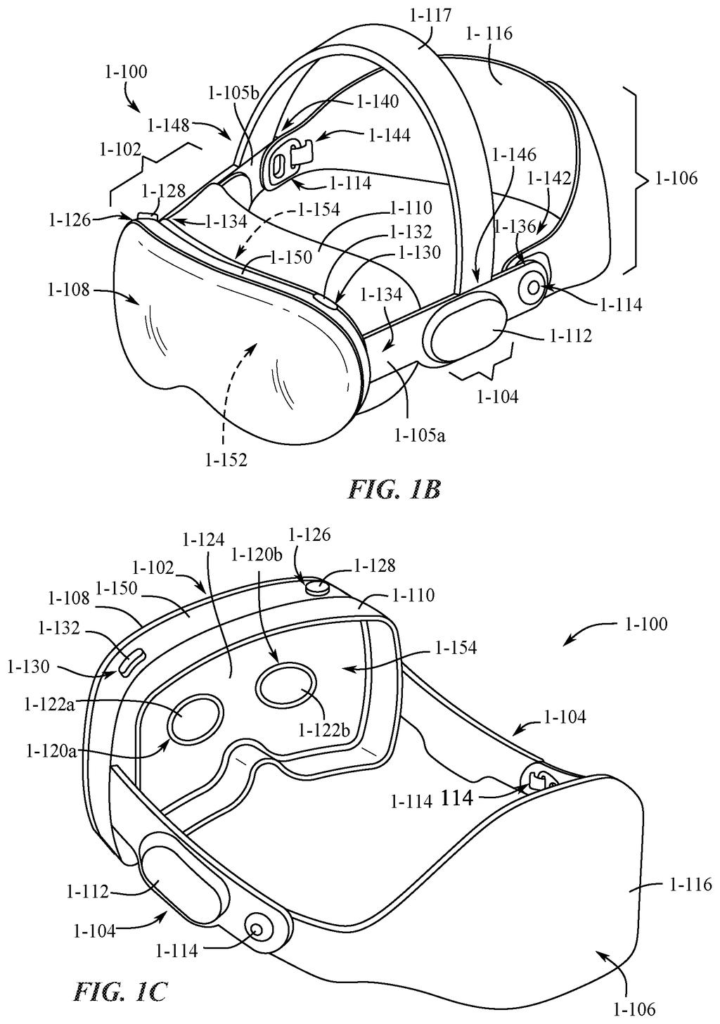
91 drawing sheets from US 2026/0339477 A1 · click any drawing to enlarge


Show the other 52 sheets


Sheets 61 to 91 are in the full USPTO filing.
Want this weekly breakdown for a company we don't cover? Patentlyze Pro →
Be the first to weigh in