
Google Patents an AI That Reads Your Screen and Taps Buttons For You
Imagine telling your phone 'book me the cheapest flight to Austin for next Friday' and watching it actually open the travel app, fill in the dates, and tap confirm — without you touching a thing. That's the core idea behind this Google patent.
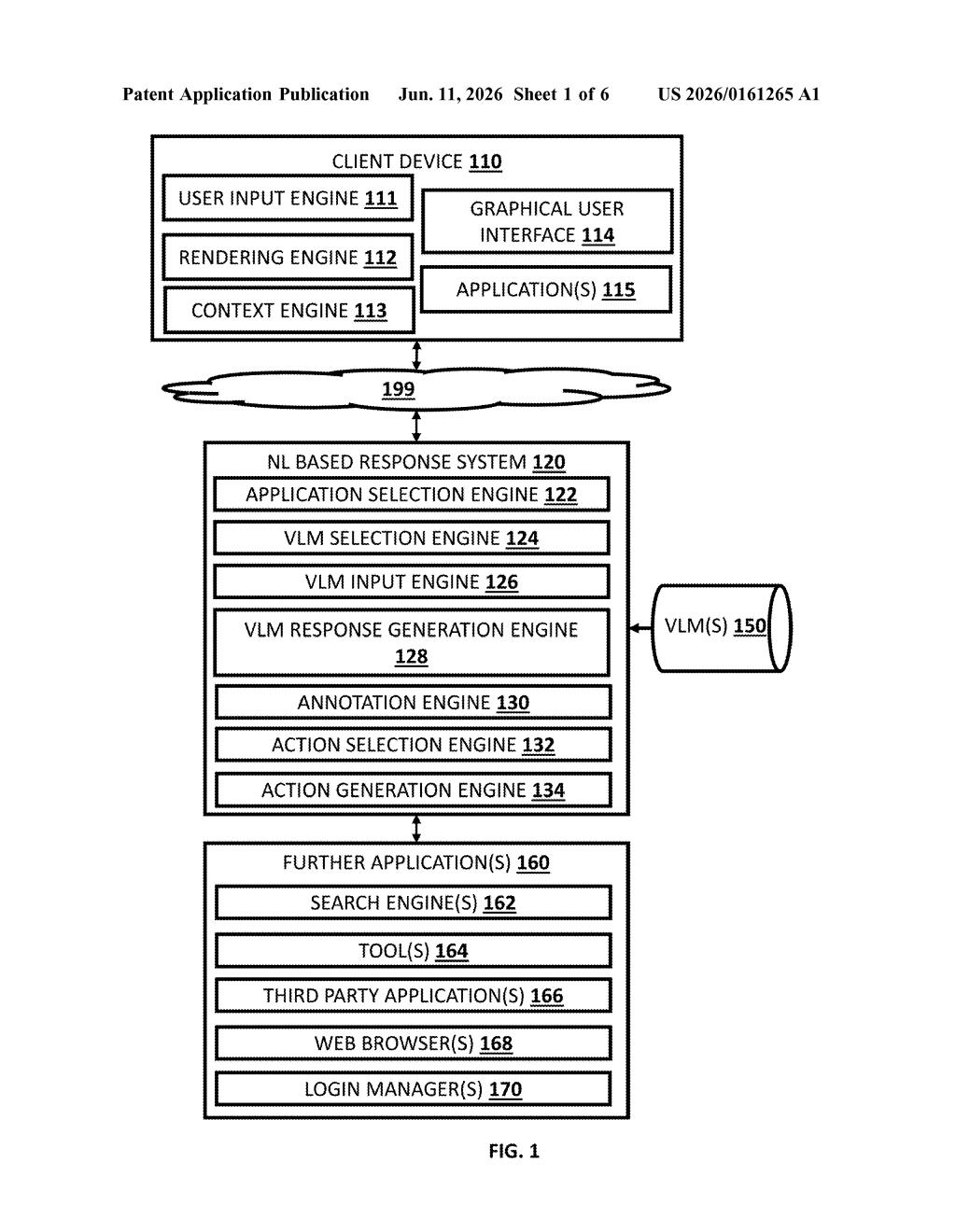
What Google's screen-reading AI agent actually does
Most AI assistants today can answer questions, but they can't actually do things inside your apps. You still have to tap, scroll, and fill in forms yourself. Google's patent describes a system that changes that.
The AI takes a screenshot of whatever app or website is on your screen, labels every button and input field with a number, and then figures out which ones to tap — in what order — to complete whatever task you asked for in plain English. It keeps checking the screen after each action to see what changed, and adjusts its next step accordingly.
The result is an AI that can navigate any app the same way a human would — just by looking at the screen — rather than needing special behind-the-scenes access to each individual app.
How the vision model maps numbered buttons to actions
The patent describes a vision-language model (VLM) — a type of AI that can understand both images and text simultaneously — being used as an autonomous agent to control a graphical user interface (GUI).
Here's the key mechanism: instead of giving the AI a raw screenshot and hoping it figures out what's clickable, the system first annotates the screenshot using a "set-of-marks" strategy. Every interactable element on screen — buttons, text boxes, dropdowns, links — gets labeled with a unique index number overlaid visually. Think of it like putting numbered sticky notes on every control in an app.
The AI then receives three inputs at once:
- Your original plain-English request
- The annotated screenshot with numbered elements
- Structural layout data describing where things are on screen
From that, it outputs a specific action (e.g., "click element #7") and the system executes it. The screen updates, a new annotated screenshot is generated, and the loop repeats until the task is done. This iterative feedback loop — act, observe, act again — is what lets it handle multi-step tasks across changing screens.
What this means for hands-free phone and PC control
The practical upside here is broad: an AI agent that works across any app without needing a special integration built by that app's developer. Current AI assistants typically need app makers to expose specific hooks for the AI to use — this approach sidesteps that entirely by just looking at the screen like a human would.
For Google, this fits squarely into the Gemini ecosystem and the broader race to build AI agents that go beyond chatbots into actually doing things. If this system ships in a product, it could turn a simple voice command or text prompt into a fully automated multi-app workflow — booking, filling forms, navigating settings — without you lifting a finger.
This is one of the more credible "AI agent" patents in recent memory because the numbered-overlay approach is a real, tested technique (researchers have used set-of-marks prompting in academic work) rather than hand-wavy future-tech. The iterative screen-reading loop is also how the best current AI agent demos actually work. The gap between patent and shipping product is still wide, but Google clearly has a concrete engineering path here, not just an idea.
There are more where this came from
We read every patent application Big Tech publishes and send you the ones worth knowing. Plain English, free, every week.
Want this weekly breakdown for a company we don't cover? Patentlyze Pro →