
Microsoft Patents a System That Finds Data Errors in Spreadsheets Without Being Told What to Look For
Imagine handing Microsoft a messy spreadsheet and having it automatically flag the bad entries without you writing a single rule. That's exactly what this patent describes.
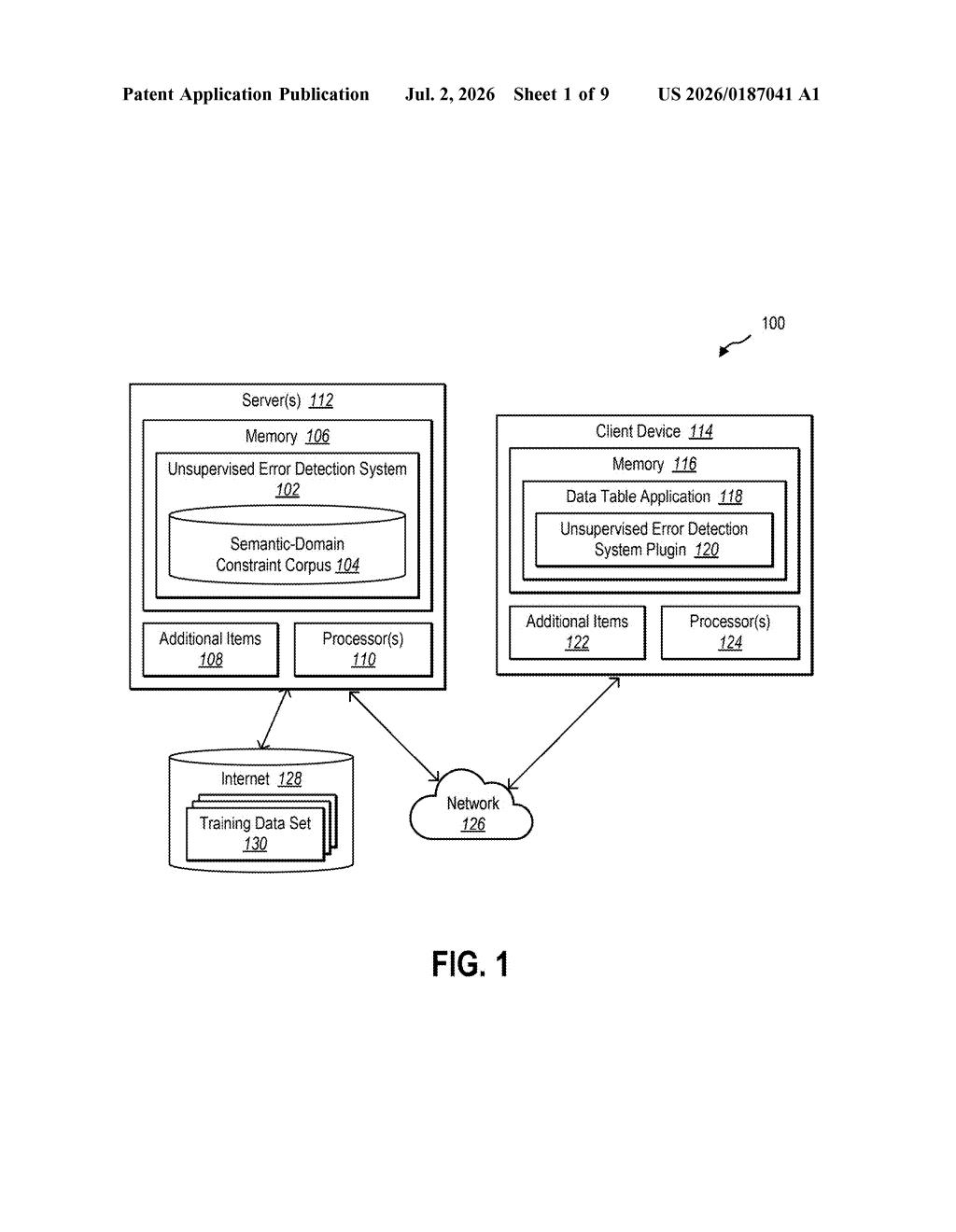
What Microsoft's auto error-detection actually does
Think about the last time you got a spreadsheet full of data and had to hunt for typos, wrong formats, or values that just didn't make sense. Maybe a phone number column had some entries filled with email addresses, or a date column had a handful of entries written in the wrong format. Normally, catching those errors means either doing it by hand or asking a technical expert to write custom rules for that specific file.
Microsoft's patent describes a system that skips that manual step entirely. Instead of waiting for someone to define what counts as an error in your particular spreadsheet, the system has already learned general rules by studying a huge number of data tables on its own. It figures out patterns like "this column contains phone numbers, so these entries are wrong" automatically.
When you open your own data file, the system applies those pre-learned rules to your columns and highlights anything suspicious, right in the table view. No setup required on your end.
How the system builds and filters its own error rules
The patent describes a three-stage pipeline for building what Microsoft calls a semantic-domain constraint corpus (basically a library of rules about what valid data looks like for different column types).
- Stage 1 - Rule generation: The system studies a large collection of training data tables and uses several methods to figure out what kind of data each column contains. These include pattern-matching (spotting that a column follows a phone-number format), embedding-based methods (using AI vector representations to cluster similar column types), and annotation-based methods (tagging columns with known labels like "ZIP code" or "email address").
- Stage 2 - Quality filtering: Not every rule it discovers is reliable. The system measures a false-positive confidence level for each candidate rule (meaning: how often would this rule flag something that's actually correct?). Rules that flag too many legitimate entries are dropped.
- Stage 3 - Size and coverage filtering: Rules must also pass two additional tests: they have to apply to enough columns across the training data to be considered broadly useful, and their overall false-positive rate has to stay below a minimum threshold.
The resulting rulebook is then applied to any new spreadsheet a user opens. The system detects which column types are present, runs the matching rules, and highlights errors directly in the table display.
What this means for Excel and data cleanup work
Data cleanup is one of the most time-consuming parts of working with spreadsheets, and it typically requires either manual review or a technical person writing custom validation scripts for each new file. A system that arrives with a pre-built, self-improving rulebook could make that work faster for everyday Excel or Fabric users, not just data engineers.
Microsoft has been pushing data-quality tooling across its Power Platform and Microsoft Fabric (its enterprise data analytics suite), so this kind of automatic error detection fits that direction. If it ships in a product, the practical effect for you would be something like spell-check for spreadsheet data: errors highlighted the moment you open a file, with no configuration needed.
This is unglamorous but genuinely useful work. Data quality is a persistent, expensive problem in every organization that runs on spreadsheets, and the unsupervised angle here (no per-table setup required) is the part that makes it practically deployable. Whether Microsoft ships this in Excel proper or routes it through Fabric, the underlying approach is solid enough to be worth watching.
Get our take in your Top Stories
Liked this breakdown? Add Patentlyze as a preferred source on Google, and our plain-English take shows up more often in your Top Stories the next time Microsoft patent news breaks.
There are more where this came from
We read every patent application Big Tech publishes and send you the ones worth knowing. Plain English, free, every week.
Want this weekly breakdown for a company we don't cover? Patentlyze Pro →