
Samsung Patents a Drag-and-Drop System for Merging Window Groups on Screen
Samsung is patenting a way to combine separate groups of open windows into one unified cluster just by dragging one group's title bar onto another. It's a small gesture with surprisingly tidy implications for juggling lots of apps at once.
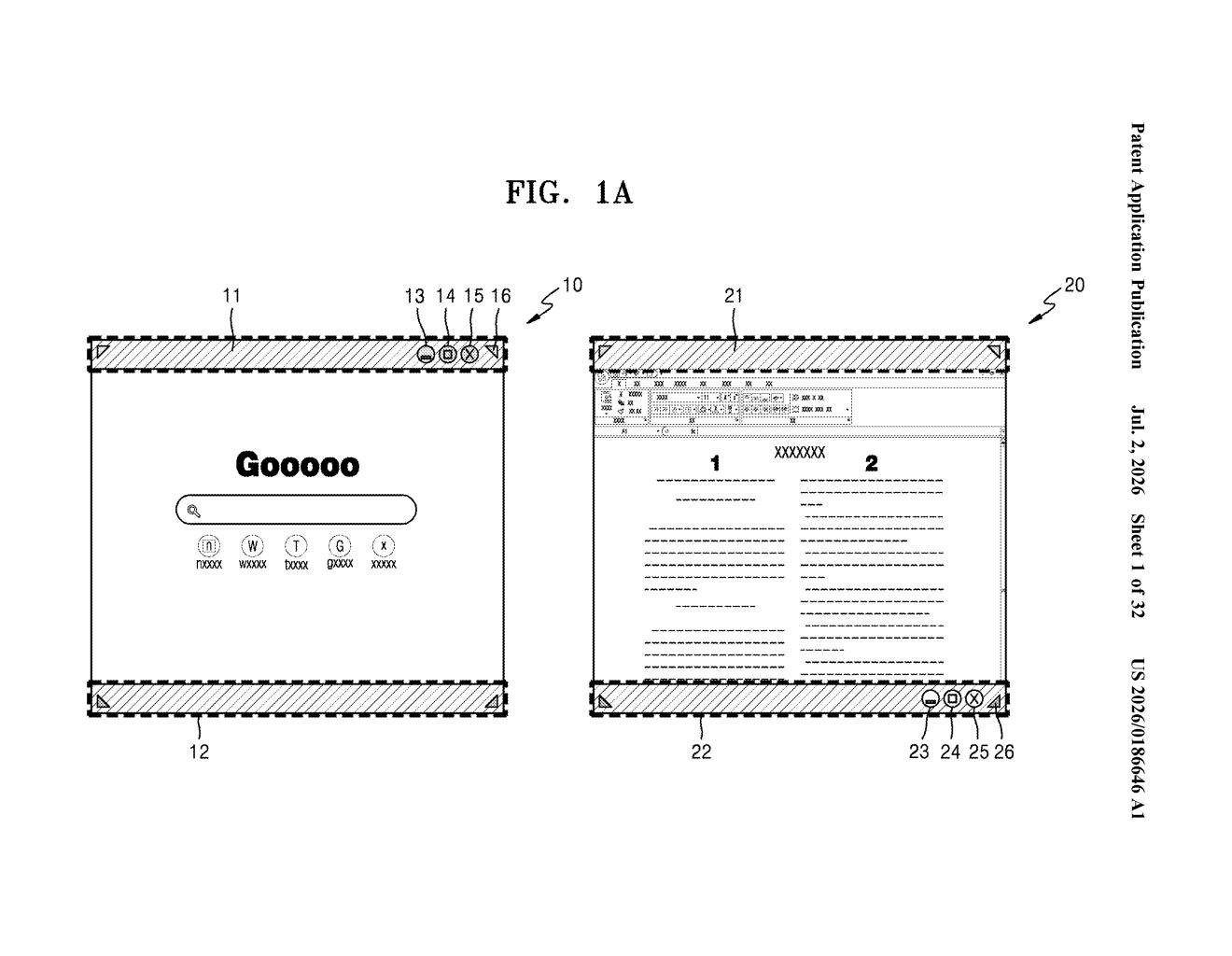
What Samsung's window-merging gesture actually does
Imagine you're working on a large tablet with two sets of apps already arranged side by side: one pair showing a document and a browser, another showing a map and a chat window. Right now, reorganizing all four into a single tidy layout means a lot of manual resizing and repositioning.
Samsung's patent describes a shortcut for exactly that situation. Each group of windows has a small control bar, called a decorator, at the top. If you drag that control bar and drop it onto another group's control bar, the device automatically merges everything into one combined layout. It figures out how to arrange the windows based on where you dropped and how many windows are in each group.
Once merged, you get two levels of control: one master bar that moves or resizes the whole combined group at once, and individual bars for each window inside it. You can manage the whole thing together or tweak any single window without disturbing the others.
How the device arranges and controls merged window groups
The patent describes a gesture-driven system for combining what Samsung calls window groups, sets of one or more app windows that are treated as a unit on screen.
Each window group is represented by a decorator, a thin control bar attached to the group that you can grab to move, resize, or otherwise manage it. The core mechanic works like this:
- You select and drag the decorator of one window group (the "first" group).
- If you drop it within the boundary of a second group's decorator, the device detects that overlap.
- It then generates a third window group that combines both, automatically calculating an arrangement based on the drop position and the structural characteristics of the individual windows (their count, aspect ratios, or orientations).
- The result gets two layers of decorators: a unified decorator to control all windows at once, and individual decorators for each window separately.
The structural-characteristics logic is the interesting part. Rather than stacking windows arbitrarily, the device uses the properties of the incoming and receiving groups to decide the best spatial layout for the merge, reducing the need for manual adjustment after the fact.
What this means for Samsung's foldable and tablet screens
This patent is most directly relevant to Samsung's foldable phones and large-screen Galaxy tablets, where multi-window workflows are a real selling point but still feel fiddly. Merging app clusters with a single drag gesture would make the experience feel closer to a desktop operating system without requiring a mouse or keyboard.
For everyday users, the practical payoff is less time spent dragging window edges and more time actually working. The two-tier control system (unified plus individual decorators) is also a thoughtful design choice: it mirrors how professional tools handle grouped objects, letting you move the whole cluster or adjust one piece without breaking everything else. Whether Samsung ships this exactly as described is another question, but the direction points clearly at making its large-screen Android experience more capable.
This is a solid, specific UX patent aimed at a real pain point on big-screen Android devices. It's not flashy, but the two-tier decorator concept shows genuine design thinking. If Samsung ships something close to this on Galaxy Tab or a future foldable, it would meaningfully close the gap between Android's multitasking and what you can do on a desktop.
There are more where this came from
We read every patent application Big Tech publishes and send you the ones worth knowing. Plain English, free, every week.
Want this weekly breakdown for a company we don't cover? Patentlyze Pro →
Be the first to weigh in