
Samsung Patents AR Glasses That Keep Floating Images Fixed to Where You Look
AR glasses have a persistent problem: virtual images that float at the wrong depth, drift when you tilt your head, or appear too large or too small for what they're showing. Samsung's latest patent takes a structured approach to fixing all three at once.
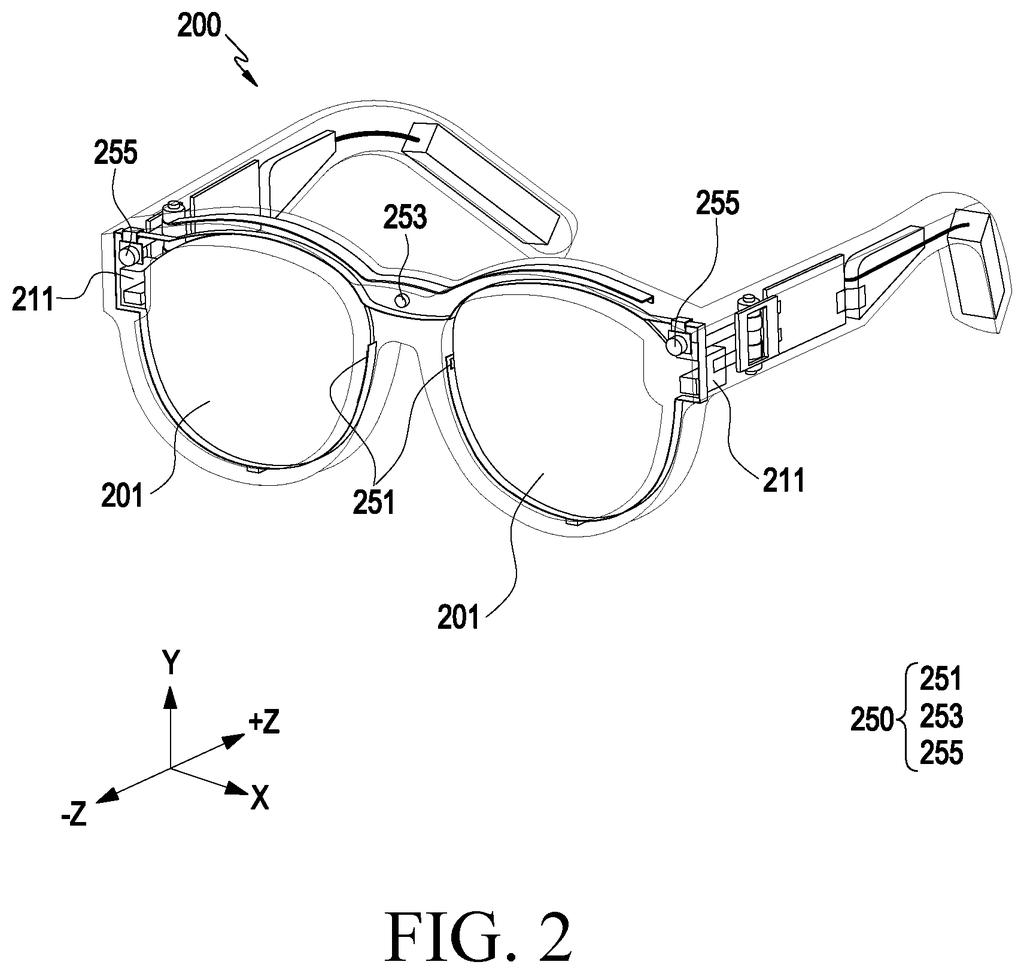
What Samsung's gaze-and-tilt AR display actually does
Ever tried to read a text notification on AR glasses only to find it's hovering in the wrong spot, covering something you're actually looking at? That dislocation is one of the most common complaints with today's wearable displays.
Samsung's patent describes a system where the glasses constantly track two things at once: how much you've tilted your head (using a motion sensor) and exactly where your eyes are pointing (using an eye-tracking sensor). It combines those two readings to figure out a precise 3D zone in front of you, then places a virtual image inside that zone at a position and size calculated to match both where you're looking and the content of the image itself.
So if you're looking slightly down and to the left, the glasses don't just dump a floating window in the center of your view. They position it where your gaze actually lands, scale it to fit the image's resolution and what's in the picture, and hold it there in three dimensions as you move.
… identify, through the second sensor, a line of sight of a user wearing the wearable electronic device, based on the first sensing value and the line of sight, identify a virtual first region corresponding to a three-dimensional space to display a first image stored in the memory as a first augmented reality image …
Translation: The glasses track where you look and how they are tilted to place virtual images in space.
How the device maps tilt angle and eye direction into 3D space
The patent describes a wearable AR device, think glasses or a visor, equipped with two key sensors: an inertial or tilt sensor that measures the angle of the device relative to gravity, and an eye-tracking sensor that identifies where the user is looking.
Those two data streams are combined to define a virtual first region, a three-dimensional bounding area in space that corresponds to the user's actual field of view at any given moment. Think of it as a floating window in 3D space that moves and rotates as your head does.
Within that region, the system then analyzes the image it wants to display. It checks the image's resolution and identifies the objects inside it, using that content analysis to decide both where in the 3D region the image should appear and how large it should be rendered. Position is calculated across three axes:
- Left-right (first axis)
- Up-down (second axis, perpendicular to the first)
- Depth, meaning how far away the image appears along a line pointing away from the device toward the viewing region (third axis)
The depth axis is the technically notable part. Most simpler AR systems place content on a flat plane at a fixed distance. This system actively calculates depth position per image, which means the same glasses could show a map floating closer to you while a large panoramic photo appears farther away, both scaled to look natural.
… identify a resolution of the first image and at least one object included in the first image, based on the at least one object and the resolution, identify a position at which a first augmented reality image is to be displayed and a size of the first augmented reality image …
Translation: They check image quality and contents to decide how big the virtual object should be and where it goes.
What this means for people who use AR glasses day-to-day
For people who wear AR glasses for more than a quick notification, poorly placed virtual images cause real fatigue. When something appears at the wrong depth, your eyes strain to focus on it. When it ignores your head tilt, you end up awkwardly correcting your posture just to read it. A system that continuously adjusts placement in three dimensions based on your actual gaze could make AR glasses usable for longer stretches without that eye strain.
The patent's emphasis on analyzing image content before setting size and position is particularly practical. A contacts list and a full-resolution photo have very different display needs, and treating them identically produces ugly, hard-to-read results. Letting the device adapt to what it's actually showing, rather than using one-size-fits-all rules, is a straightforward but meaningful improvement for everyday use.
Samsung's 52nd filing we've tracked since May in the AR glasses race builds on one keeping hand tracking fast and one preserving app context, adding another piece to the picture.
The annoyance this solves is specific and familiar: you move your head, and a floating label that was helpfully hovering near a real object suddenly floats into your face or drifts off to nowhere useful. Samsung's patent targets exactly that moment, using head angle and where your eyes are actually pointing to keep AR content anchored somewhere sensible.
The detail that matters most for everyday use is the size adjustment. An image of a small object and an image of a panoramic scene should not float at the same scale in your field of view, and accounting for that difference is what separates a tool people use from a novelty they give up on.
If this works as described, users would likely never consciously notice it, which is the whole point. The best version of this technology is invisible.
Get our take in your Top Stories
Liked this breakdown? Add Patentlyze as a preferred source on Google, and our plain-English take shows up more often in your Top Stories the next time Samsung patent news breaks.
There are more where this came from
We read every patent application Big Tech publishes and send you the ones worth knowing. Plain English, free, every week.
The drawings
20 drawing sheets from US 2026/0277419 A1 · click any drawing to enlarge


Show the other 12 sheets


Want this weekly breakdown for a company we don't cover? Patentlyze Pro →
Be the first to weigh in