
Microsoft Patents a System That Auto-Purges Inactive User Credentials from Devices
Every Windows device that someone logged into once — a contractor, a temp, a former employee — quietly stores their credentials. Microsoft's new patent automatically cleans those up before attackers can use them.
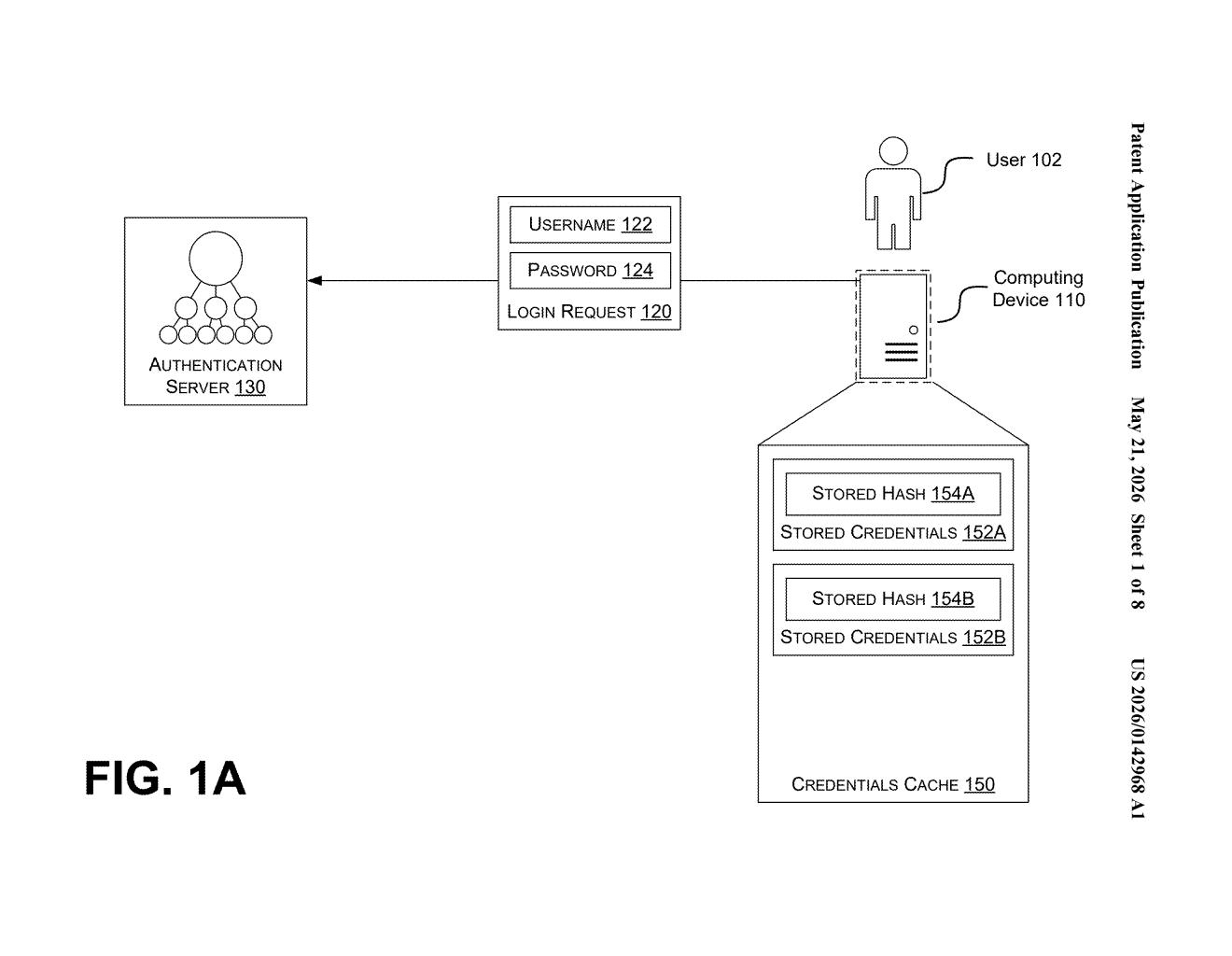
What Microsoft's inactive-credential cleanup actually does
Imagine a shared work laptop that dozens of people have logged into over the years. Even if most of those people haven't touched it in months, their login credentials are still quietly sitting on that device, cached and ready to use. If an attacker ever gets into that machine, they get all of those identities for free.
Microsoft's patent describes a system that watches how often each user actually logs into a device. If someone hasn't logged in recently enough — below a threshold the system sets — their cached credentials get automatically removed or encrypted. Gone before an attacker can grab them.
It can also sweep up related sensitive data: browser cookies, saved passwords, and files tied to inactive users. The system pulls login history from local event logs or a central authentication server, so it has a complete picture of who's actually been active on any given device.
How the login threshold engine identifies and purges stale creds
The core mechanic is a login-count threshold engine. The system ingests a record of user logins from the device's event log or from an authentication server (think Active Directory or Entra ID), then calculates how many times each user has authenticated over a defined time window.
Any user who falls below the threshold — say, fewer than two logins in the past 90 days — gets flagged as inactive. The system then locates that user's entry in the credentials cache (the local store Windows uses to allow logins even when a domain controller isn't reachable) and either removes the cached credential or encrypts it so it's no longer directly usable.
The patent also describes factoring in contextual signals beyond raw login count:
- Usage data from the authentication server — not just local logins, but domain-wide activity
- Device role — a shared kiosk might have different thresholds than an executive's laptop
- User role — certain accounts (admin, service accounts) could be exempted or handled differently
Beyond credential hashes, the system can also purge browser cookies, saved browser passwords, sensitive files, and documents associated with the inactive user — narrowing the total identity exposure surface if the device is compromised.
What this means for enterprise breach containment
In enterprise security, credential harvesting from compromised endpoints is one of the most reliable ways attackers move laterally through a network. Tools like Mimikatz specifically target the Windows credentials cache. The fewer credentials sitting on any given device, the smaller the blast radius when that device is inevitably breached.
This patent is squarely aimed at a gap that's easy to overlook: the long tail of accounts that touched a device once and were forgotten. It's the kind of hygiene that's technically straightforward to understand but operationally hard to enforce at scale without automation — which is exactly what Microsoft is patenting here. For organizations running large fleets of shared or semi-shared devices, this kind of automatic pruning could meaningfully reduce how much damage a single compromised endpoint can do.
This is unglamorous but genuinely useful security work. Credential caches on endpoints are a well-known attacker target, and the 'inactive user' angle is a real and underappreciated exposure vector. Microsoft is essentially automating a best practice that most IT teams know they should do but rarely implement consistently. It's not flashy — it's the kind of patent that quietly ends up shipping in Defender for Endpoint or Intune within a product cycle or two.
There are more where this came from
We read every patent application Big Tech publishes and send you the ones worth knowing. Plain English, free, every week.
Want this weekly breakdown for a company we don't cover? Patentlyze Pro →