
Adobe Patents a Browser-Based Screen Recorder That Captures Only What You Choose
Most screen recorders capture everything or nothing. Adobe is filing a patent for a system that lets you pick exactly which window, tab, or face ends up in the final video, all from inside a web browser with nothing to install.
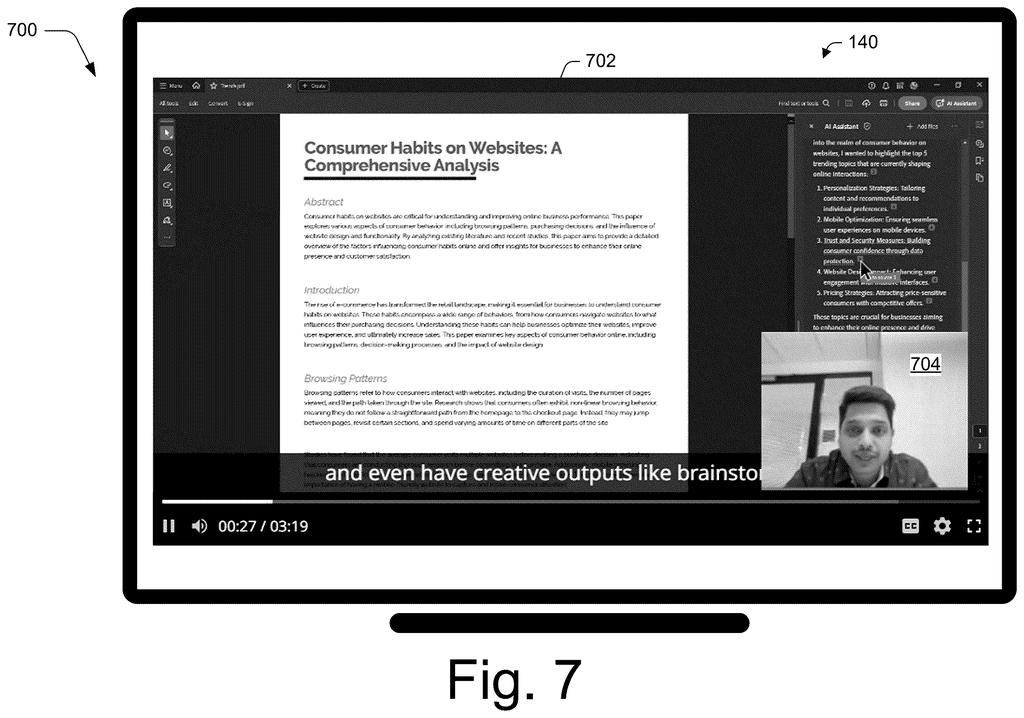
What Adobe's selective screen recording actually does
A video call ends and someone asks for a recording. You open a screen recorder, hit capture, and accidentally film your messy inbox alongside the presentation you actually wanted to share.
Adobe's patent describes a system that skips that problem entirely. Instead of grabbing your whole screen, it lets you select specific pieces, a browser tab here, a webcam feed there, and records only those. The whole thing runs inside a web browser, so there is no app to download, no driver to update, and no settings that differ between Windows and Mac.
Each piece you select, your display content and your camera or microphone feed, gets placed as its own layer on a shared canvas and then combined into one video in real time. What comes out is a single recording containing only what you chose, ready to play back right away.
… receiving data defining a portion of display content output by a computing device and user content capturable via the computing device for inclusion in the recording; generating the recording to include the portion of display content and the user content, the recording excluding display content other than the portion of display content; …
Translation: It records only the specific screen area and user media you choose while leaving everything else out.
How the browser merges your chosen streams into one file
The system works through standard browser APIs (the built-in tools modern browsers expose to web pages) rather than any native app, which is what lets it skip platform-specific installations.
When you start a recording session, the system asks you to define two kinds of input:
- Display content: a specific application window, a single browser tab, or a defined region of your screen
- User content: your webcam video and microphone audio
Critically, the patent emphasizes that only the portions you explicitly select are captured. The rest of your screen is never touched. Each selected source is rendered as a separate element on a single canvas (think of it like an invisible layering board the browser manages behind the scenes). Those layers are merged in real time, still inside the browser, into one unified video stream.
The output is a finished recording that the browser can hand back to a user interface for immediate playback. Because the merging happens in the browser rather than on a remote server or a desktop app, the approach is described as platform-agnostic, meaning it should behave the same on any operating system that runs a modern browser.
… captures only portions of display content and portions of user content that are explicitly selected by a user. Selected portions of display media and selected portions of user media are rendered as separate elements on a single canvas, enabling real-time merging of different media streams via a web browser in a platform-agnostic manner.
Translation: The tool combines your chosen webcam and screen clips together in real time right inside a standard web browser.
What this means for screen recording without desktop apps
For anyone who creates tutorials, records meetings, or puts together quick explainers, the appeal here is friction removal. No installer, no codec headache, no wondering whether the Mac version works the same as the Windows version. If Adobe ships this inside a product like Express or Acrobat on the web, a teacher or marketer could record a polished, cropped clip without leaving their browser tab.
The more interesting angle is privacy. Conventional screen recorders often capture far more than intended, and editing out sensitive content is a manual chore. A system that refuses to record anything outside your explicit selection closes that gap at the source rather than asking you to fix it afterward.
Adobe's 189th filing in our Adobe coverage since May extends a pattern that includes turning plain-English into data queries and tracing AI text to source data.
Running everything inside a web browser means trading raw processing power for convenience, and that trade has a real ceiling. For tutorials, meeting clips, and product demos, that ceiling sits comfortably above where most people ever need to go, so the compromise holds.
The selectivity model carries a sharper cost. Recording only what the user explicitly points to means the system cannot adapt gracefully if your needs shift mid-session, and that rigidity is a genuine limitation.
For anyone who has ever accidentally shared the wrong window or let a private notification slip into a recording, though, that same rigidity reads as a feature. The trade is narrower flexibility in exchange for trustworthiness, and for the everyday tasks this targets, that reads as the right call.
There are more where this came from
We read every patent application Big Tech publishes and send you the ones worth knowing. Plain English, free, every week.
The drawings
9 drawing sheets from US 2026/0288316 A1 · click any drawing to enlarge


Want this weekly breakdown for a company we don't cover? Patentlyze Pro →
Be the first to weigh in