
Meta Patents a Body-Movement System for Rearranging Virtual Windows in AR
If you've ever worn an AR headset and wished you could just swing your arm to move a floating screen instead of fumbling through menus, Meta is working on exactly that. A new patent describes a system that watches how you move your body and translates that motion directly into repositioned virtual windows.
What Meta's gesture-based AR repositioning actually does
Imagine you're wearing an AR headset and a floating video window has drifted to an awkward spot. Instead of digging through a settings menu, you grab the air near the window, sweep your arm in an arc, and the window slides to where you want it.
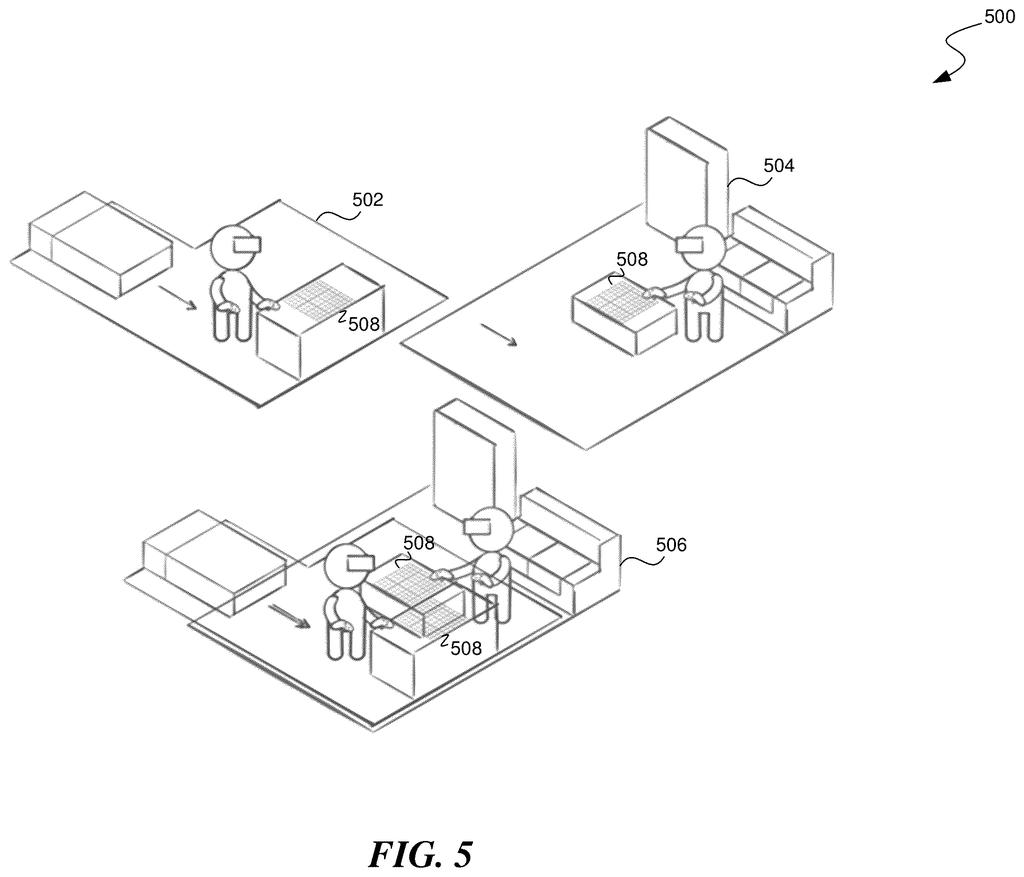
That's the core idea here. Meta's system tracks a two-part gesture: first you signal that you want to reposition something (the "engagement" part), then you move along a line or a curve (the "movement" part). Rather than literally dragging the window, the system subtly shifts your virtual position relative to everything in the scene, so the windows appear to move from your point of view.
The clever part is that it also works in a shared AR session, where two people are looking at the same virtual environment. Only your view changes when you reposition; the other person's layout stays untouched.
… detecting, via the XR system, a repositioning action performed by the first user, the repositioning action comprising movement along at least a line or an arc …
Translation: The system watches for the user to make a motion along a straight path or a curved path.
How the rotation transform maps your body movement to window position
The patent describes a method for repositioning virtual UI elements (windows, panels, icons) inside an extended reality (XR) environment without touching a controller or a menu.
When the system detects a qualifying gesture, it applies what the patent calls a rotation transformation (a mathematical operation that rotates a coordinate frame, meaning it recalculates where "you" are standing relative to the virtual scene). Because the AR display is always rendered from your perspective, shifting your virtual position makes everything in the scene appear to move from your point of view, even though the objects themselves haven't moved in the shared world.
The gesture has two required phases:
- Engagement portion: a signal, such as a pinch or hover, that tells the system you intend to reposition something
- Movement portion: physical motion along a line or an arc that determines how far and in which direction the transformation is applied
In a shared XR session, the repositioning only updates the first user's view. The second user's layout is unchanged, which means each person can personalize their workspace without disrupting others. This also implies the system maintains two separate "relative position" states for each participant simultaneously.
What this means for shared AR workspaces and headset comfort
For anyone who uses AR or VR for productivity, the friction of repositioning floating windows is a constant annoyance. Menus and cursor-based dragging break flow. A gesture tied to natural body movement, like sweeping your arm, maps more closely to how people rearrange physical objects, which could make AR workspaces feel less like operating software and more like arranging a desk.
The shared-session angle is also meaningful. a growing pile of Meta collaboration XR filings suggests the company sees multi-user AR as a serious workplace tool, not just a social experiment. If two people can share a virtual room but independently arrange their own views of it, the experience gets much closer to sitting across a table from someone where you each see the whiteboard from your own angle.
Meta's 71st filing we've tracked since May in the AR glasses race follows one on muting audio for listeners and one on anchoring shared AR objects, adding to how the company is designing glasses for shared use.
Moving your virtual position rather than dragging objects around you is a clean solution to a real shared-space problem: if a window moves for you, does it move for everyone else in the room? It sidesteps that question entirely, but the cost is that your body and your virtual location are now two separate things the system has to track simultaneously.
That gap is where this could fall apart. If you walk across the room while performing a repositioning gesture, the system has no described way to tell purposeful layout adjustment from ordinary movement, and your workspace could drift into a configuration that no longer matches where you are physically standing.
The two-step gesture, commit first then move along a specific path, also asks users to learn a new physical habit before they see any benefit. That learning curve has claimed good ideas before, and nothing here suggests it has been made shorter.
There are more where this came from
We read every patent application Big Tech publishes and send you the ones worth knowing. Plain English, free, every week.
The drawings
11 drawing sheets from US 2026/0299699 A1 · click any drawing to enlarge


Want this weekly breakdown for a company we don't cover? Patentlyze Pro →
Be the first to weigh in