
Adobe Files Patent to Choose the Right Object-Removal Method for Each Photo Automatically
When you erase something from a photo, several different AI tools could fill the gap, and this Adobe patent application has software pick the right one for you. If the first result looks smudged, it tries again with a stronger tool.
What Adobe's auto-picked photo fix actually does
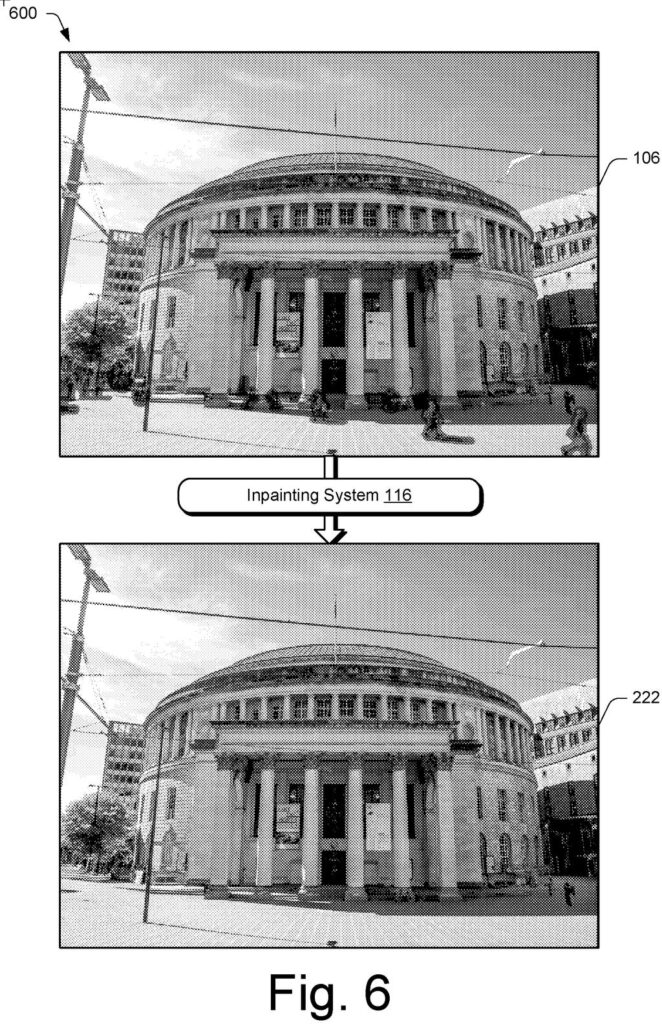
A woman circles a stranger who wandered into her beach photo and taps remove. Behind that one tap, a photo editor can choose from several different ways to fill the gap. Some are fast but sloppy, and others are slow but convincing.
Adobe's new patent application has the software choose for you. It looks at how powerful your device is, whether you have a good internet connection, how big the hole is, and how busy the area around it looks. A small patch of plain sky might get a quick method. A big hole in a detailed brick wall might get a heavier one.
If the first try leaves visible smudges, the software can switch methods and redo the fill. You can also say you want everything handled on your own device for privacy.
… selecting, by the processing device, an inpainting module from a plurality of inpainting modules based on available computational resources …
Translation: The software picks the best removal tool based on how much computer power is currently available.
How the dispatcher chooses a fill tool
The system puts a "dispatcher" in front of several fill-in tools, called inpainting modules (programs that invent new pixels to cover a removed object or flaw). The filing names three families: patch-based (copies and blends pieces of the existing image), GAN-based (a neural network trained in a contest between a generator and a critic), and diffusion-based (an AI that builds an image by gradually cleaning up noise).
The claimed core is choosing a tool based on available computing resources. The description lists other signals the dispatcher can weigh:
- Whether a cloud service is reachable over a stable connection, versus a phone with limited power
- A privacy setting that keeps the image on your device
- The size of the hole, since tools differ in what they can handle (one GAN example tops out at 512 pixels per side, and a sharpened version at 2048)
- How much structure surrounds the hole, measured in a donut-shaped ring around it, with strong edges and lines sent to one tool and plain texture to another
Before any of that, nearby holes get merged so a tool runs once instead of dozens of times. If there are more than 50 regions, a clustering step (sorting nearby spots into bundles) cuts the count. Different parts of the same photo can go to different tools. If a check finds too many visible flaws in the result, the system can switch to a stronger tool and redo the fill. The filing also says a trained model can learn these choices.
… select which of the plurality of inpainting modules are to be used to perform an inpainting operation for one or more regions in a digital image, automatically and without user intervention …
Translation: The system figures out the removal method on its own without making the user decide.
Why Adobe's photo dispatcher saves you retries
For you, the payoff would be fewer retries. The filing says people currently pick a fill method by hand and often have to try again when it looks off, which wastes time and battery. Automatic choice means a quick job on a phone and a heavy job in the cloud, without you needing to know which tool did what.
It also treats privacy as a setting the software respects: choose local processing and the photo never leaves your device. For Adobe, a referee that sorts jobs among many AI fill tools cuts computing waste, and the filing says the dispatcher can adapt as new tools arrive.
Adobe's 51st filing we've tracked since May in the AI photo editing race builds on its earlier work pasting objects with matched light and adjusting scene lighting after the shot.
You would notice this mostly by not noticing it. A removal that works the first time, with no menu of tool names to decode, is the whole benefit.
The main claim is broad: pick a tool based on available computing power, then show the result. The retry step in the other claims is the part that helps you most. If the first fill leaves a smudge on a busy background, the software tries a stronger tool before you ever see the mess.
Expect the gains to show up as faster edits and less battery drain on a phone, plus fewer ugly patches. If it works as described, you will never see the machinery.
Get our take in your Top Stories
Liked this breakdown? Add Patentlyze as a preferred source on Google, and our plain-English take shows up more often in your Top Stories the next time Adobe patent news breaks.
There are more where this came from
We read every patent application Big Tech publishes and send you the ones worth knowing. Plain English, free, every week.
The drawings
9 drawing sheets from US 2026/0330616 A1 · click any drawing to enlarge


Show the other 1 sheets

Want this weekly breakdown for a company we don't cover? Patentlyze Pro →
Be the first to weigh in