
Samsung Files Patent to Make Your TV Cursor Jump Ahead to Where You're Headed
Samsung's patent application describes a TV that guesses where you're trying to go on screen and drops the cursor there, so you don't have to tap through every tile along the way.
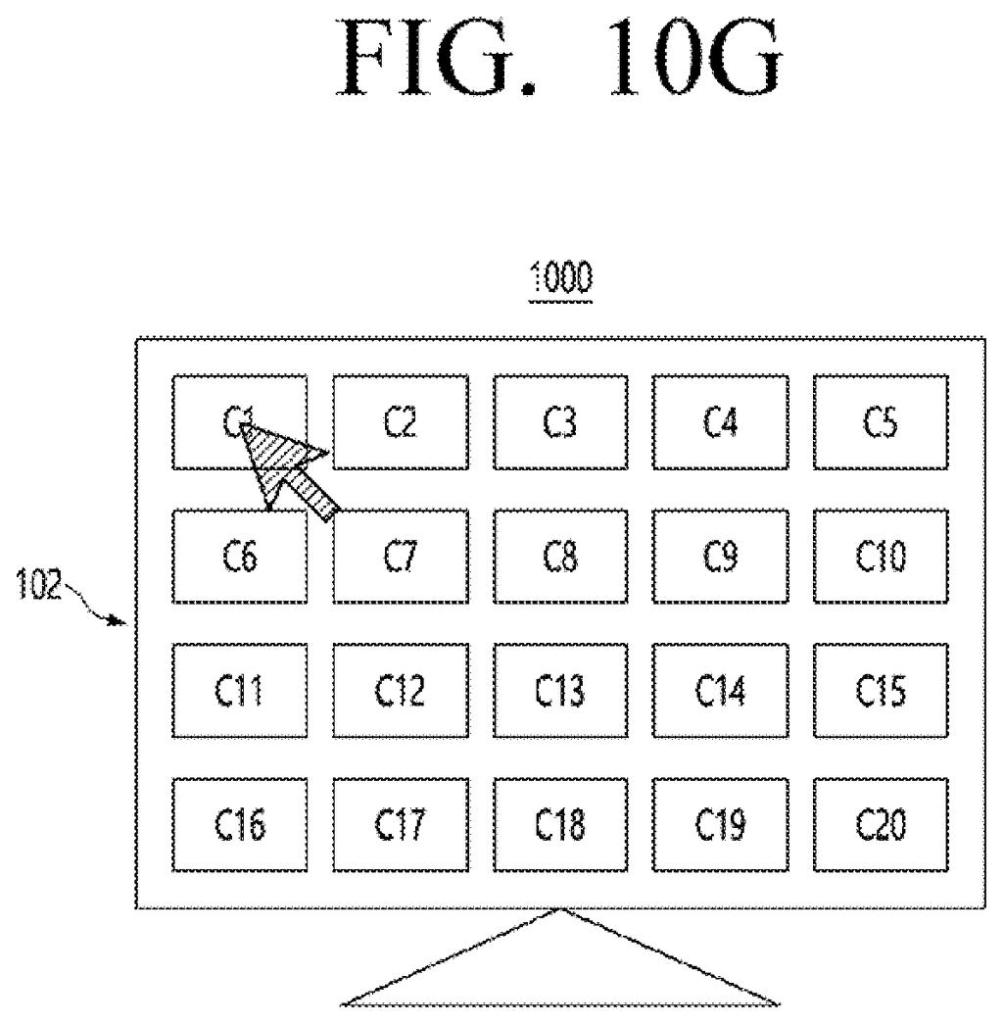
What Samsung's jumping TV cursor actually does
Imagine you're sitting on the last tile in a grid of twenty shows, and the one you want is all the way back at the start. On a normal remote, you tap the arrow button again and again, one tile at a time.
Samsung's patent application describes a way to cut that down. The TV guesses which items on screen you're most likely to pick, using what's showing now, your mood, the room around you, your viewing history, and what other people tend to watch. When you press an arrow, the cursor can jump toward one of those likely picks instead of crawling to the next neighbor.
In the company's own example, getting from the 20th tile to the 1st takes two arrow presses and two selections, with a prompt along the way offering a 'take me anywhere' option.
determining user context information based on at least current session information involving use related to the display device by a user, a mood of the user, and an ambiance of an environment of the user …
Translation: The TV figures out what you are doing by checking your mood, your surroundings, and how you are currently using the screen.
How Samsung picks where the cursor lands
The claims cover a method for a display device that you control with a remote, such as a TV. It starts by building what the filing calls user context from three things:
- The current session: what is being shown on the screen right now.
- Your mood, sorted into positive, negative or neutral. The description says this can come from how you engage with content, or from facial expressions if a camera is attached.
- The ambiance of your environment, such as the type of room, the lighting and the temperature.
Next it pulls past usage data: how you usually navigate, your browsing history, and the usage patterns of other users stored in a database. From the items currently on screen, it picks a shortlist of target contents, meaning the things you're most likely to choose.
When you press a direction, the system checks where the cursor is and which shortlisted items lie that way. It then places the cursor so those items are reachable in the fewest additional presses.
The dependent claims add detail. With several candidates, the system finds a reference point from which each one is only a few presses away. It can rank candidates with an 'appreciation degree' (a score built from whether you watched, saved or commented on similar content). It can also show a list of options, including the 'take me anywhere' choice.
… controlling the cursor such that the cursor on the user interface is useable to enable the user to select the at least one identified target content using a minimum number of user input subsequent to the received at least one user input …
Translation: The cursor automatically jumps straight to your likely destination so you do not have to click as many times.
What this means for TV remotes and menus
If you've ever pecked out a search with arrow buttons on a TV keyboard, you know the frustration this targets. The company's own background section singles out on-screen keyboards as especially painful. The patent application's fix is for the TV to make an educated guess about where you're headed and drop the cursor there, so a long trip across the screen takes a couple of presses instead of many.
The filing also sketches uses beyond the living room. In a video call, the cursor could jump to the participant whose microphone is causing noise so a host can mute them. In a virtual world, pressing up could take you to a club you often visit. Since all of this depends on your history, mood and room readings, how much of that data a TV would collect, and where it would be stored, becomes a question that matters to you.
Samsung's 1533rd filing we've tracked since May follows patents like row-select by finger drag and a chat-and-search recents screen.
Almost everything here is software. A TV already has a remote, a screen, and a menu system, so the shortest path to a product is a cursor that reads your viewing history and the tiles on screen, then moves toward the most likely pick.
The mood and room-sensing parts of the filing need a camera or sensors pointed at you, and most living rooms lack those. That is the piece most likely to stay on paper.
The detail worth holding onto is the filing's mention of a prompt that asks before it moves you, which turns a potentially annoying guess into a helpful offer.
Get our take in your Top Stories
Liked this breakdown? Add Patentlyze as a preferred source on Google, and our plain-English take shows up more often in your Top Stories the next time Samsung patent news breaks.
There are more where this came from
We read every patent application Big Tech publishes and send you the ones worth knowing. Plain English, free, every week.
The drawings
19 drawing sheets from US 2026/0329431 A1 · click any drawing to enlarge


Show the other 11 sheets


Want this weekly breakdown for a company we don't cover? Patentlyze Pro →
Be the first to weigh in