
Adobe Patents a Coin-Flip Shortcut for Drawing See-Through 3D Objects Faster
Drawing a see-through 3D object normally means sorting thousands of overlapping layers for every single pixel. Adobe's patent application flips a weighted coin instead and skips the sorting.
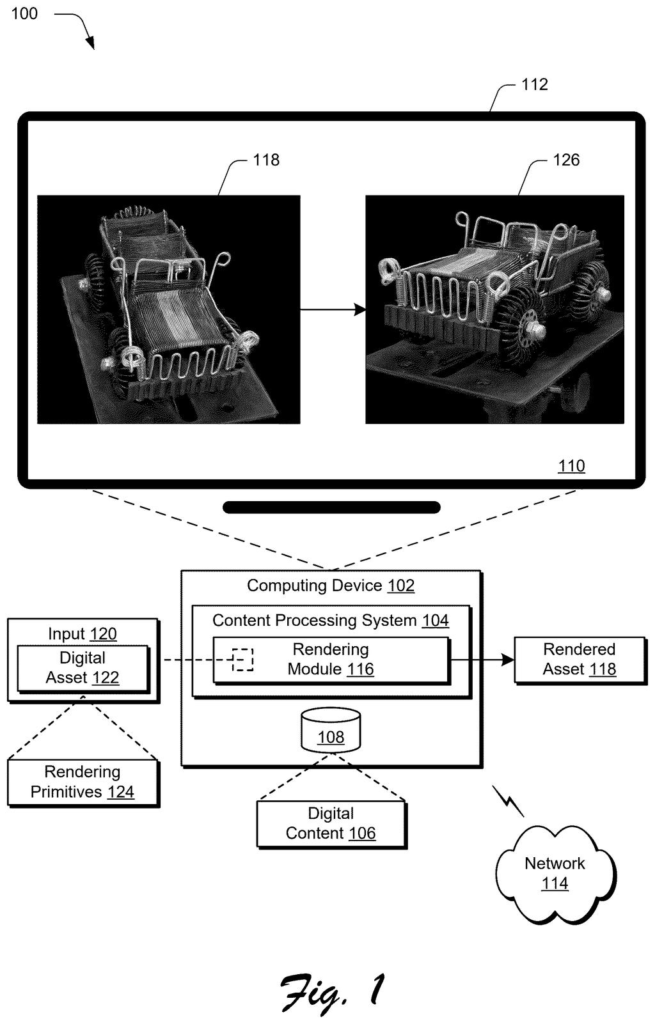
What Adobe's coin-flip rendering trick does
Ever tried to count the layers in a stack of tracing paper? Now do it for a million sheets, in the right order, just to pick the color of one dot on your screen. That is roughly what a computer does when it draws a 3D object made of see-through parts.
Adobe's patent application skips the sorting. For each dot, the computer looks at the see-through layers along your line of sight and flips a weighted coin for each one. A layer that is 80% solid counts as fully solid 80% of the time, and as invisible the rest. The closest layer that lands on solid supplies the color.
One pass looks grainy, but repeating it a few times and averaging the results cleans the picture up. The filing's pitch is cheaper drawing, so complex scenes can run on ordinary devices.
… selecting, by the processing device, an intersection from the candidate intersections based on binarized opacity values and distance values to the viewpoint determined for each of the candidate intersections …
Translation: The software picks which surface to show based on how see-through it is and how far away it sits.
How each pixel's color gets picked by chance
The filing covers a way to render see-through 3D objects. Rendering means turning a 3D model into the flat picture you see on screen. Here the model is built from a huge number of small, partly transparent building blocks. The main example is Gaussian splats (fuzzy blobs of color and opacity), and one object can use hundreds of thousands to millions of them.
For each pixel, the computer traces a ray (an imaginary line from the camera through that pixel into the scene). The ray can cross many blocks, and each crossing is a candidate intersection. Conventional methods sort those crossings by distance and blend their colors front to back, which takes a lot of time and memory.
The patent replaces that with three steps:
- Each crossing has an opacity from 0 (invisible) to 1 (solid).
- The system draws a random number between 0 and 1. If it is lower than the opacity, the crossing counts as fully solid. Otherwise it counts as fully transparent.
- Of the solid crossings, the one closest to the camera wins, and its color is applied to the pixel.
One pass can look grainy. The filing also describes tracing the same ray several times and averaging the colors, and it shows images at 1, 4, 16 and 64 samples per pixel. It also covers redoing the render when you change the camera angle or lighting.
Candidate intersections between a ray traced from a viewpoint within the scene and one or more of the primitives are identified.
Translation: It tracks imaginary lines from the camera to figure out every possible point where they hit an object.
Why Adobe's faster 3D drawing matters on phones
If you have watched a 3D scene stutter on an older laptop or phone, you know what see-through objects cost to draw. The filing says conventional methods are too heavy for real-time uses like interactive games and virtual or augmented reality. Skipping the sort cuts memory use and work, and the filing says complex scenes with transparent parts could then run on devices with standard or limited power.
The filing frames this around people editing 3D scenes: move the camera, change a light, add or remove an object, and watch the picture update right away. It names no product, so where this ends up in Adobe's tools is unknown. The tradeoff is grain. Quality depends on how many passes a device can afford.
Adobe's third filing we've tracked in our GPU rendering race since August builds on streaming 3D models early and sparkle effects on surfaces.
Claim 1 covers any three-dimensional scene where a line of sight passes through transparent building blocks and a single collision point is chosen by combining a simple yes-or-no opacity value with distance from the camera. The claim says nothing about coin flips, nothing about how the building blocks are shaped, nothing specific to Adobe's own tools. That is a wide net.
In practice, that breadth could reach any rendering system that picks one intersection this way, across games, film, architecture software, and product visualization tools.
The underlying idea, trading an expensive calculation for a weighted guess, is clever and honest about its trade-offs. Adobe's own filing acknowledges it produces grainy results at low sample counts and cleaner ones at higher counts, a real and reasonable bargain. Whether claim 1 as written should determine what others can build around that bargain is a serious question.
Get our take in your Top Stories
Liked this breakdown? Add Patentlyze as a preferred source on Google, and our plain-English take shows up more often in your Top Stories the next time Adobe patent news breaks.
There are more where this came from
We read every patent application Big Tech publishes and send you the ones worth knowing. Plain English, free, every week.
The drawings
11 drawing sheets from US 2026/0350909 A1 · click any drawing to enlarge


Show the other 3 sheets


Want this weekly breakdown for a company we don't cover? Patentlyze Pro →
Be the first to weigh in