
Apple Patents a Way to Know When It Has Scanned Enough of Your Room
Before your AR device can place virtual furniture on your floor or stick a sticky note to your wall, it needs to understand the room. Apple has filed a patent for a system that tracks how well a room has been captured and only builds a full 3D map once it has enough to work with.
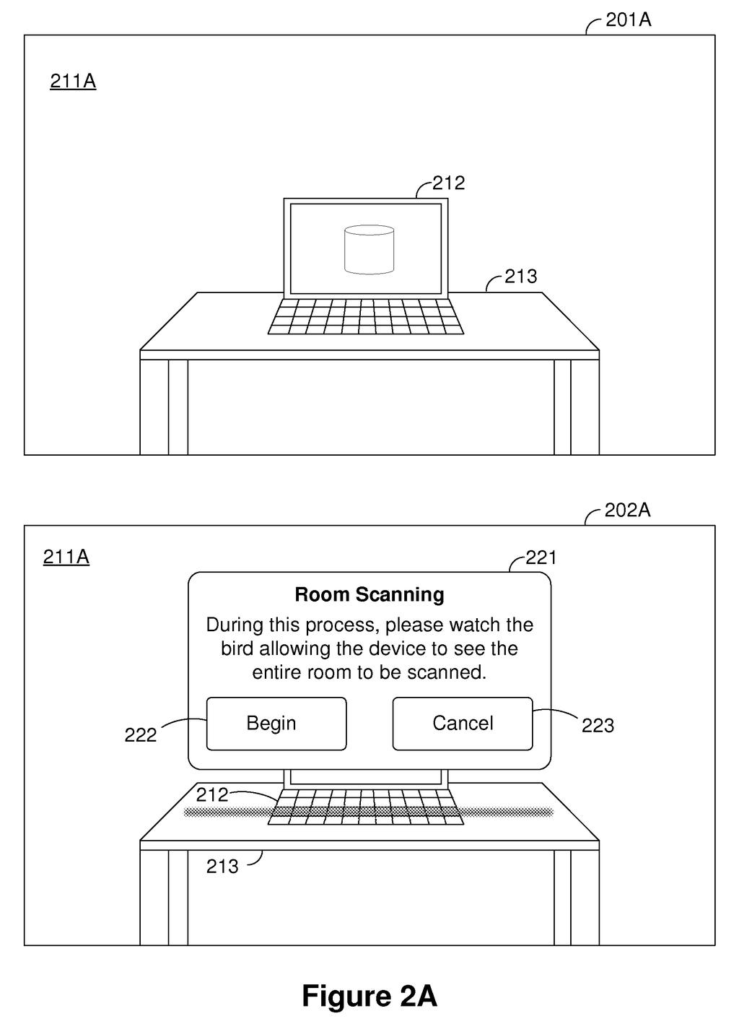
What Apple's passive room scanning actually does
Ever tried to hang a picture and realized you needed to measure the wall first? AR devices face a similar problem: they can't reliably place digital objects in your room until they have a solid map of it.
Apple's patent describes a system that watches as you use your device and keeps a running score of how thoroughly a room has been scanned. It counts how many photos have been taken and how many recognizable features (edges, corners, surfaces) appear in them. Once that score crosses a minimum bar, the device automatically builds a 3D mesh, a kind of digital skeleton of the room.
The word "passive" in the patent title is the key part. You don't have to wave your phone around in a special setup mode. The scanning happens in the background as you go about your day, and the system waits until it has enough data before committing to a map.
… determining an enrollment score based on a number of the plurality of images and a number of the plurality of features; and in response to determining that the enrollment score is greater than a threshold, generating a mesh of the physical environment …
Translation: The device calculates a score from your photos and features, and stops scanning once it has enough data.
How the enrollment score decides when to build the 3D map
The patent describes a pipeline with four main steps:
- Image capture: The device's camera continuously collects frames of the surrounding physical space.
- Feature detection: The system scans those frames for visual landmarks, things like wall edges, corners, objects, or any distinct pattern the camera can reliably re-identify across multiple shots.
- Enrollment scoring: A numeric score is calculated from two inputs: the total number of images gathered and the total number of distinct features detected across them. More images plus more unique features equals a higher score.
- Mesh generation: Only when that score exceeds a preset threshold does the device commit to building a mesh (a polygon-based 3D model of the environment), using the accumulated images as raw material.
The scoring system acts as a quality gate. A room with few images or bland, featureless walls (think a plain white corridor) would score low and delay mesh generation, avoiding a sloppy 3D model built from insufficient data.
By tying generation to a threshold rather than a fixed timer or a manual trigger, the system can adapt to how complex or simple a space is, spending more time in sparse rooms and less time in feature-rich ones.
What this means for AR headsets and spatial computing
For users of Apple Vision Pro or any future AR headset, this is about reducing friction. Today, some AR setups ask you to deliberately scan a room by moving the device in a specific pattern. A passive, score-driven approach means the device builds its understanding of your space naturally, without a separate setup ritual.
The bigger strategic point is reliability. A 3D mesh built from too few images or a room with poor visual data leads to AR objects that drift, float, or snap to the wrong surface. By gating mesh generation on a quality score, Apple is trying to make sure that when the map does appear, it's actually trustworthy. That matters most in spatial computing, where a bad room map can break the entire illusion.
Apple's 49th filing we've tracked since May in our AR glasses watch builds on the floating window idea and the app control rules to show how the company keeps refining how virtual content sits in space.
The design refuses to build a map of a room until it has collected enough images and visual details to meet a minimum quality bar. The cost of that patience is real: a sparse room, a dim hallway, or a space the user rarely enters may never get mapped at all.
That trade reads as correct. A bad map in an augmented reality headset makes virtual objects look broken and floating, which is worse than no map. Holding the bar high is the conservative call, and for a product where the experience has to feel trustworthy, conservative is the right instinct.
The bigger bet here is eliminating the step where users are asked to manually scan their rooms, which is one of the known friction points in getting people to actually use spatial computing devices. Automating that through background observation is a reasonable answer, though it only works if the room cooperates.
Get our take in your Top Stories
Liked this breakdown? Add Patentlyze as a preferred source on Google, and our plain-English take shows up more often in your Top Stories the next time Apple patent news breaks.
There are more where this came from
We read every patent application Big Tech publishes and send you the ones worth knowing. Plain English, free, every week.
The drawings
21 drawing sheets from US 2026/0278937 A1 · click any drawing to enlarge


Show the other 13 sheets


Want this weekly breakdown for a company we don't cover? Patentlyze Pro →
Be the first to weigh in