
Apple Files Patent for Group Chats That Open Shared Documents Without Exposing Your Identity
Tapping a shared-document link in a group chat often ends in an "ask for access" dead end. Apple's filing describes a way for the chat app and the document app to vouch for you without trading your phone number or email.
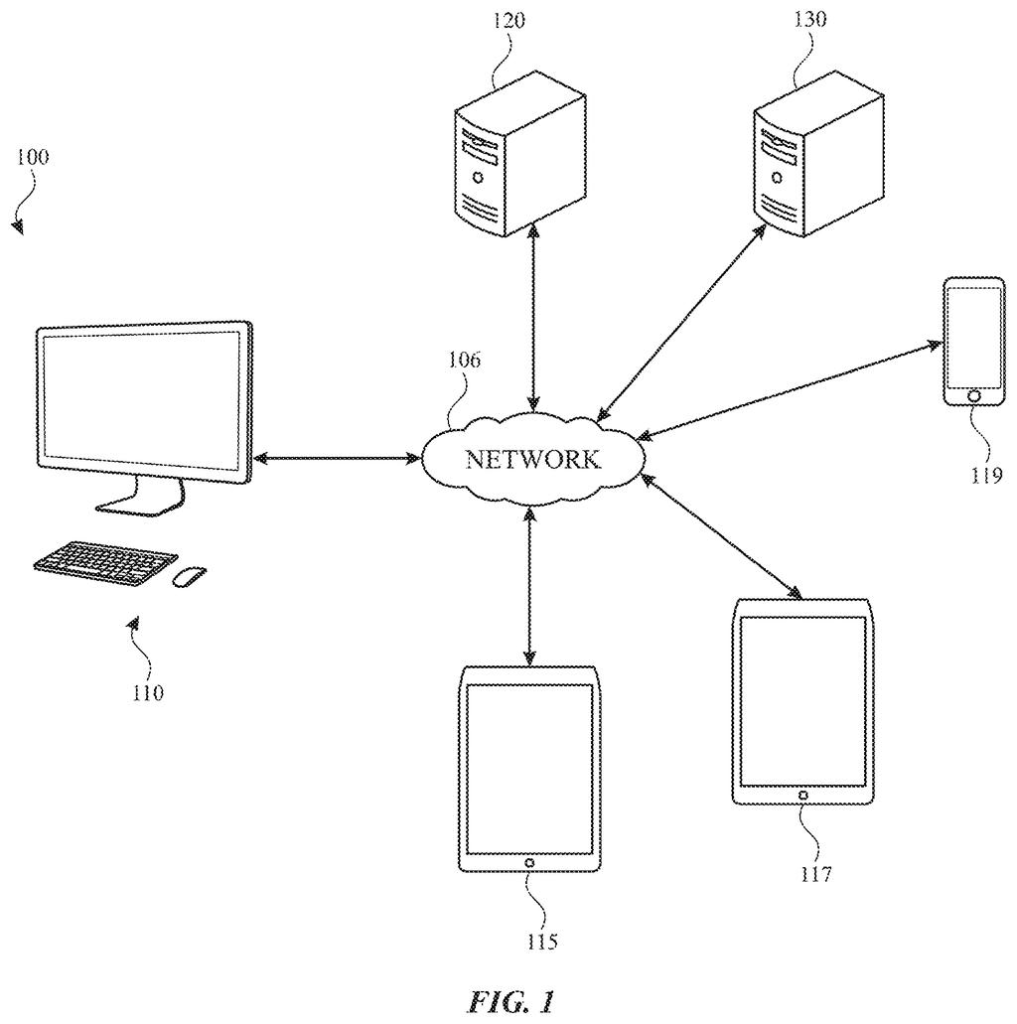
What Apple's link-sharing patent does for chats
Every time someone drops a shared-document link into a group chat, you tap it and hope for the best. Too often the document app shrugs, because it has no idea you're the person your friend meant to invite. Fixing that usually means asking for access separately, then logging in under the right account.
Apple's filing describes a way for the chat app and the document app to vouch for you without swapping personal details. When a link is shared, the messaging side creates a scrambled stand-in code for each person in the thread. The document app only ever sees those codes, never your phone number or email. When you tap the link, your device proves it's you, and the document opens.
The patent also covers the reverse. Edits made in the document can post a short update into the chat, and adding or removing someone from the chat can prompt you to change who can see the document.
… obtaining, by the device, an obfuscated identifier of the user account with respect to the document link; determining, by the device and based on the obfuscated identifier of the user account and a private key of the device, that the user account is authorized to access the document link …
Translation: Your phone uses a hidden ID and a secret key to prove you can open the file without revealing who you are.
How the scrambled stand-in codes get you in
The filing has three independent claims, each covering a separate piece. The first is the link handshake. A message carries a link tied to a collaborative application (a shared document app for text documents, spreadsheets or slideshows). The messaging system generates an obfuscated identifier (a scrambled stand-in for your account) for each person in the thread and hands those to the document app.
When you tap the link, your device uses that identifier together with its own private key (a secret value that stays on the device and can sign data to prove it's really you) to confirm you're allowed in, then opens the document app. The identifier can be built from a public key or a Merkle tree (a structure that folds many keys into one fingerprint), which can combine keys from several devices.
The second claim runs the other way. The document app tells the messaging system about a change, such as added text, an image or a comment, and the messaging system posts an update in the thread. If the editor is not in the thread, the update can show an anonymous user.
The third covers access changes. When you add or remove someone from the thread, a prompt asks whether that person should also gain or lose access to the document. If you say yes, the messaging system asks the document app to show its interface for the document.
The messaging system may generate, for each of the user accounts, an obfuscated identifier associated with that user account and a document link. The messaging system may provide the obfuscated identifiers to the collaborative application.
Translation: The chat app creates secret IDs for every person in the group and hands them over to the document editor.
Why your group chat and documents may stay in sync
The practical win is fewer dead ends. Today a shared link can leave your friend staring at an access-denied screen until someone adds them by hand inside the document app. Under this design, sending the link in a chat is the invite, and the chat and the document keep each other in step as people join, leave or edit.
Because the messaging app and the document app can come from different companies, the privacy side matters. The filing says the document app should not see your phone number or email, and the messaging app should not see the document's contents. It also describes showing a thread inside the document window without handing the app your conversation. Whether any outside app adopts the setup is a separate question.
Apple's 16th filing we've tracked since July in our on-device AI privacy work follows earlier applications on anonymous location reporting and health record access tracking.
Every convenience here has a price. The document app has to work with codes it cannot trace to a phone number or email, so the whole scheme depends on the messaging app and the document app both building to it.
The automatic edit notices are where this could wear thin. A busy spreadsheet could flood a chat with "comment added" lines, and the text we reviewed describes no limit on how often they post.
The yes/no prompt adds one tap to every change in the group. In return, nobody wanders into your budget spreadsheet by accident, and the prompt reminds you to cut off someone you just removed. That trade reads as worth it.
Get our take in your Top Stories
Liked this breakdown? Add Patentlyze as a preferred source on Google, and our plain-English take shows up more often in your Top Stories the next time Apple patent news breaks.
There are more where this came from
We read every patent application Big Tech publishes and send you the ones worth knowing. Plain English, free, every week.
The drawings
10 drawing sheets from US 2026/0310826 A1 · click any drawing to enlarge


Show the other 2 sheets


Want this weekly breakdown for a company we don't cover? Patentlyze Pro →
Be the first to weigh in