
Samsung Patents a Phone-Guided Way to Pair Nearby Sensors with IoT Devices
Setting up a smart home often means manually telling your phone which sensors belong to which device — a process that's tedious and error-prone. Samsung's new patent describes a system that figures it out automatically by having you walk up to the device with your phone.
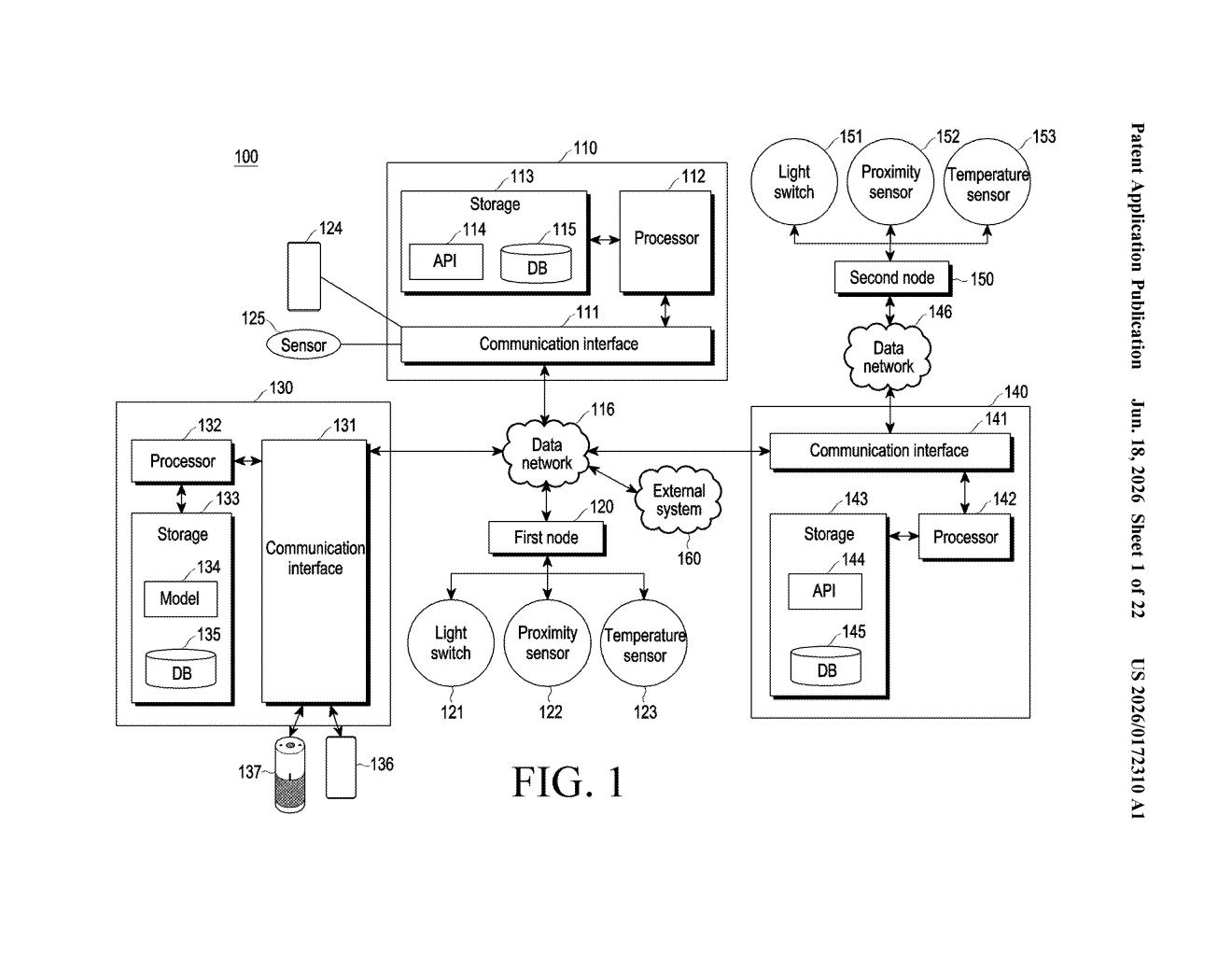
What Samsung's proximity-based IoT grouping actually does
Imagine you've just installed a new smart appliance — say, a washing machine or an air purifier — and you want your phone to monitor it using nearby sensors. Right now, you'd have to dig through an app, manually pick the right sensors from a list, and hope you got it right.
Samsung's patent describes a different approach: you tap a button in the app, and your phone tells you to walk over to the IoT device. Once you're close, your phone scans the area using short-range wireless signals, finds both the device and any sensors nearby, and uses signal strength to figure out which sensors are physically close enough to belong to that device. It then groups them automatically.
After that, the grouped sensors feed data back to your phone, which uses it to figure out what the device is actually doing — whether it's running, idle, or something else. No manual pairing lists, no guesswork.
How signal strength decides which sensors join which device
The patent describes an electronic device — most likely a smartphone — that acts as the coordinator for setting up IoT sensor groups.
Here's how the process works step by step:
- User triggers setup: The user taps a button requesting "sensor grouping" for a specific IoT device.
- Walk-up prompt: The phone displays a guide message telling the user to physically move close to the IoT device — using proximity as a deliberate input rather than a configuration step.
- Device and sensor discovery: The phone uses short-range communication (think Bluetooth or a similar low-power wireless protocol) to first find the IoT device, then scan for external sensors in the same area.
- Signal-strength-based grouping: The phone collects signal strength information (how strong the wireless signal is from each sensor — a proxy for physical distance) along with sensor device information (type, capabilities), and uses both to decide which sensors belong to the device.
- Situation detection: Once grouped, those sensors send live data back, and the phone uses it to determine the IoT device's operating situation — whether it's on, off, in a particular mode, etc.
The key insight is using the user's physical location as a disambiguation tool: by walking up to a specific device, you implicitly tell the system which device's sensor neighborhood to map.
What this means for smart home setup headaches
Smart home setup is one of the biggest friction points keeping casual users away from IoT products. If your phone can automatically figure out which temperature sensor is next to your air conditioner versus the one across the room, you skip a configuration step that currently requires either technical knowledge or a lot of trial and error.
For Samsung, this is directly relevant to its SmartThings ecosystem, which already ties together appliances, sensors, and phones. A patent like this points toward making SmartThings setup less intimidating — which matters because the more devices people actually connect and use, the more valuable the platform becomes.
This is a practical, unglamorous fix to a real problem — smart home pairing is genuinely annoying, and using physical proximity as an input is a smart workaround for the disambiguation problem. It's not a flashy concept, but it's the kind of UX improvement that quietly makes a product platform better. Worth watching in the context of Samsung's SmartThings ambitions.
There are more where this came from
We read every patent application Big Tech publishes and send you the ones worth knowing. Plain English, free, every week.
Want this weekly breakdown for a company we don't cover? Patentlyze Pro →