
Samsung Patents a Way to Control Someone Else's TV During a Video Call
Imagine video-calling your parents and being able to change the channel on their TV yourself, no coaching required. That's essentially what Samsung is patenting.
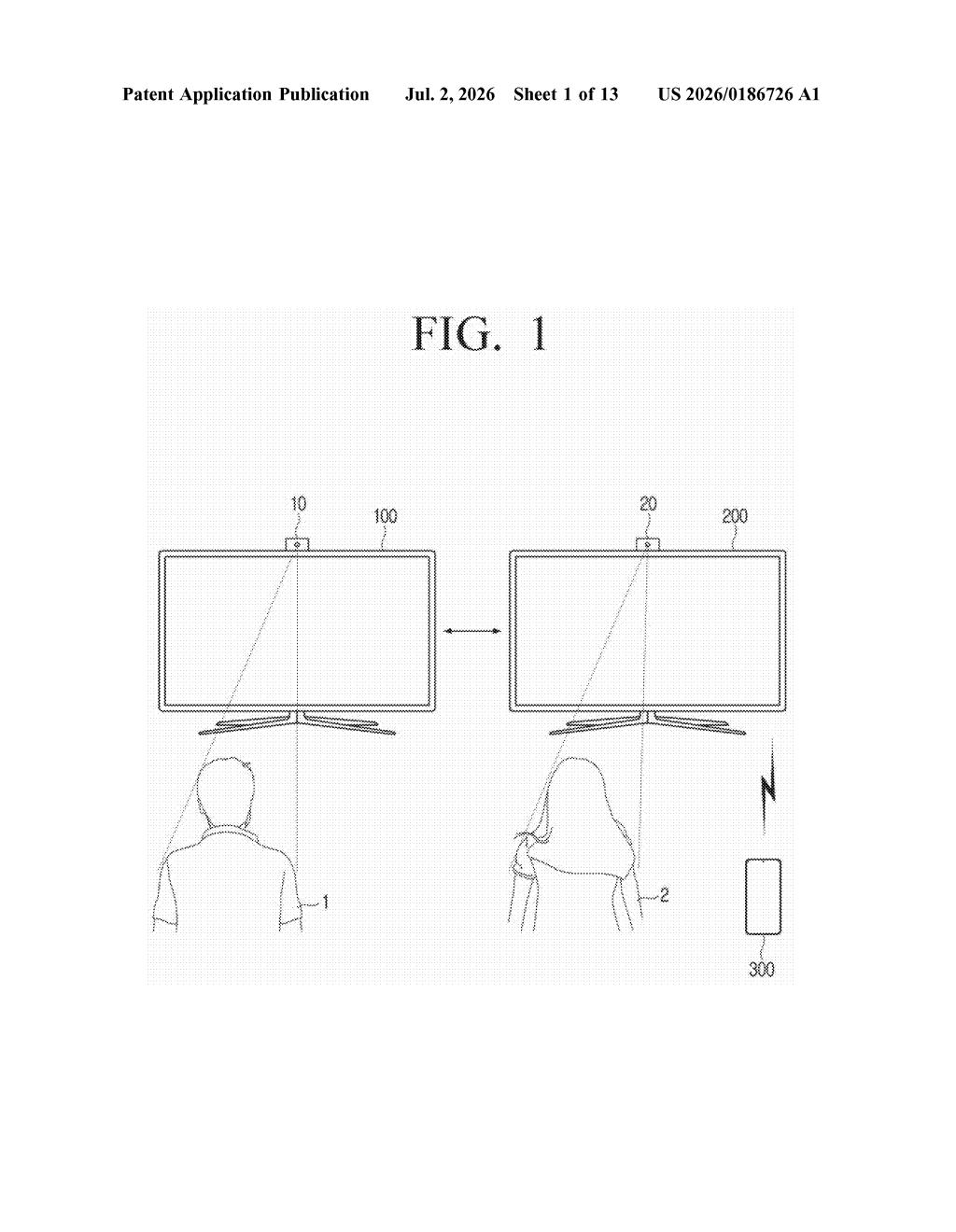
What Samsung's remote TV control patent actually does
Picture this: your mom calls you over video chat because she can't figure out how to switch the input on her Samsung TV. Right now, you'd walk her through it step by step, hoping she presses the right buttons. Samsung's new patent would let you just do it for her, directly from your phone.
The idea is that the person you're video-calling mirrors their TV or device screen so you can both see it. Then, when you tap or swipe on your end, your phone sends a control signal through the call to their device, which then passes it along to the TV or whatever's connected.
It's essentially remote control over a video call, without needing any special screen-sharing app or IT setup. Your phone becomes a controller for a screen that's physically in someone else's home.
How the control signal travels from your phone to their TV
The patent describes a system where two people are on a video call and one side (call them the "correspondent device") is screen-mirroring (casting a live image of) an external device, like a TV or set-top box.
The caller on the other end sees that mirrored screen during the video call. When they perform a gesture or tap on their display, the patent's system does three things:
- Generates a control signal that maps the user's input to a command for the external device
- Transmits that control signal across the call to the correspondent device (the person on the other end)
- The correspondent device then relays the command to the actual external apparatus, like a TV or media player
The whole chain is: your gesture on your phone, converted to a command, sent over the video call connection, passed from the other person's phone to their TV. The external device never needs to know you exist; it just receives a normal control command from the device it's already paired with.
What this means for remote tech support and shared screens
The most obvious use case is remote tech support within a family or between friends. Instead of describing what someone should press, you'd just do it yourself through the call. For Samsung, which sells both Galaxy phones and a large range of smart TVs, this would tie its ecosystem together in a practical, everyday way.
There's a broader angle too: as screen mirroring and video calls become more intertwined (think shared viewing, presentations, or accessibility support), who gets to control the shared screen becomes a real question. This patent stakes out a specific answer, and it's one that could show up in a future Galaxy or SmartThings feature.
This is one of those patents that's genuinely useful in a way that doesn't require any imagination to see. The 'help your parents with the TV' problem is universal, and Samsung's ecosystem position (phones plus TVs plus SmartThings) makes this a natural fit. Whether it ships as a polished feature or gets buried is the real question, but the concept is solid.
There are more where this came from
We read every patent application Big Tech publishes and send you the ones worth knowing. Plain English, free, every week.
Want this weekly breakdown for a company we don't cover? Patentlyze Pro →
Be the first to weigh in