
Adobe Patents a Gesture-Driven Unified Color-Control Interface for Image Editing
Adobe is patenting a color-editing interface that lets you tweak multiple color parameters simultaneously with a single gesture — and the histogram updates in real time as you move.
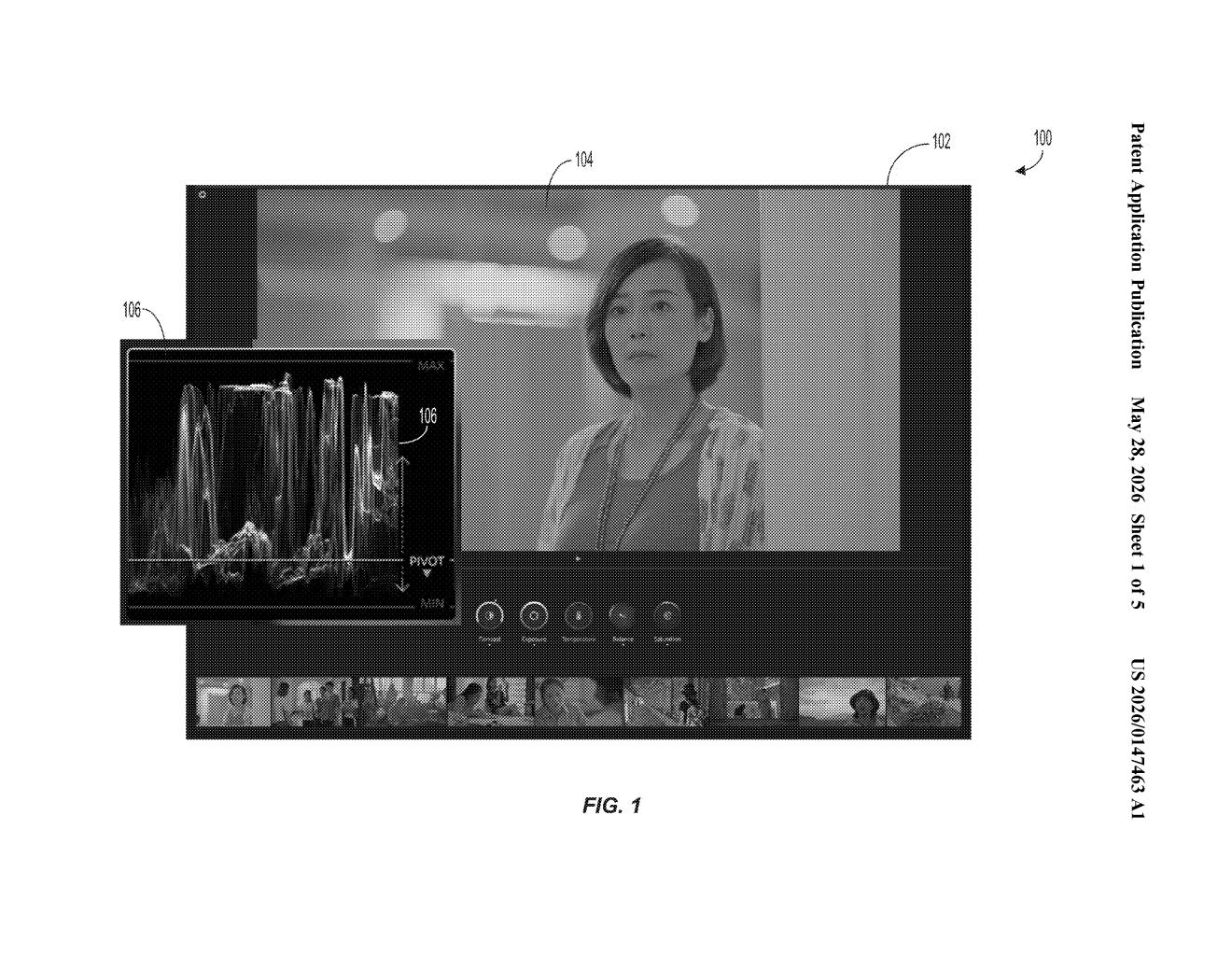
What Adobe's integrated color-control interface actually does
Imagine you're editing a photo and you want to fix both the hue and saturation of a color at the same time. Right now, in most editing apps, you'd drag one slider, let go, find another slider, drag that one, and repeat until things look right. It's tedious.
Adobe's patent describes a single, integrated control panel where both parameters live together. You make one gesture — a drag, a swipe, something multi-directional — and both values adjust at the same time. A visual indicator (think a histogram or color distribution graph) updates live so you can see exactly how the pixels in your image are shifting.
It's the difference between tuning two knobs separately and grabbing a single joystick that controls both at once. The goal is fewer clicks and a tighter feedback loop between what you do and what you see.
How gestures update both color parameters at once
The patent describes a computer-implemented method built around what Adobe calls an "integrated color-control interface" — a single UI widget that exposes at least two color parameters (for example, hue and saturation, or exposure and contrast) at the same time.
The interface includes a visual-feedback indicator — essentially a live histogram or color-distribution graph — that shows how the pixels of the current image are spread across a color dimension. This isn't just a static readout; it updates dynamically as the user interacts.
The core mechanic is gesture-based interaction: rather than moving separate sliders sequentially, you perform gestures within the integrated widget to adjust one parameter, the other, or both simultaneously. The patent doesn't lock down a specific gesture vocabulary — it covers one or more gestures that map to one or both parameters.
- The system reads the gesture and computes new values for both parameters.
- It applies those values to transform the underlying image.
- It then updates the visual-feedback indicator to reflect the new color distribution of the pixels post-transformation.
- The revised interface is then rendered back to the user.
The loop is continuous: gesture → transform → update → display.
What this means for Photoshop and Lightroom workflows
Color grading workflows in tools like Lightroom and Photoshop are notoriously slider-heavy. Professional colorists have long complained that adjusting correlated parameters — ones that interact visually, like hue and saturation — through separate controls creates an unnatural, iterative back-and-forth. This patent points to Adobe exploring a more direct-manipulation model, where the relationship between parameters is surfaced in the UI rather than left to the user to mentally track.
For touch and stylus-based devices (tablets, iPads running Photoshop), the gesture angle is especially relevant. If this ships, it could meaningfully reduce the time-to-edit for common color corrections, and it aligns with Adobe's broader push to make Photoshop on iPad feel less like a desktop port and more like a native touch experience.
This is a focused, practical UX patent — not a moonshot. Adobe is trying to solve a real annoyance in color editing workflows: the fact that visually linked parameters live in separate controls. Whether this specific gesture-based approach is the right answer is an open question, but the underlying problem is genuine and the direction makes sense for touch-first editing.
There are more where this came from
We read every patent application Big Tech publishes and send you the ones worth knowing. Plain English, free, every week.
Want this weekly breakdown for a company we don't cover? Patentlyze Pro →