Microsoft
Microsoft · Software · Filed Apr 6, 2026 · USPTO published Aug 13, 2026 · Aug 13 release
Microsoft's New Patent Routes Tasks Across Devices Based on Each One's Strengths
Most software forces you to finish a task on the device where you started it, even when a different device would do the job better. Microsoft is patenting a way to break that assumption entirely.
- Publication number
- US 2026/0238703 A1(US20260238703A1)
- Applicant
- Microsoft Technology Licensing, LLC
- Filed · Published
- Apr 6, 2026 · Aug 13, 2026
- Inventors
- Robert A. SIM, Adam FOURNEY, Russell Allen HERRING JR., Ryen William WHITE, Elnaz NOURI
- Status when we published
- Waiting for an examiner
- Document
- 20 claims
- US classification
- 709/201
- Parent application
- Continuation of 18/392,741 (filed Dec 21, 2023)(18392741)
How Microsoft wants to split one task across many devices
Right now, if you start a complex task on your phone, you're mostly stuck finishing it there, even if your laptop would handle the next step far better. Microsoft wants to change that by building a system that tracks tasks across all your devices and moves work to the right screen at the right moment.
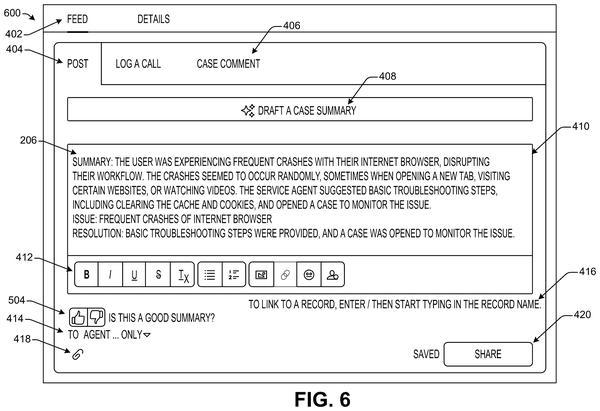
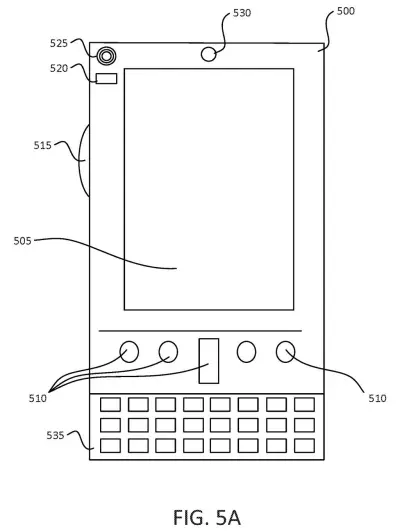
The idea is that a background service keeps every device in your personal fleet in sync. When you reach a step in a task, the service checks what that step needs and which of your devices is best equipped to handle it. You might type a document on your PC, annotate it on a tablet, and get a voice summary on a smart speaker, all as part of one continuous session.
The system can also split a single step across devices at the same time, so your phone and laptop work on different parts of the same problem in parallel. You stay in control of what you're doing; the system just handles the logistics of where it happens.
… decomposing a step of the task session into a plurality of aspects; determining a first processing computing device in the set to perform a first aspect of the plurality of aspects and a second processing computing device in the set to perform a second aspect of the plurality of aspects based on respective capabilities …
Translation: The system breaks a single task into smaller parts and assigns them to different devices based on what each one does best.
How the device manager decomposes steps and assigns them
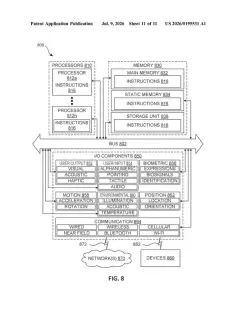
The patent describes a device management service that maintains a shared record of an ongoing task session. Each device in your set holds synchronized state information, so any device can pick up exactly where another left off.
When you take an action, the service identifies the task session using a unique session identifier, then evaluates what the current step actually requires. Crucially, it can decompose a single step into multiple aspects (think of it as breaking one job into sub-jobs) and assign each sub-job to the device best equipped to run it. A phone with a good camera might handle image capture while a laptop handles text processing, simultaneously.
Device selection is based on:
- Task requirements (what the step needs to be completed)
- Device characteristics (screen size, input type, processing power)
- Device capabilities (available sensors, software, connectivity)
The service then sends instructions to each assigned device, coordinating the execution. If the optimal device changes as the task evolves, the system can automatically transition the user to a different device mid-task, or at least prompt them to switch.
… rather than being required to continue a task on the same device (even when the device is not well-suited for the current step or task), the user is provided with the option to use and, in some instances, is automatically transitioned to use, different devices within the set.
Translation: You no longer have to stick to one device if it is not the right tool for the specific part of the job you are doing.
What this means for multi-device Microsoft 365 users
For everyday Microsoft 365 users, this could mean far less friction when moving between devices during a long project. Today, handoffs between a phone, tablet, and PC require you to manually re-open apps, scroll to the right place, and remember where you were. A system like this would absorb that overhead, which adds up over a workday.
The patent also signals where Microsoft's multi-device ambitions are pointing: toward a platform that thinks in terms of tasks and capabilities rather than individual apps on individual machines. This kind of multi-device orchestration sits squarely in the stream of latest Big Tech patents around AI-driven productivity infrastructure, where the competitive stakes are increasingly about who owns the layer that coordinates your tools, not just the tools themselves.
Source: US 2026/0238703 A1 at the USPTO (PDF). Full patent text and figures are in the official publication.
Get our take in your Top Stories
Liked this breakdown? Add Patentlyze as a preferred source on Google, and our plain-English take shows up more often in your Top Stories the next time Microsoft patent news breaks.
Add Patentlyze on Google
One click.
There are more where this came from
We read every patent application Big Tech publishes and send you the ones worth knowing. Plain English, free, every week.
The drawings · 12 sheets
12 drawing sheets from US 2026/0238703 A1 · click any drawing to enlarge


Show the other 4 sheets


More from Microsoft
All 646 Microsoft patents →
More in Software
All 753 Software patents →
Google
New Google Patent Uses Your Browsing History to Answer Search Queries
Google
Google Patents a System That Decides Which of Your Devices Should Answer You
Google
A New Patent Rewrites Your Search Query Before Looking Anything Up
Salesforce