
Samsung Patents a System That Turns Everyday Objects Into Device Controls
Samsung is working on a way to let you point at a physical object — a pen, a coffee mug, whatever — and have a device recognize it and trigger a function you've assigned to it. No touchscreen, no voice command, just the stuff already on your desk.
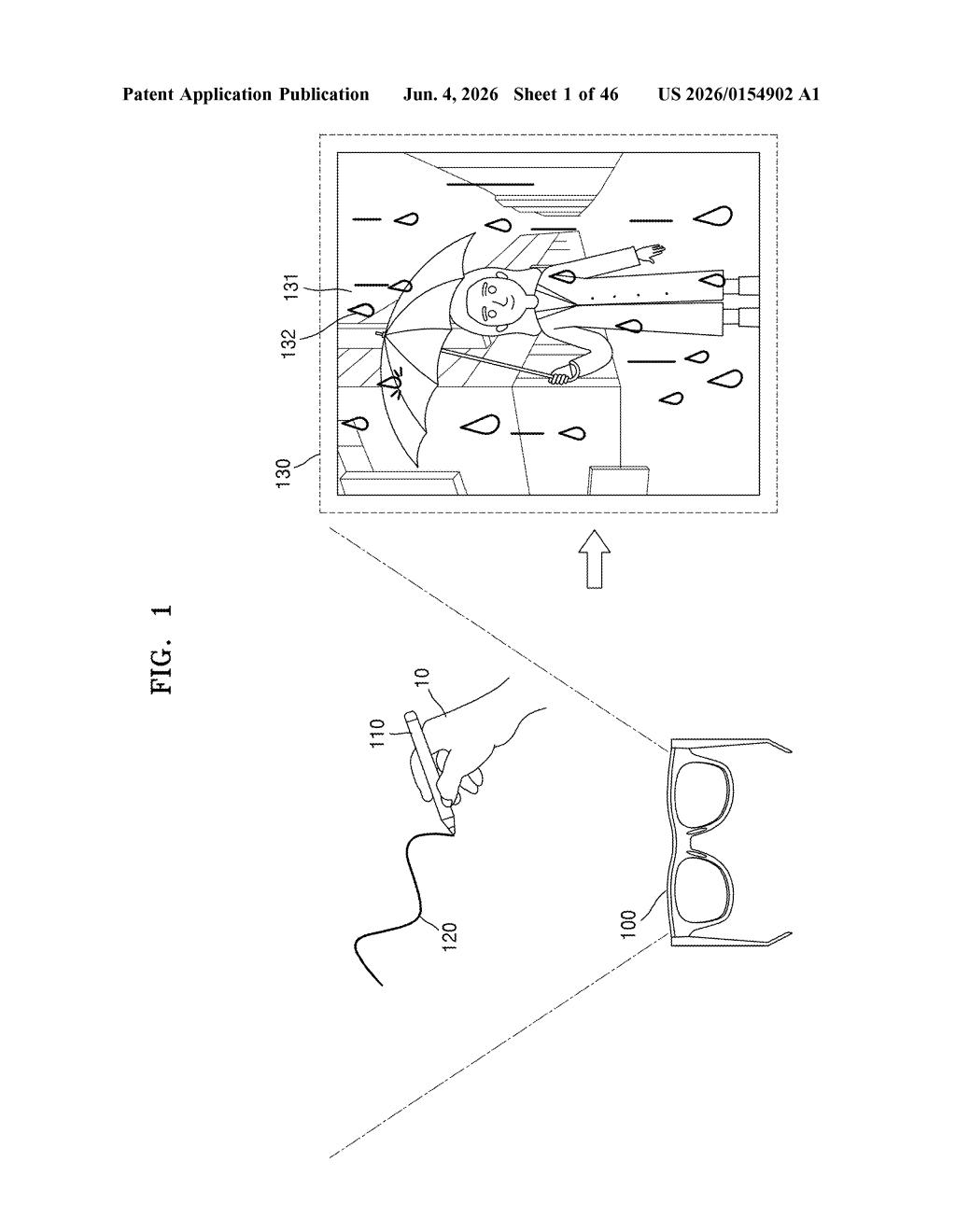
What Samsung's real-object input system actually does
Imagine picking up a highlighter from your desk and your Samsung device automatically opens a note-taking app. Or holding a ruler and having it trigger a measurement tool. That's the core idea here: your physical belongings become shortcuts, recognized by a camera watching your hand interact with them.
The device doesn't just see an object in isolation — it specifically looks for your hand interacting with the object. So the system knows you're intentionally engaging with something, not just that the object is sitting on a table nearby.
You'd register functions to specific objects ahead of time. Once that's done, the camera does the matching work automatically. It's a bit like assigning a keyboard shortcut, except the "key" is a physical thing you already own.
How the camera maps objects to pre-registered functions
The patent describes an electronic device with a camera that continuously monitors a real-world scene. The core pipeline has three steps:
- Object + hand recognition: The camera captures an image containing both a physical object and the user's hand. The system detects that the hand is interacting with the object — not just co-present with it — which filters out accidental triggers.
- Object identification: The recognized object is matched against a registry of pre-enrolled real-world items. Think of it like a lookup table: object X maps to function Y.
- Function execution: Once the match is confirmed, the device executes whatever function was pre-registered for that object — launching an app, triggering a control, activating a mode, etc.
The patent is intentionally broad about what counts as an "electronic device" and what the triggered functions might be. The camera-based approach suggests this is designed for a device where you're looking at the world, which points toward AR glasses, mixed-reality headsets, or camera-equipped tablets rather than a standard flat phone screen.
The reliance on hand-object interaction as the activation signal is the key design choice — it's what separates intentional use from background noise.
What this means for AR headsets and hands-free control
For AR and mixed-reality devices — where you don't have a keyboard or touchscreen — finding natural, low-friction input methods is one of the hardest unsolved problems. Mapping physical objects you already own to device functions is a clever way around that: the "controller" is whatever's already in your environment, and the learning curve is just the one-time registration step.
This also fits neatly into Samsung's broader push into AR hardware, including its Galaxy Ring and rumored glasses projects. If you're wearing a device that sees what you see, letting everyday objects double as controls starts to feel less like a gimmick and more like a genuinely useful layer of the interface.
This is a solid, practical idea for AR input — not flashy, but it addresses a real pain point. The hand-interaction requirement is a smart design detail that keeps it from being trivially brittle. Whether Samsung ships this or it stays in the patent drawer depends entirely on whether they release AR glasses with enough real-world traction to justify the UX investment.
There are more where this came from
We read every patent application Big Tech publishes and send you the ones worth knowing. Plain English, free, every week.
Want this weekly breakdown for a company we don't cover? Patentlyze Pro →