
Samsung · Filed Jul 1, 2026 · Published Oct 22, 2026

Samsung Files Patent to Turn Messy Robot Vacuum Maps Into Tidy 3D Floor Plans

Your robot vacuum already knows your floor plan, but the map it draws can look like it was sketched during an earthquake. Samsung's patent application cleans it up by checking where the robot actually drove.
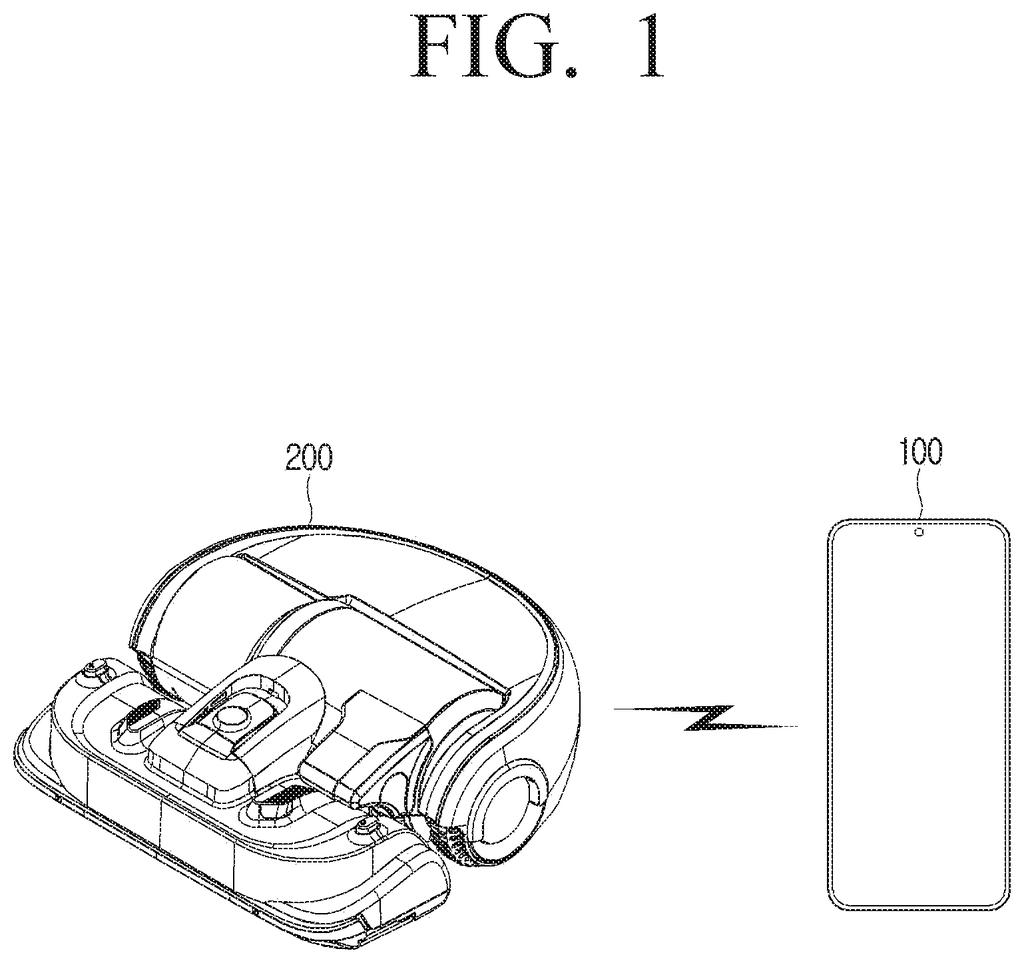
A robot vacuum connects wirelessly to a smartphone to share room maps and floor plans. Drawing from patent filing US 2026/0329286 A1.
A robot vacuum connects wirelessly to a smartphone to share room maps and floor plans.
See all 28 drawings from this filing ↓
Publication number US 2026/0329286 A1 US20260329286A1
Applicant Samsung Electronics Co., Ltd.
Filing date Jul 1, 2026
Publication date Oct 22, 2026
Inventors Seongoh LEE, Youngmin KWAK
US classification 701/25
Status when we published Waiting for an examiner (Jul 20, 2026)
Parent application is a Continuation of 18750255 (filed 2024-06-21)
Document 20 claims

What Samsung's map cleanup patent actually does

Ever opened your robot vacuum's app and wondered why a perfectly straight hallway looks like a wobbly coastline? The robot maps your home with sensors, and those readings come out noisy: stray short lines, jagged edges, and walls that bend where they shouldn't.

Samsung's patent application describes a tidy-up step. A phone, a server, or the vacuum itself takes the rough map, deletes the stray scribbles, and straightens the wobbly lines. The twist is that it also checks the route the vacuum actually drove. If the robot rolled through a spot, that spot is clearly part of your home, so the cleanup keeps it inside the lines.

Once the flat map is clean, the system raises walls to build a 3D model of your home. You could even drag a slider to decide how much smoothing you want.

From the filing · CLAIM 1
obtain a 2-dimensional (2D) map of an indoor space generated based on sensing data, and traveling data obtained by at least one external device, simplify the obtained 2D map, based on the traveling data, and generate a 3-dimensional (3D) map, based on the simplified 2D map.

Translation: The system takes messy vacuum maps and travel data to build clean 3D floor plans.

How the robot's route decides what stays

The system starts with a rough map. A robot vacuum (or another home robot) scans a room with sensors such as lidar (a laser distance sensor) or a camera, then builds a grid map: a checkerboard of 4 cm squares, each marked as holding an obstacle or not. It also records traveling data, meaning its route, speed and history.

A phone, server or the robot itself then turns that grid into clean lines:

  • Convert the obstacles into a black-and-white image and thin every line to the same width.
  • Find straight-line candidates and join them into connected outlines (polylines, which are chains of straight segments).
  • Delete noise, meaning lines that are very short or change direction too often.
  • Straighten bumps, join gaps, and use the robot's route to keep the areas it drove through as indoor space.

Room outlines are then corrected: areas outside the new boundary are dropped, and areas inside it that were missed get added. Walls are raised from the cleaned outline to make the 3D map, and a wall's shape, height and thickness can follow obstacle information from the sensors.

The filing also describes a slider for how much to simplify, separate settings per room (a cluttered storage room can stay detailed), a prompt when the system is unsure about an area, an editing screen, and a re-run on a schedule such as one month or after furniture moves.

Why your robot vacuum's map could look better

If you own a robot vacuum, the map in its app is often the least polished part. A cleaner floor plan is easier to read, and Samsung's description says you could tap a home appliance in the 3D view to control it, or see where the vacuum already cleaned, with the route and cleaning time shown on the map.

The filing is a continuation of earlier applications, so it extends an existing family of filings. It also reaches beyond vacuums: serving robots and guide robots are named as other machines that could feed the same kind of map. Nothing in the text says when, or whether, this reaches a product.

Samsung's 55th filing we've tracked in our home robot watchlist since May touches on work like heating mop water early and finding a moved charger.

Editorial take

Simplifying a map means throwing information away, and that is the cost here. A narrow gap, a diagonal wall or a small piece of furniture can get squared off or erased if the cleanup is too eager.

Samsung's design admits this. It lets you turn the smoothing up or down, keeps more detail in cluttered rooms, and asks you before touching spots it can't judge. It also treats the robot's driven route as proof of real floor, which means places the robot never reached get less protection.

The trade reads as worth it. A map you look at every day should resemble your home, and a few lost details are cheap when you can adjust the dial. The price is extra questions on screen, and a vacuum app that nags you could wear thin fast.

Get our take in your Top Stories

Liked this breakdown? Add Patentlyze as a preferred source on Google, and our plain-English take shows up more often in your Top Stories the next time Samsung patent news breaks.

There are more where this came from

We read every patent application Big Tech publishes and send you the ones worth knowing. Plain English, free, every week.

The drawings

28 drawing sheets from US 2026/0329286 A1 · click any drawing to enlarge

A robot vacuum connects wirelessly to a phone, drawing sheet 1 from US 2026/0329286 A1
Sheet 1 A robot vacuum connects wirelessly to a phone
Internal parts of the device that processes room maps, drawing sheet 2 from US 2026/0329286 A1
Sheet 2 Internal parts of the device that processes room maps
How the phone turns raw vacuum data into 3D plans, drawing sheet 3 from US 2026/0329286 A1
Sheet 3 How the phone turns raw vacuum data into 3D plans
Raw floor map gathered during a cleaning run, drawing sheet 4 from US 2026/0329286 A1
Sheet 4 Raw floor map gathered during a cleaning run
Turning pixelated room borders into clean vector lines, drawing sheet 5 from US 2026/0329286 A1
Sheet 5 Turning pixelated room borders into clean vector lines
Initial black-and-white outline of walls and obstacles, drawing sheet 6 from US 2026/0329286 A1
Sheet 6 Initial black-and-white outline of walls and obstacles
Thinning the outline to prepare for straight-line detection, drawing sheet 7 from US 2026/0329286 A1
Sheet 7 Thinning the outline to prepare for straight-line detection
Filtering out stray dots to highlight structural lines, drawing sheet 8 from US 2026/0329286 A1
Sheet 8 Filtering out stray dots to highlight structural lines
Show the other 20 sheets
An outline map traced from the room boundary data, drawing sheet 9 from US 2026/0329286 A1
Sheet 9 An outline map traced from the room boundary data
Steps for cleaning up rough edges on a floor plan, drawing sheet 10 from US 2026/0329286 A1
Sheet 10 Steps for cleaning up rough edges on a floor plan
Removing stray dots and sensor noise from the map, drawing sheet 11 from US 2026/0329286 A1
Sheet 11 Removing stray dots and sensor noise from the map
Smoothing jagged lines into crisp room borders, drawing sheet 12 from US 2026/0329286 A1
Sheet 12 Smoothing jagged lines into crisp room borders
Straightening a jagged bump along a flat wall, drawing sheet 13 from US 2026/0329286 A1
Sheet 13 Straightening a jagged bump along a flat wall
Squaring off messy corners where two walls meet, drawing sheet 14 from US 2026/0329286 A1
Sheet 14 Squaring off messy corners where two walls meet
Turning wavy sensor paths into a clean straight line, drawing sheet 15 from US 2026/0329286 A1
Sheet 15 Turning wavy sensor paths into a clean straight line
Keeping wall indentations where the robot actually traveled, drawing sheet 16 from US 2026/0329286 A1
Sheet 16 Keeping wall indentations where the robot actually traveled
Adjusting boundary lines to neatly define individual rooms, drawing sheet 17 from US 2026/0329286 A1
Sheet 17 Adjusting boundary lines to neatly define individual rooms
How the phone and vacuum share 3D map data, drawing sheet 18 from US 2026/0329286 A1
Sheet 18 How the phone and vacuum share 3D map data
Offloading 3D map creation to an external cloud server, drawing sheet 19 from US 2026/0329286 A1
Sheet 19 Offloading 3D map creation to an external cloud server
Choosing how aggressively to smooth and simplify the layout, drawing sheet 20 from US 2026/0329286 A1
Sheet 20 Choosing how aggressively to smooth and simplify the layout
Filtering which furniture and appliances appear on screen, drawing sheet 21 from US 2026/0329286 A1
Sheet 21 Filtering which furniture and appliances appear on screen
Viewing the finished 3D floor plan without extra clutter, drawing sheet 22 from US 2026/0329286 A1
Sheet 22 Viewing the finished 3D floor plan without extra clutter
Populating the 3D home model with recognized household items, drawing sheet 23 from US 2026/0329286 A1
Sheet 23 Populating the 3D home model with recognized household items
Editing room boundaries and wall shapes directly on the phone, drawing sheet 24 from US 2026/0329286 A1
Sheet 24 Editing room boundaries and wall shapes directly on the phone
Tools for manually tweaking and reshaping room boundaries, drawing sheet 25 from US 2026/0329286 A1
Sheet 25 Tools for manually tweaking and reshaping room boundaries
Merging overlapping shapes into a single room layout, drawing sheet 26 from US 2026/0329286 A1
Sheet 26 Merging overlapping shapes into a single room layout
Prompts asking whether to clean up rough map sections, drawing sheet 27 from US 2026/0329286 A1
Sheet 27 Prompts asking whether to clean up rough map sections
Converting vacuum travel logs into a tidy 3D layout, drawing sheet 28 from US 2026/0329286 A1
Sheet 28 Converting vacuum travel logs into a tidy 3D layout
Browse all the drawings 28 drawing sheets
Patent filing page

Source. Full patent text and figures from the official USPTO publication PDF.
Reader comments

Be the first to weigh in

Start the discussion

Real name or a handle, either is fine. Comments are read by a person before they appear, so allow a little time. Keep it about the filing.