
Samsung Patents a Display That Draws Its Own Cursor Instead of Waiting for One
Most screens are dumb — they show whatever a connected device sends them. Samsung's new patent flips that: the display itself draws and moves the cursor, then tells the source device where you clicked.
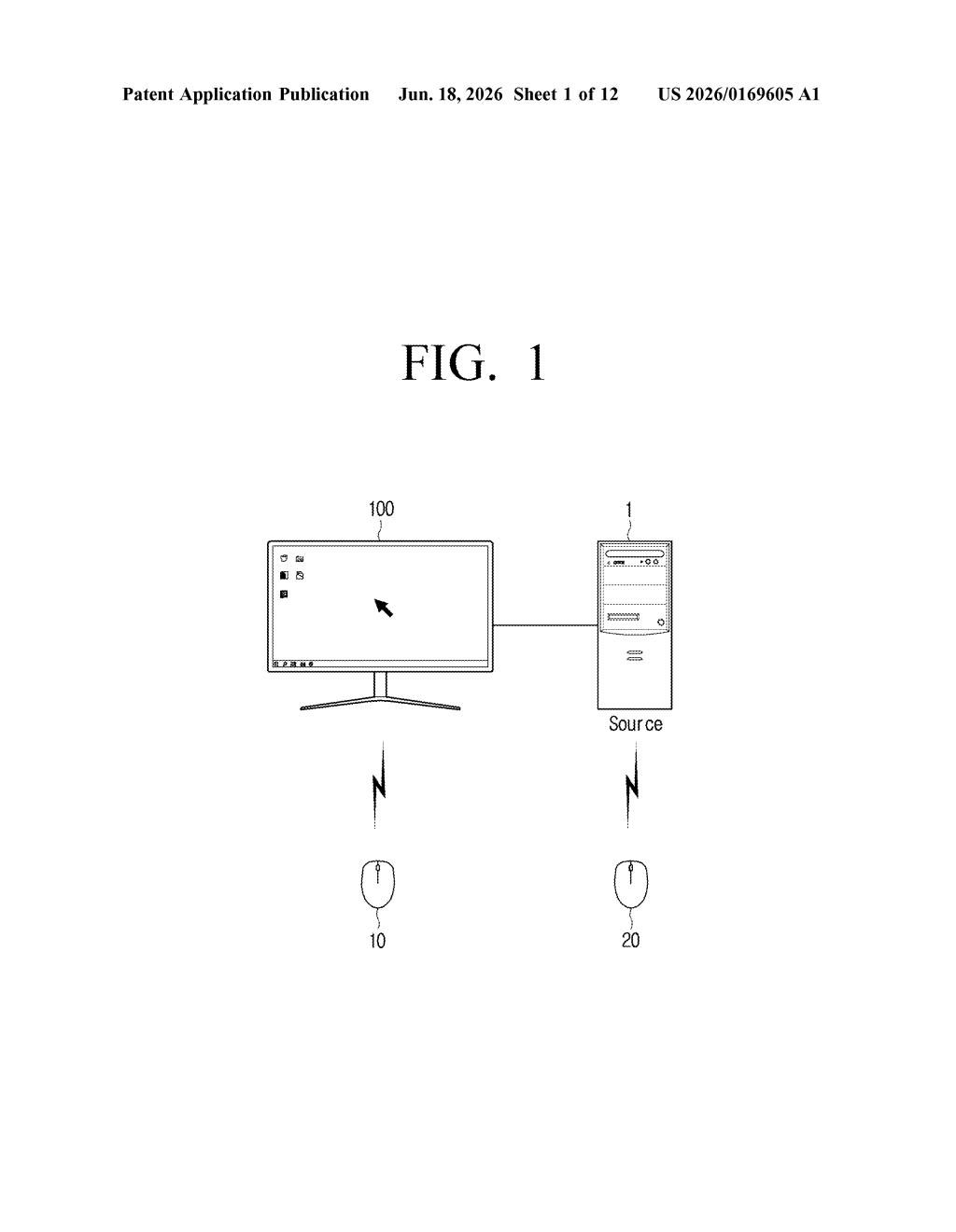
What Samsung's self-drawn cursor actually does
Imagine using a wireless remote or pointer to navigate your TV or monitor. Normally, every tiny movement you make has to travel to your laptop or streaming box, get processed there, then come back to the screen as an updated image — cursor and all. That round trip adds delay and puts the work on the source device.
Samsung's patent cuts that loop short. The display itself tracks where your remote is pointing, draws the cursor directly on screen, and only sends a signal to the connected device when you actually click something. The source device then responds with an updated image reflecting what you selected.
The result is a pointer that feels immediate, because the screen isn't waiting on another device to tell it where the cursor should be. It's a behind-the-scenes plumbing change — but one that could make wireless TV navigation feel noticeably more responsive.
How the display handles pointer tracking and click relay
The patent describes a display — think a TV or external monitor — that takes on cursor-management duties normally handled by a connected source device (a laptop, streaming stick, or game console).
Here's the sequence the patent lays out:
- The display receives coordinate information from an input device (a remote, pointer, or similar), tracking its movement.
- The display renders and moves the cursor on screen itself, without waiting for the source device to update the picture.
- When the user clicks or presses a button, the display packages up the cursor's screen coordinates plus that control signal and sends both to the source device.
- The source device processes the click, updates whatever app or interface is running, and sends back a refreshed image — which the display then shows.
The key distinction is where the cursor lives. In a conventional setup, the source device owns the pointer entirely. Here, the display owns the pointer's visual representation, and only hands off to the source device at the moment of a user action. This is sometimes called a "virtual indicator" in the patent language — the cursor exists on the display independently of the connected device's framebuffer.
What this means for TV remotes and wireless PC setups
For everyday TV users, the practical upside is a pointer that tracks your remote without the usual lag. When a TV has to relay every movement to a streaming box and wait for a new frame back, even small delays make navigation feel sluggish. By keeping the cursor local to the display, Samsung's approach could make pointer-based TV interfaces — think app grids or web browsers on a smart TV — feel more like using a real mouse.
The broader implication is about where intelligence lives in a display setup. If screens start handling input locally rather than offloading everything to the source device, that changes the calculus for thin-client setups, wireless PC monitors, and large-format displays used in presentations or digital signage. It's a small architectural shift, but it nudges the display from passive screen to active participant in the interaction.
This is a focused, practical patent — not a moonshot. The problem it solves (cursor lag between a display and a source device) is real and annoying to anyone who has tried to use a TV remote as a pointer. The solution is clean and the claim is narrow enough to be plausible. Worth a look if you follow Samsung's TV or monitor roadmap.
There are more where this came from
We read every patent application Big Tech publishes and send you the ones worth knowing. Plain English, free, every week.
Want this weekly breakdown for a company we don't cover? Patentlyze Pro →