
Apple Patents a New System for Grabbing and Moving Virtual Objects in AR and VR
Picking up a virtual coffee mug in AR sounds simple, but getting it to feel natural is surprisingly hard. Apple has filed a patent covering a surprisingly deep set of rules for exactly how virtual objects should move, spin, and come to rest when you interact with them.
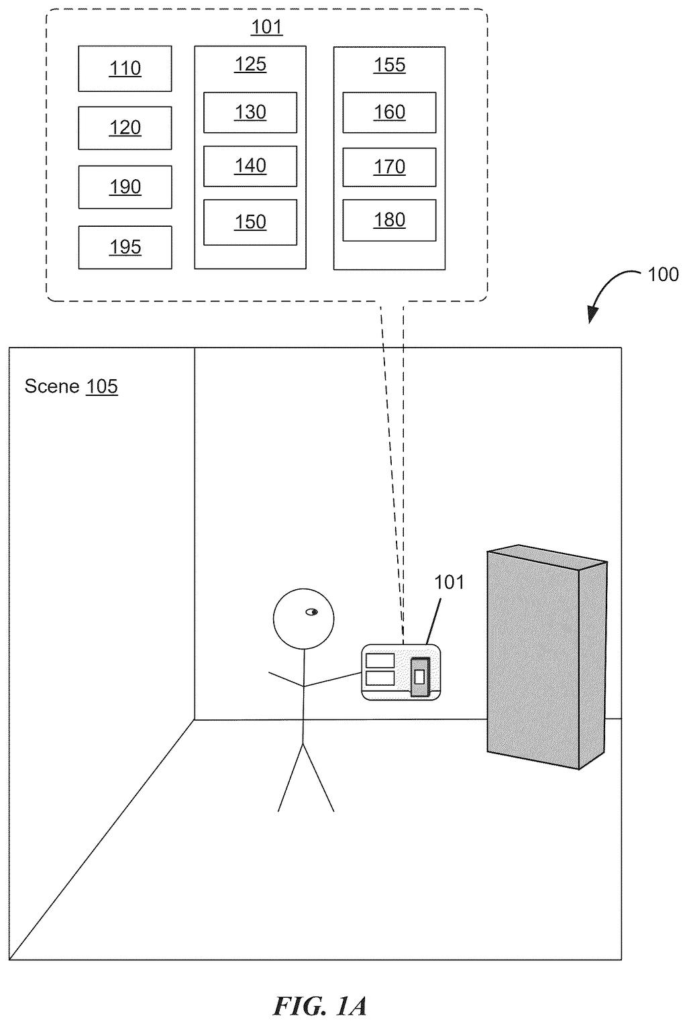
What Apple's virtual object grabbing system actually does
Imagine reaching out in a VR or AR headset and grabbing a virtual box. Does it snap to your hand? Does it wobble realistically? What happens when you use two hands, or pass it from one hand to the other? Those tiny details determine whether the whole experience feels real or just awkward.
Apple's patent describes a whole rulebook for these interactions. The system can show you visual feedback for where your input lands on an object, smoothly shift the "grip point" between your finger and the object's center, and change how the object behaves depending on what virtual environment you're in. It can even hand control of the object from one hand to the other mid-grab.
There are also finer touches: objects can return to a natural "resting pose" when you let go, sounds can play when you manipulate them, and objects can rotate based on how you move two input points together, like pinching and twisting. The whole system is designed to make virtual objects feel less like floating sprites and more like things with weight and presence.
How Apple controls object physics and hand-off between inputs
The patent covers a collection of interaction behaviors for moving virtual objects in a spatial computing environment, most likely targeting Apple's Vision Pro headset or a future successor.
Key behaviors described include:
- Manipulation point transitioning: the "grab point" can shift fluidly between where your input touches the object and the object's geometric center, giving you more natural control over how it pivots and moves.
- Multi-input hand-off: if a first input (say, your right hand) is controlling an object and a second input (your left hand) takes over, the system can transfer control smoothly, preserving momentum and orientation.
- Grabbing region logic: the system uses a defined spatial zone around the object to determine valid grab positions, so interactions don't require pixel-perfect precision.
- Resting pose behavior: when released, objects can animate back to a predefined natural orientation rather than freezing wherever they were dropped.
- Gaze-based pivot points: objects can rotate or move relative to a pivot point tied to where the user is looking, adding a layer of gaze-driven spatial awareness.
- Audio feedback: the system can generate sounds corresponding to specific manipulation events, like picking up or setting down an object.
Rotation is also addressed specifically: two input elements (two fingers or hands) moving in translation can cause the virtual object to rotate, similar to physically spinning something between your hands.
What this means for Vision Pro and Apple's spatial computing future
For Apple, the quality of object interaction is a core part of the Vision Pro pitch. The headset already leans heavily on hand and eye tracking instead of physical controllers, which means the software has to work much harder to make interactions feel convincing. A patent this detailed, covering everything from grip-point physics to audio cues, suggests Apple is building a formal interaction framework rather than handling these cases one-off per app.
For you as a user, this is the difference between spatial computing that feels like a toy and one that feels like a tool. If these behaviors ship in visionOS, picking up, rotating, and handing off virtual objects could start to feel genuinely intuitive rather than slightly off in ways that are hard to name but easy to notice.
This patent is less flashy than Apple's AI filings but arguably more important for Vision Pro's long-term success. Natural object manipulation is one of the hardest problems in spatial computing, and Apple laying out a detailed, physics-aware framework suggests the team has spent serious time thinking through the edge cases. Worth watching for visionOS updates.
Get our take in your Top Stories
Liked this breakdown? Add Patentlyze as a preferred source on Google, and our plain-English take shows up more often in your Top Stories the next time Apple patent news breaks.
There are more where this came from
We read every patent application Big Tech publishes and send you the ones worth knowing. Plain English, free, every week.
The drawings
165 drawing sheets from US 2026/0219761 A1 · click any drawing to enlarge


Show the other 52 sheets


Sheets 61 to 165 are in the full USPTO filing.
Want this weekly breakdown for a company we don't cover? Patentlyze Pro →