
Samsung Files Patent for a Screenshot That Offers to Add the Event to Your Calendar
Take a screenshot of a dinner invite, and a new Samsung patent application would have your phone offer to put it on your calendar right then. The idea is to stop plans from dying in your photo gallery.
What Samsung's screenshot-to-calendar tool does
A friend texts the details of Saturday's dinner, and you take a screenshot so you won't forget them. Then the screenshot sits among your photos, and the date never makes it onto your calendar.
This Samsung filing tries to close that gap. The moment you take the screenshot, your phone reads what is on the screen and offers a button to add the event to your calendar. Tap it, and the event is saved while you keep looking at whatever you were reading.
The filing says an AI assistant does the reading, and it can suggest other tasks too. If none of them fit, you can type a question about what is on screen instead. Once the event is saved, you get a short notification, and the calendar app does its work out of sight.
… present, based on the first input, a user interface element for adding an event to a calendar, the event being identified based on the content …
Translation: Taking a screenshot makes the phone read the screen and suggest putting a detected event on your calendar.
How the screenshot triggers an Add Event prompt
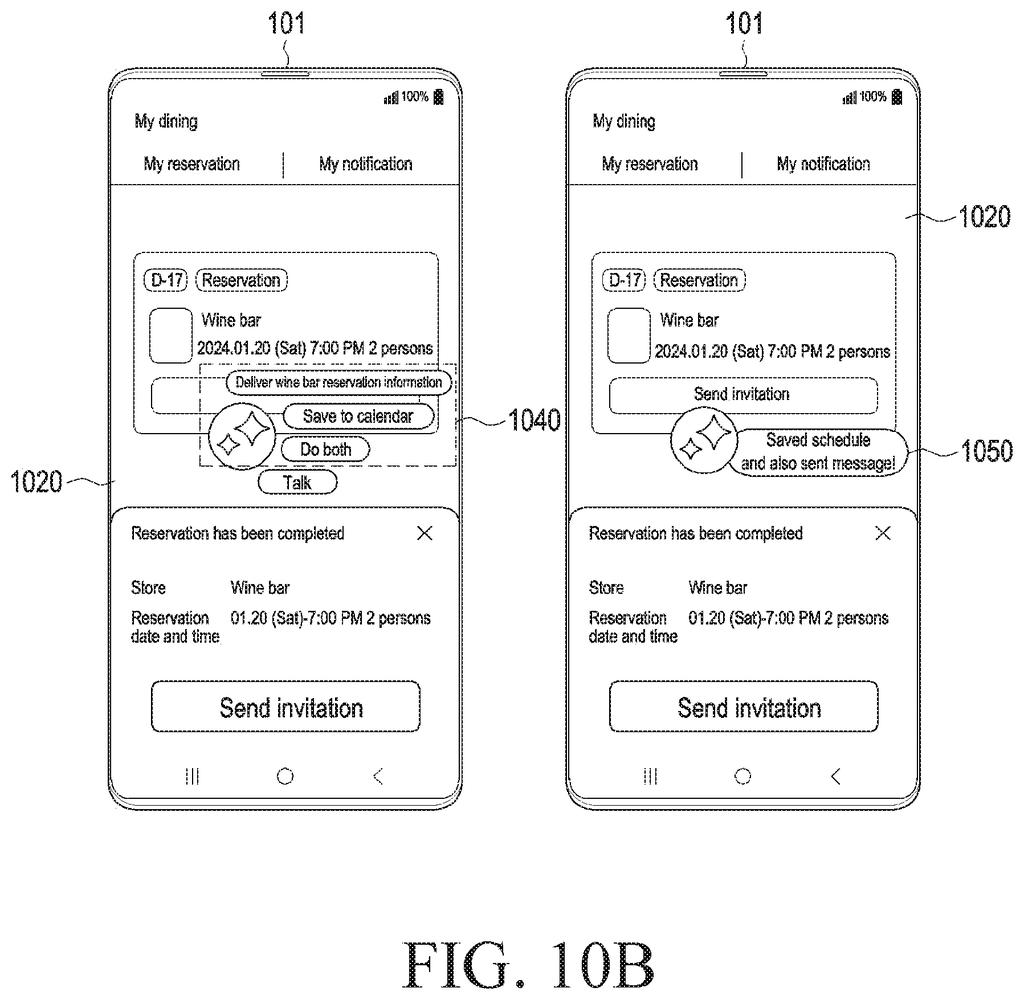
The core claim covers a device with a display and wireless connection that is showing content it received wirelessly, such as a message or a web page. When you give the command to take a screenshot, the device shows an on-screen element for adding an event to a calendar. The event is worked out from the content itself. A second input, a tap on that element, adds the event while the original content stays on screen.
Several dependent claims add detail. The screenshot command can call an intelligent assistant (software that talks with you, powered by a trained AI model). The assistant reads text or images from the screen and generates the data needed to fill in the calendar entry. The suggested task can also draw on context, such as which app the content came from.
The claims also describe:
- A second option beside the calendar button that accepts a natural language input (you type a plain sentence), which can start a conversation about the content with a chat-style assistant.
- A notification confirming the event was added, with the calendar app running in the background.
- Choosing which calendar app to use based on your usage history with that kind of content.
The description frames this as one piece of a larger recommended-task system. Its other examples include sharing an article, wrapping up a phone call, and sending meeting notes by email.
… add the event to the calendar based on a second user input via the user interface element, during presentation of the content …
Translation: Tapping a button on that screenshot instantly saves the event to your schedule.
Why this matters for anyone who screenshots invites
If you screenshot plans to remember them, this would turn that habit into a calendar entry with one extra tap, without leaving the page you were reading. The button you already use to capture the screen becomes the trigger, so there is nothing new to learn.
The description names Samsung's Bixby assistant as an example, and it shows the screenshot as one of several ways to bring up suggested tasks, alongside things like sharing an article or wrapping up a call. For now this is an application: the examiner's first review rejected the claims as filed, which is routine and usually followed by amendments.
Samsung's 1485th filing we've tracked since May joins our Samsung coverage alongside app tile resize previews and a touch-reactive watch band.
Almost everyone has a gallery full of screenshots of plans they meant to remember. A phone that offers to turn the screenshot into a calendar entry at the moment you capture it saves you the retyping and catches the plans before they get buried.
You would notice it most with invitations and confirmations, which are exactly what people screenshot. The tap-to-confirm step matters, because a wrong date from a misread image should never land on your calendar without you seeing it.
The idea is simple and the claims are broad, so the value comes down to how accurately the phone reads messy screens. If it gets dates wrong half the time, you will stop tapping. If it gets them right, you will forget how you ever did this by hand.
Get our take in your Top Stories
Liked this breakdown? Add Patentlyze as a preferred source on Google, and our plain-English take shows up more often in your Top Stories the next time Samsung patent news breaks.
There are more where this came from
We read every patent application Big Tech publishes and send you the ones worth knowing. Plain English, free, every week.
The drawings
15 drawing sheets from US 2026/0319644 A1 · click any drawing to enlarge


Show the other 7 sheets


Want this weekly breakdown for a company we don't cover? Patentlyze Pro →
Be the first to weigh in