
Adobe
Adobe · AI / ML · Filed Jul 20, 2026 · USPTO published Nov 12, 2026 · This week's release
Adobe Patents an AI Tool That Turns Typed Letters Into Art You Can Still Edit
Adobe's filing describes an AI that turns the letters you type into artwork, such as a bonsai tree shaped like an A, and keeps them as real text. Edit the word later and the style redraws itself.
- Publication number
- US 2026/0360051 A1(US20260360051A1)
- Applicant
- Adobe Inc.
- Filed · Published
- Jul 20, 2026 · Nov 12, 2026
- Inventors
- Aliakbar DARABI, Alexandru CHICULITA, Alexandru Vasile COSTIN, Brent GETLIN, Nathaniel McCULLY, Oliver BRDICZKA
- Status when we published
- Waiting for an examiner
- Document
- 20 claims
- US classification
- 345/618
- Parent application
- Continuation of 18/318,567 (filed May 16, 2023)(18318567)
What Adobe's AI lettering patent actually does
Ever tried to make the words on a birthday card look like they're built from balloons? You can draw each letter by hand, or you can generate a balloon picture of the words, but then you can't fix a typo. Adobe's patent filing describes a third route.
You type a style, such as 'graffiti' or 'old bonsai tree,' and pick the letters. The software reshapes them to match, while keeping each one readable. A bonsai-tree 'A' still looks like an A. Because the result stays real text, you can retype it later.
In one example, the word 'TECH' gets a circuit-board look, then you change it to 'RAM.' The new word comes out in the same style. Switch the font, and the artwork redraws itself automatically.
… automatically restyling the at least one glyph based on the modified at least one attribute to generate at least one new stylized glyph that maintains visual consistency with the target style.
Translation: The software instantly updates the artwork when you change the underlying text so it always matches the chosen look.
How the letter outline guides the AI artwork
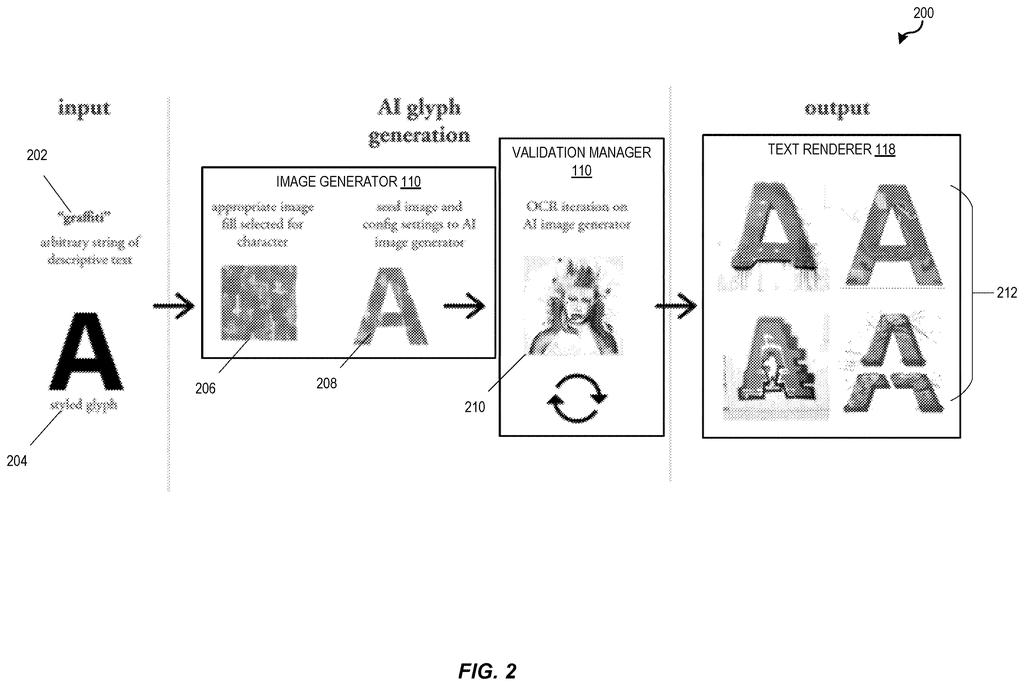
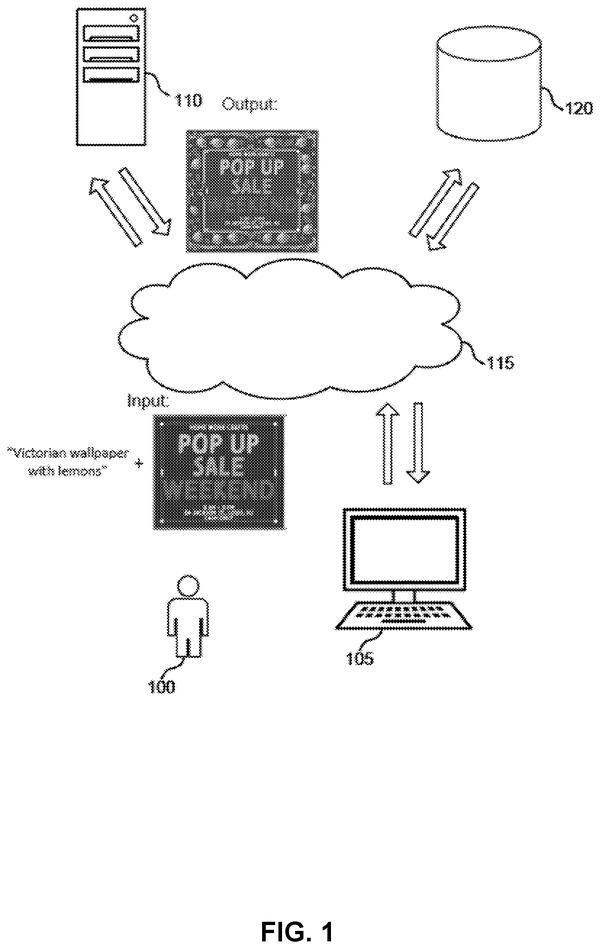
The system takes two inputs: a short text description of the style and the characters to style. A glyph (the patent's word for a character, part of one, or a whole line) is first masked, meaning the software cuts out its outline using edge detection.
Next, an image matching the style comes from a catalog or an image generator and gets fitted to the letter's shape, sometimes blurred or sprinkled with noise (random speckle) to give the AI room to experiment. A generative model, such as a diffusion model (one that starts from static and removes it step by step), then draws the styled letter inside that shape.
Before you see the result, several checks can run:
- OCR (software that reads text from images) tests whether the letter is still readable.
- A quality check looks for the objects you asked for and screens out protected images or banned words.
- A caption model compares what it sees to your description.
The finished letters are rendered as Unicode (the standard way computers store text), so they stay editable. The system also saves the seed (the random starting point) from the first run and reuses it when you edit the text or change a font, which keeps the new letters in the same style.
… generating a stylized glyph by a glyph generative model using the masked glyph. The method further includes rendering the stylized glyph as a unicode stylized glyph.
Translation: An artificial intelligence model transforms the hidden letter into a stylized version that still works like regular computer text.
Why editable AI lettering matters for designers
If you make flyers, slides, social posts or invitations, styled lettering usually costs you either time or flexibility. This filing aims at both: you describe the look in plain words, and the lettering stays text you can change. You would also see several options per request, each checked so the word stays readable.
For Adobe, the appeal is plain. Design apps are built around text and artwork, and a tool like this keeps that work inside one editable document. The description also says the AI can skip images that are protected or contain banned words, and that it saves computing power compared with redoing letters by hand. The filing gives no product name or release plan.
Adobe's 45th filing we've tracked in our controllable AI image work since May builds on ideas like longer coherent AI videos and AI photo suggestions with placement.
Source: US 2026/0360051 A1 at the USPTO (PDF). Full patent text and figures are in the official publication.
Get our take in your Top Stories
Liked this breakdown? Add Patentlyze as a preferred source on Google, and our plain-English take shows up more often in your Top Stories the next time Adobe patent news breaks.
Add Patentlyze on Google
One click.
There are more where this came from
We read every patent application Big Tech publishes and send you the ones worth knowing. Plain English, free, every week.
The drawings · 15 sheets
15 drawing sheets from US 2026/0360051 A1 · click any drawing to enlarge


Show the other 7 sheets


More from Adobe
All 264 Adobe patents →

More in AI / ML
All 2,637 AI / ML patents →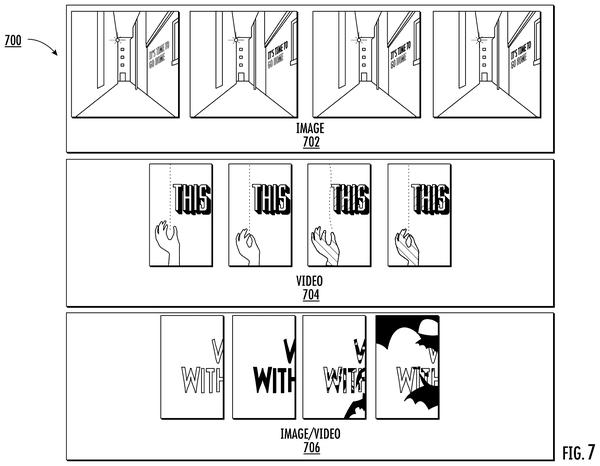
Google
Google Patents a System That Teaches AI to Copy Text Styles in Images
Google
Google Files Patent for Letting an AI Add Search Words You Never Typed
IBM
IBM Patents a System That Adjusts AI Prompts to Match How Different People Talk
Google
No comments yet