
Adobe Files Patent for an AI That Shows Where in a Document It Found Its Answer
Ask an AI about a scanned invoice and it may hand you a confident answer you can't verify. Adobe's patent has the AI also box the exact words it relied on, so you can check it at a glance.
What Adobe's answer-with-proof AI actually does
You ask an AI about a scanned invoice, and it announces the total with total confidence. But is that the real total, or the subtotal two lines above it? You can't tell, so you end up squinting at the page yourself.
Adobe's patent describes a way to make the AI show its work. Along with the answer, it draws a box around the exact words on the page that back it up. You glance at the highlighted spot and know right away whether to trust it.
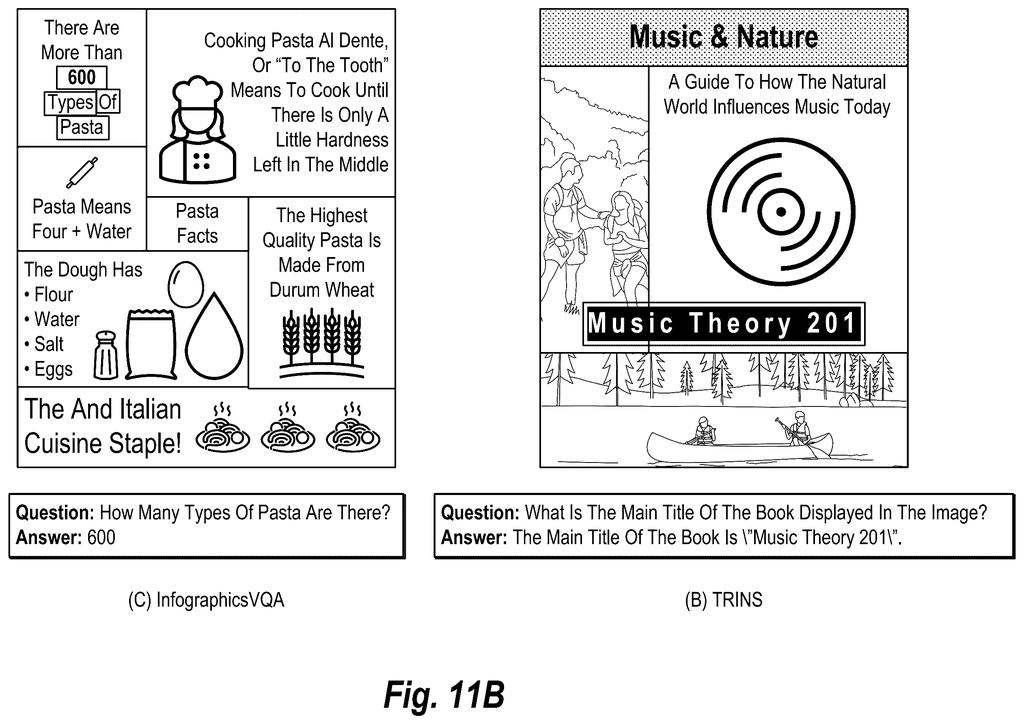
The same filing covers how to teach an AI this skill. One AI proposes the supporting boxes, a second AI says yes or no, and the approved examples become practice material for training and testing. It is meant for forms, receipts, charts, posters and book covers.
… generating, utilizing a multimodal large language model from the large language model prompt, a text answer to the text question and a text description of a grounding shape within the digital image encompassing grounding text content of the text content supporting the text answer.
Translation: The AI creates an answer and describes the exact visual boundaries that prove it.
How the model finds the text behind its answer
The filing describes a way to make a multimodal large language model (an AI that reads both pictures and text) answer a question about an image full of text, such as a form, chart or poster. It also reports where in the image the supporting words sit. The prompt bundles the image, the question, and an instruction to answer and point to the evidence. The AI returns the answer plus a description of a grounding shape, meaning a box or outline around the supporting text.
The filing covers three approaches:
- Instruction-based: the model writes out the answer and the box's coordinates one piece at a time. Optionally, OCR (software that turns pictured text into typed characters) first draws numbered boxes around every line of text, so the AI only picks the right numbers instead of inventing coordinates.
- Embedding-based: the image is sliced into small patches (the example is 32 by 32 pixels), and the question and answer become numerical fingerprints called embeddings. Patches whose fingerprints best match the question are selected, with neighboring patches blended in so answers spanning several lines are fully covered.
- Dataset building: one AI proposes boxes, and a second answers YES or NO on whether they support the answer. Failures are retried a limited number of times, then dropped. The survivors form a training and testing set.
The present disclosure is directed toward systems, methods, and non-transitory computer readable media that train, utilize, and/or evaluate multimodal large language models in visual text grounding including identifying grounding text content within digital images that supports text answers to text questions.
Translation: This patent covers AI methods that locate the specific text inside an image used to answer a question.
Why checkable answers matter for scanned documents
The practical payoff is trust. AI tools that read documents sometimes grab the wrong line, like the subtotal instead of the total, and today you often have no quick way to tell. A highlighted source box turns "believe me" into "check me," which matters for invoices, forms and reports. The filing names Adobe Express, InDesign, Acrobat and Document Cloud as example software where this could run.
The filing's own tests are mixed in an interesting way. With no text-reading step, its instruction-trained model averaged about 30 on an overlap score, against about 5 for GPT-4o. With the text-reading step, GPT-4o still came out ahead of it. So box-drawing is a skill the filing says current models mostly lack out of the box.
Adobe's tenth filing we've tracked since July in our AI guardrails race follows one tracing text to source data and one on AI coding self-correction.
No new hardware is needed here. It is software that sits on top of an AI model that can already read images, which makes it a short trip from filing to feature. The shortest route is the simplest claim: add one instruction to the prompt, run text recognition first, and have the model pick from numbered boxes instead of inventing coordinates.
What has to exist first is a model good enough at following that instruction. The filing's own tests show most off-the-shelf models scoring close to zero when asked to draw the box themselves, and the company's trained versions leaned on a dataset it built for the job. That dataset pipeline is claimed too, so the groundwork is laid out.
The most natural home is a "show me the source" highlight inside a document app. It is a small feature that answers the first question anyone asks an AI about a form: how do you know?
Get our take in your Top Stories
Liked this breakdown? Add Patentlyze as a preferred source on Google, and our plain-English take shows up more often in your Top Stories the next time Adobe patent news breaks.
There are more where this came from
We read every patent application Big Tech publishes and send you the ones worth knowing. Plain English, free, every week.
The drawings
20 drawing sheets from US 2026/0321047 A1 · click any drawing to enlarge


Show the other 12 sheets


Want this weekly breakdown for a company we don't cover? Patentlyze Pro →
Be the first to weigh in