
Microsoft Patents a Desktop System for Tagging and Sorting Screenshots with Emoji
Microsoft is patenting a way to slap emoji or text labels directly onto screenshots as you take them, then have Windows automatically sort those captures across every app that asks for them.
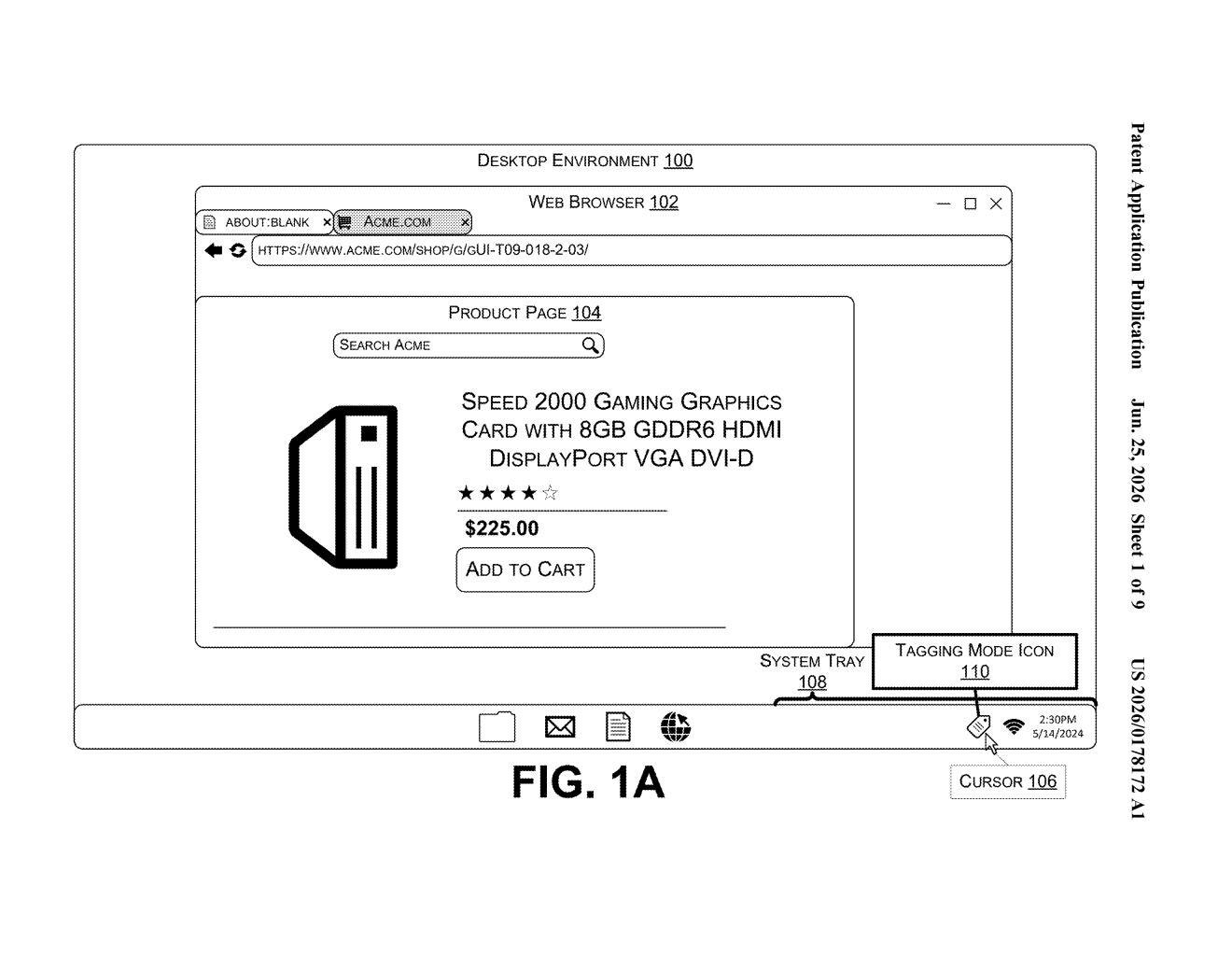
What Microsoft's screenshot tagging system actually does
Imagine you're in the middle of a work session and you want to flag a specific paragraph in a document or a chart on a webpage. Right now, you'd take a screenshot, open an annotation tool, scribble something on it, save it, and then try to remember where you put it. Microsoft's patent describes a much faster path.
With this system, a gesture or keyboard shortcut would pop open a small tagging panel right inside your Windows desktop. You pick an emoji or a text label, click anywhere on screen, and the system takes a screenshot with your tag embedded exactly where you placed it. The tagged screenshot is then saved in a central Windows-level library, not buried in some app's own folder.
Because the library lives at the operating system level, any app that wants to can pull from the same pool of tagged captures. That means your notes app, your browser, and your project management tool could all see the same organized collection without you copying files around.
How the tagging mode, cursor, and native storage connect
The patent describes a multi-step interaction flow built into the Windows desktop environment. A user triggers a tagging mode via a gesture or input shortcut, which opens a tagging panel showing a set of predefined visual indicators, things like emoji or short text labels.
The user picks one and then positions it on the screen using what the patent calls an augmented cursor (essentially a pointer that carries the selected tag as a visual preview). When the user clicks a spot, the system records that position and generates a content capture, a screenshot that bakes in the tag at the exact pixel location chosen.
Those captures are saved to a native content capture repository, meaning storage managed at the operating system level rather than inside any individual application. Key components include:
- A tagging panel with selectable visual indicators (emoji, text)
- An augmented cursor for precise tag placement
- An OS-level storage layer accessible to all apps
- An application programming interface (API), a standard connector that lets third-party apps read from and write to the same repository
The patent also describes an activity visualization interface, a timeline or gallery view that groups captures by their tags, so everything you flagged with, say, a fire emoji sits together regardless of which app you were in when you captured it.
What this means for Windows productivity workflows
For anyone who relies on screenshots to capture research, report bugs, or annotate documents, the friction of current workflows is real. Files pile up with names like "Screenshot 2024-12-20 at 3.47 PM" and the context disappears. An OS-level tagging system would make that organizational work happen at capture time, not after the fact.
The deeper strategic move here is the shared API layer. If Microsoft ships this inside Windows, it gives developers a standard way to surface your own annotated captures inside their apps without building their own screenshot management from scratch. That kind of platform infrastructure is how Microsoft has historically made Windows feel essential to productivity software, and this patent follows that same logic.
This is a genuinely useful idea that addresses a real, everyday frustration. The emoji-tagging angle sounds trivial, but the OS-level shared repository is the part worth watching: it is a classic Microsoft move to build sticky infrastructure into Windows that third-party apps end up depending on. Whether it ships as a polished feature or gets folded into something like Windows Recall is the real question.
There are more where this came from
We read every patent application Big Tech publishes and send you the ones worth knowing. Plain English, free, every week.
Want this weekly breakdown for a company we don't cover? Patentlyze Pro →