
Microsoft Files Patent for Remote Desktop Sessions With Brighter, Richer Color
HDR screens need twice the data per pixel, and remote desktop often struggles to carry that load. Microsoft's patent moves the compression step to the spot where the picture is first captured, so the heavy raw data stops getting copied around.
What Microsoft's HDR remote desktop patent does
You're at home, logged into your work computer from across town, and the photo you're editing looks flat on your expensive HDR monitor. The bright highlights and deep shadows just aren't there.
Microsoft's patent goes after one cause. An HDR picture carries about twice as much data per dot on the screen, and the usual remote desktop setup copies that raw picture from one program to another before squeezing it down to send over the internet. All that copying eats processor power and memory.
This filing squeezes the picture right where it's created, then hands off only the small version to be sent. The server also learns what your monitor can do and builds a stand-in display that matches it, so the picture is made for your screen from the start.
… providing the graphical data to a high dynamic range (HDR) video encoder, logically separated from the video driver via an encoding interface, based on an encoding indicator to use the HDR video encoder, of a plurality of video encoders, to perform encoding …
Translation: The system routes the image data to a special HDR encoder based on whether the setup calls for high dynamic range.
How the encoder moves ahead of the connection
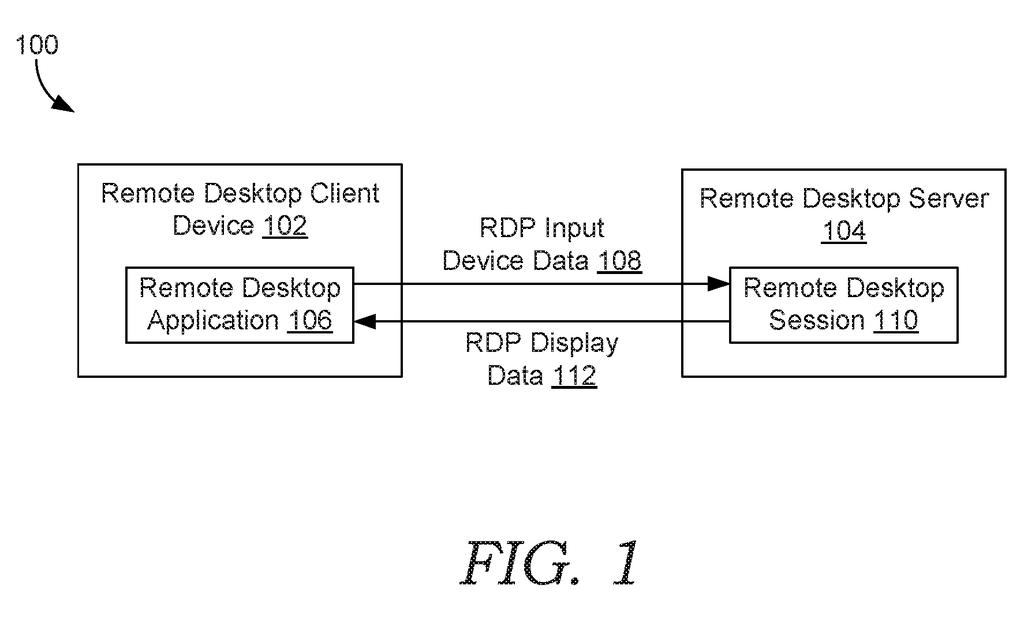
On a remote desktop server, a video driver (the software that captures what's on screen) works alongside a remote desktop protocol stack (the part that manages your connection and ships data to your device). Today the driver hands the raw picture to the protocol stack, which compresses it. Moving those raw frames between the two means synchronizing and copying megabytes of data.
The patent flips that order. The driver passes the picture to an HDR video encoder, a separate component that compresses it, linked through an encoding interface (a defined handoff point). Only the compressed result goes to the protocol stack, over a file input/output channel (a standard way for programs to pass data to each other).
The setup works like this:
- Your device reports its monitor details using standard display data (EDID or DisplayID).
- The driver builds a virtual monitor, a software stand-in display, so the server renders HDR frames at eight bytes per pixel instead of four.
- The protocol stack sends an encoding indicator naming which encoder to load from several options.
- The encoder uses the monitor details while compressing.
The filing also says the protocol's current size limit for monitor details (512 bytes per monitor) may need to be raised, since HDR monitors report more information.
… such encoded graphical data is provided to a remote access protocol stack in a terminal service of the remote desktop server for transmitting the encoded graphical data to the remote desktop client device associated with the HDR monitor …
Translation: Once processed, the video stream gets sent through the remote connection service straight to the user's high dynamic range screen.
Why HDR remote desktop could get lighter to run
If you use remote desktop for work, the practical gain is a picture that could keep its brightness and color range instead of being flattened to fit, without bogging down the server. A server handling many sessions pays the HDR cost for every connected person, so cutting the copying matters more as the numbers grow.
The filing also lists reliability and upkeep benefits. Because the encoding runs inside each person's own session, an encoding error should not disconnect everyone else, and encoders can be added or changed without touching the driver. The patent names Microsoft's Remote Desktop Services as one example of such a system, though it says the ideas apply to any remote access protocol.
Microsoft's 508th filing in our Microsoft coverage since May follows work on AI memory for game characters and water-resistant touchscreens.
If you only use remote desktop to check email, you will never notice this. If you edit photos, color-correct video, or play games on a remote machine with an HDR monitor, you could notice a lot: richer colors and brighter highlights arriving intact.
The benefit that reaches you is indirect. A server that spends less effort copying raw frames has more room left for everything else, and that could show up as smoother sessions when many people are connected at once.
It is plumbing, and the filing gives no image-quality numbers or timing. Even so, plumbing decides whether a feature works on the day you try it, and HDR over a remote connection is a place where it clearly matters.
Get our take in your Top Stories
Liked this breakdown? Add Patentlyze as a preferred source on Google, and our plain-English take shows up more often in your Top Stories the next time Microsoft patent news breaks.
There are more where this came from
We read every patent application Big Tech publishes and send you the ones worth knowing. Plain English, free, every week.
The drawings
7 drawing sheets from US 2026/0313171 A1 · click any drawing to enlarge


Want this weekly breakdown for a company we don't cover? Patentlyze Pro →
Be the first to weigh in