
Samsung Display Files Patent for a Touchscreen That Tells a Hovering Laptop From a Finger
Your touchscreen constantly re-learns what "untouched" looks like, and this Samsung Display patent is about knowing when it should stop learning.
What Samsung's touch-baseline patent actually does
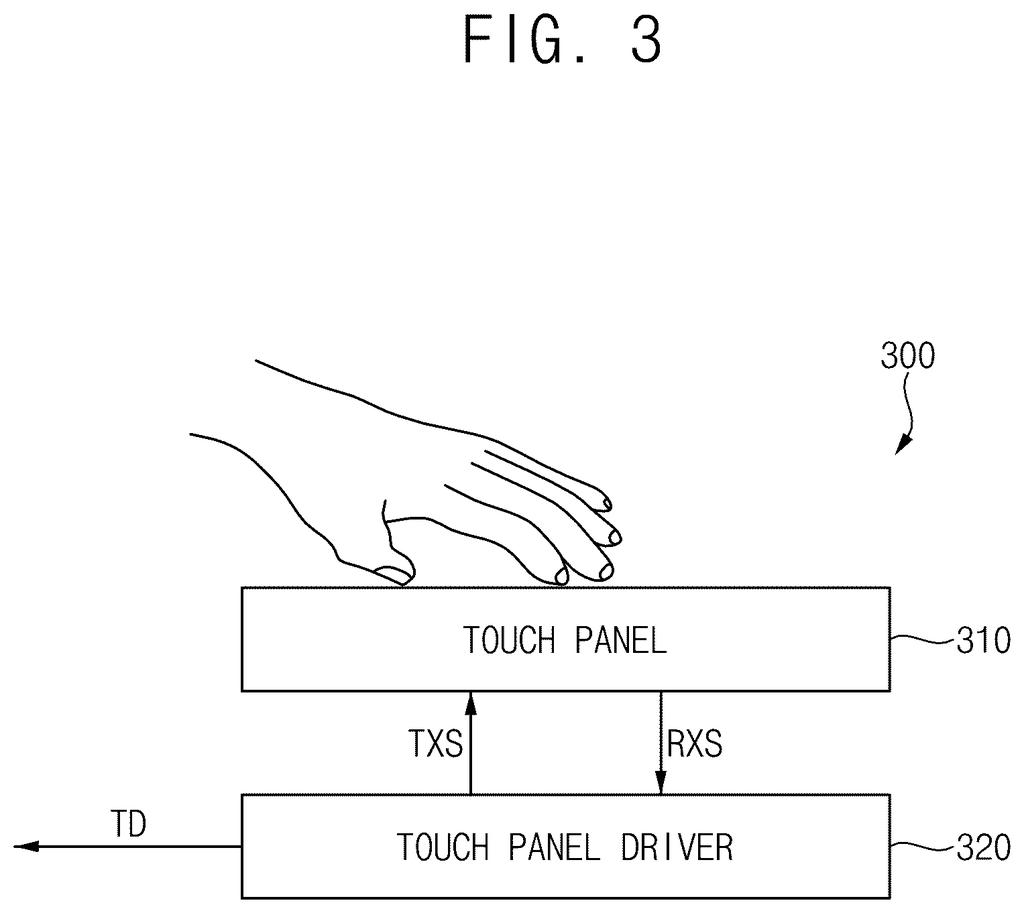
You're sitting at a café table with your tablet flat in front of you, and you slide your laptop close until it almost touches the screen. Nothing is pressing the glass, yet the tablet's sensors can feel that something is nearby.
A touchscreen works by keeping a running picture of what "nobody is touching me" looks like, then flagging anything that departs from it. That picture has to be refreshed from time to time. Refresh it while a laptop, palm or finger is on or near the glass, and the screen could end up learning the wrong idea of normal.
Samsung Display's patent describes a way to sort the situation into three buckets: truly untouched, something conductive nearby, or a real touch. Only in the first bucket does the screen refresh its baseline.
calculate first to m-th offset values which serve as a criterion for determining whether the first to m-th touch electrodes are touched and which correspond to each of the first to m-th touch electrodes; …
Translation: It sets a baseline measurement for every single touch electrode to figure out when someone is touching the screen.
How the screen compares each spot to its neighbors
A touchscreen is a grid of tiny sensing spots (the patent calls them touch electrodes; the claims require at least ten, and the worked example uses 70). Each spot measures capacitance, a small electrical property that drops when a fingertip is near. To judge a touch, the chip keeps a baseline for every spot, called an offset value, which is an average of recent readings (the example averages 100 frames). A touch registers when a reading falls far enough below that baseline.
The new part is deciding when it is safe to refresh those baselines. For every spot, the chip compares its baseline with those of two to four neighboring spots and works out the percentage gap. The biggest gap becomes that spot's factor. The chip then compares each factor with a reference factor saved while the screen was untouched, which produces a touch factor, and takes the highest score on the whole panel.
That top score is checked against four thresholds. Using the patent's example numbers:
- Below 100: nothing is going on, so the baselines are refreshed.
- Between 600 and 1200: something conductive is near but not touching (a laptop, palm or arm), so the baselines are held as they are.
- Above 2000: a finger is on the glass, so the baselines are held.
In the worked examples, an idle screen scored about 226, a nearby laptop about 1026, and a finger about 2821. At power-on, the chip also checks its fresh baselines against a stored reference table and recalibrates if they look off.
… calculate a k-th touch factor of the k-th touch electrode based on the k-th factor of the k-th touch electrode and a k-th reference factor of the k-th touch electrode, and may determine whether to update the first to m-th offset values based on first to m-th touch factors.
Translation: The system continuously compares individual touch points against reference data to decide if it needs to recalibrate its baseline.
Why this matters for phones, tablets and laptops
The practical goal is a touchscreen that responds correctly no matter what is resting near it. The filing lists phones, tablets, laptops, TVs, smartwatches, smart glasses and car dashboard displays as places this could apply. Any of them could have a palm, sleeve or another device hovering over the glass while the screen decides what counts as "untouched."
The filing gives no test results, only a calculation example, and says the aim is better reliability. Samsung's first application was rejected in an initial review, which is a routine step before the claims get amended.
Samsung's 130th filing we've tracked in Samsung's display technology since May adds to a run that includes self-crossing touchscreen wiring and screen that warms at night.
The best outcome for you is that you never notice this patent at all. The only time you would feel it is when it fails: a screen that acts strangely after your palm rested near it, or after a laptop lid swung close.
The idea is sensible. A screen that decides when it is safe to update its sense of "normal" should shrug off a hovering arm or a nearby device. The patent backs that with one worked example of 70 sensing spots and no real-world testing, so the benefit is a promise on paper.
Treat it as quiet maintenance engineering. If it works, your screen just behaves better in awkward moments. If it doesn't, nothing visible changes.
Get our take in your Top Stories
Liked this breakdown? Add Patentlyze as a preferred source on Google, and our plain-English take shows up more often in your Top Stories the next time Samsung patent news breaks.
There are more where this came from
We read every patent application Big Tech publishes and send you the ones worth knowing. Plain English, free, every week.
The drawings
24 drawing sheets from US 2026/0349554 A1 · click any drawing to enlarge


Show the other 16 sheets


Want this weekly breakdown for a company we don't cover? Patentlyze Pro →
Be the first to weigh in