
Google Files Patent for a Phone Camera That Coaches Low-Vision Users Through a Selfie
Google's filing describes a phone camera that buzzes, beeps and talks you into a well-framed photo, even if you can barely see the screen. It can then take the shot on its own.
What Google's selfie-coaching camera actually does
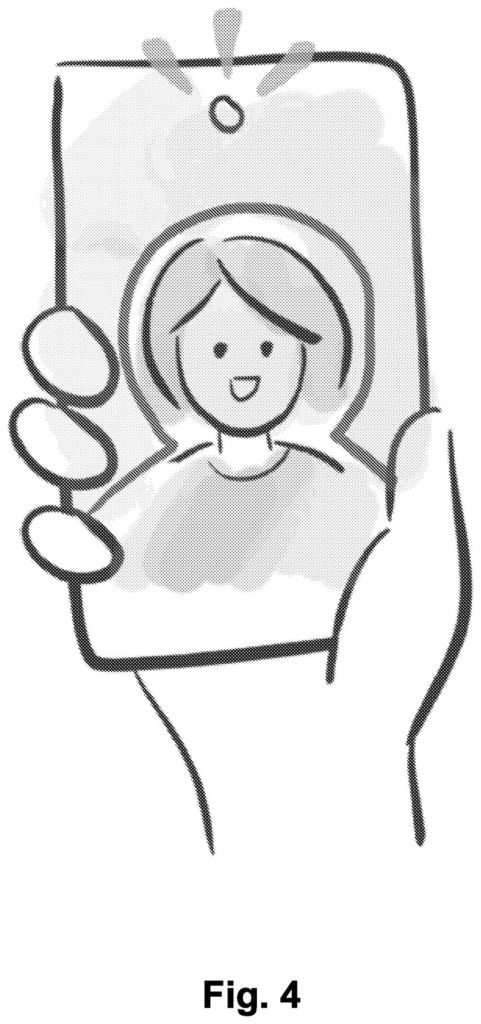
A man holds his phone out at arm's length to take a selfie, but the screen is a blur. He taps the shutter and hopes his face is somewhere in the frame. The filing calls this a guessing game, and it is a common one for blind and low-vision people.
Google's patent application describes a camera that coaches you instead. As your face drifts toward the center of the frame, your phone vibrates and beeps faster and at a higher pitch, a bit like a game of hot and cold. A voice can also tell you what the camera sees, such as "1 face on the right. 1 dog on the bottom left."
Once you are centered, the phone can take the photo on its own. You don't have to hunt for the shutter button and jostle the camera. You get a cleaner shot without needing to see the screen.
… providing at least one of haptic, audio, or visual feedback to guide the user to position the computing device so that the one or more objects of interest become positioned within a viewfinder of the camera …
Translation: The phone uses vibrations, sounds, or screen hints to help you aim the camera correctly.
How the phone tracks your face with buzzes and tones
The system starts when you open the camera. It looks for objects of interest (mainly faces, but also pets or documents) and measures how far a face sits from the center of the frame. It repeats that check every 100 to 200 milliseconds, so the feedback keeps up as you move.
Feedback comes in three forms, alone or combined:
- Touch: the phone vibrates with more intensity or faster pulses as your face nears the center.
- Sound: tones rise in pitch, or a voice says things like 'Move your phone slightly left and down.'
- Sight: a dashed circle brightens near your face, a high-contrast outline wraps around you, or a ring changes color depending on whether your face is cropped, fully in view or centered.
The viewfinder is split into zones shaped like expanding circles, and the feedback changes as you cross from one zone to the next. Before the shot, a voice can announce the scene, such as '1 face on the right. 1 dog on the bottom left. Tree in background.' If faces, pets and documents all appear, faces get priority.
When everything is in place, the phone can count down and take the photo itself, which avoids the shake that comes from reaching for the shutter button.
… providing real-time feedback to improve self-portrait photographs (selfies) or other images for camera users (e.g., low-vision camera users).
Translation: The technology gives instant instructions to help visually impaired users take better selfies.
Why Google's camera idea matters for low-vision users
If you can't see your phone screen well, taking a selfie, or a photo of a pet or a document, mostly comes down to luck. This filing describes a camera that replaces luck with touch and sound: vibrations that speed up as you line up, a voice that says what is in the shot, and a photo that fires on its own. The filing also says the cues help anyone who can't clearly see the viewfinder.
It is still early. The examiner's first review rejected the claims as filed, which is routine at this stage and usually followed by amendments. The background section complains that today's screen-reader help for photos is limited and slow, and this filing is Google's answer on paper. Whether it ever ships as a feature is unknown, but the target is clear: a camera you can aim by feel and sound.
This is the 948th Google filing in our Google coverage since May, adding to a run that includes pre-shoot color tuning and a floating toy wand.
Claim 1 is wide. It says 'objects of interest,' so it covers faces, pets, documents or anything else a phone can spot. It also covers any one of buzzing, sound or on-screen cues to steer you. Nothing in it limits the idea to selfies or to the front camera.
The one hard requirement is speech: the device must say out loud what is in the frame before it takes the picture. A camera that only vibrates would fall outside the claim as written, while a phone that vibrates and announces 'one face' would fall inside it.
The zones, the color-changing rings and the auto-capture show up only in the narrower claims further down. If claim 1 survived review as written, it would reach a lot of ground for a fairly simple recipe of guide, announce and shoot. It may well get trimmed along the way.
Get our take in your Top Stories
Liked this breakdown? Add Patentlyze as a preferred source on Google, and our plain-English take shows up more often in your Top Stories the next time Google patent news breaks.
There are more where this came from
We read every patent application Big Tech publishes and send you the ones worth knowing. Plain English, free, every week.
The drawings
13 drawing sheets from US 2026/0343087 A1 · click any drawing to enlarge


Show the other 5 sheets


Want this weekly breakdown for a company we don't cover? Patentlyze Pro →
Be the first to weigh in