
Qualcomm Files Patent for Devices That Ignore Cat Paws and Toddler Taps
Your phone usually can't tell your tap from a toddler's, or your keystroke from a cat's. Qualcomm's patent application describes a fix: check who else is in the room first, then decide which inputs to trust.
What Qualcomm's kid-and-pet input filter does
A cat strolls across an open laptop while you're out of the room. By the time you're back, half an email has been typed and a few files have been closed.
Qualcomm's patent application describes a device built to stop that. It first works out whether anyone besides you is nearby. It can listen for sounds like a crying baby or a meowing cat, look through the camera, or notice that touches and key presses seem to come from more than one source. Once it thinks a child or pet is around, it checks each tap, key press or click and decides whether you made it.
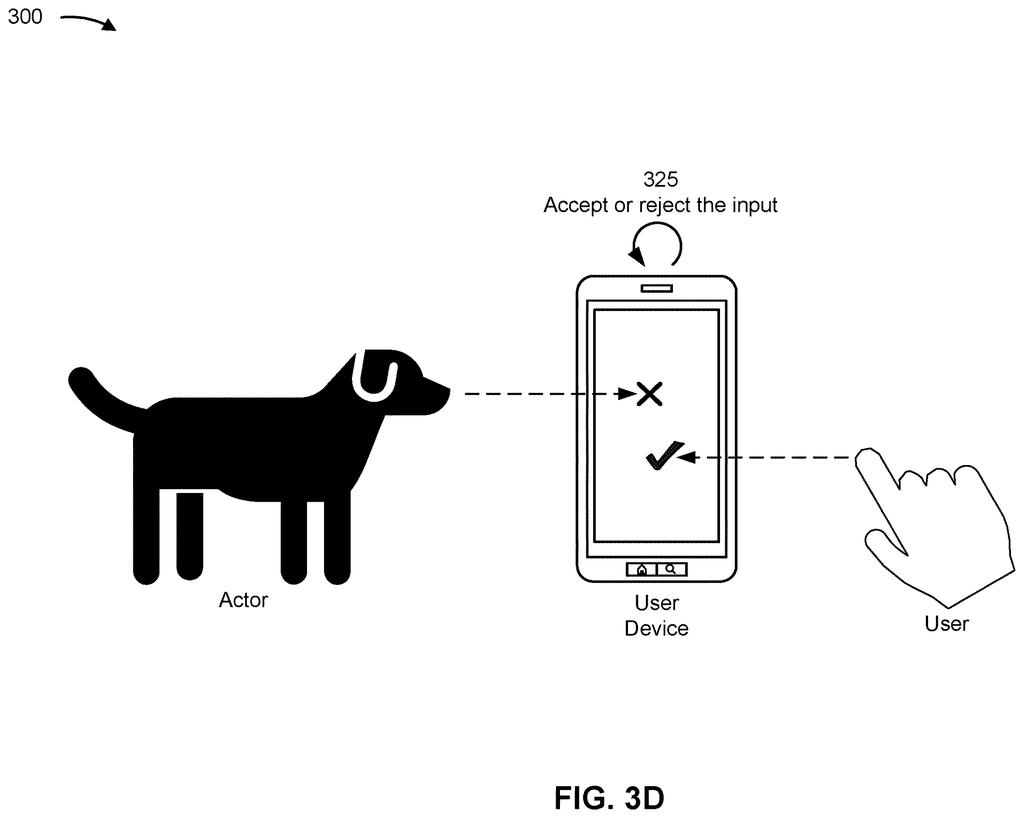
If the answer is you, the device acts as normal. If not, it ignores the input. It can even handle both at once: your typing goes through while the toddler's tapping is dropped.
determining, by a user device, that an actor, in addition to a user of the user device, is present in a vicinity of the user device; obtaining, by the user device, an input to the user device; …
Translation: The phone figures out if someone else is nearby when a touch happens.
How the device decides who just tapped
The device starts by deciding whether an actor (the filing's word for anyone or anything besides you, such as a child or a pet) is nearby. It can use audio context detection (a trained program that sorts sounds into categories like a baby crying, a cat, or a siren), camera images, or the pattern of touches itself. A television or a motorcycle does not count as an actor.
Only then does the input filter switch on. A machine learning model (software trained on many labeled examples) looks at each input and judges whether it is unusual for the real user. Clues include how often inputs arrive, where they land on the screen or keyboard, how precise they are (a tap centered on a button versus off to the side, or several neighboring keys hit at once), and whether inputs overlap in time. Separate models can be trained for a touchscreen versus a keyboard, or for a cat versus a baby.
Accepted inputs run as normal. Rejected ones are simply not acted on. The filing also describes follow-up steps:
- Disable the keyboard or touchscreen for a set time, or until you turn it back on.
- Disable only the part of the screen that was touched, such as the upper-left corner.
- Play an audible or visual alert to warn you and put off the intruder.
- Wait for a set number of rejected inputs before doing any of this.
If no one else is detected, inputs are accepted without this check.
The user device may accept the input based at least in part on a determination that the input is from the user or reject the input based at least in part on a determination that the input is from the actor.
Translation: It only listens if the human owner touches it, ignoring everyone else.
What this means for phones in a busy home
If you have kids or a pet, you already know the problem: a small hand grabs your phone, or a paw lands on your keyboard, and apps close, volume jumps, or half-written messages appear. A device that can tell those inputs from yours could save you the cleanup. The filing adds that it would also save the device the processing power, memory and battery it spends carrying out and then undoing unwanted actions.
The filing lists phones, laptops, tablets, game consoles, smartwatches and headsets as possible devices, and says the check could run all the time. Because it depends on guessing who is nearby and who is typing, mistakes in either direction, like blocking you by accident, are the thing to watch. This is a patent application, so nothing here says any product will ship.
Qualcomm's 27th filing we've tracked since July in our on-device AI privacy watchlist follows earlier applications covering a radio that predicts incoming data and phones that blur faces in video.
Claim 1 covers any device that notices a second person nearby, receives any input, decides whether that input came from the owner or the bystander, and acts on that decision. The claim never specifies how the device spots the second person, what counts as an input, or how the distinction gets made.
That scope is unusually wide. Phones, tablets, laptops, and smart speakers would all fall under it the moment they combine presence detection with any form of input filtering, because the claim draws no line around the method or the hardware. Touchscreens, keyboards, microphones, none of them are excluded.
Whether that breadth survives a patent examiner depends entirely on whether this combination already exists somewhere in the record. The claim describes the outcome, a device that tells owner input from stranger input, without explaining how it gets there, and patents that broad tend to face hard questions about what, exactly, is new.
Get our take in your Top Stories
Liked this breakdown? Add Patentlyze as a preferred source on Google, and our plain-English take shows up more often in your Top Stories the next time Qualcomm patent news breaks.
There are more where this came from
We read every patent application Big Tech publishes and send you the ones worth knowing. Plain English, free, every week.
The drawings
10 drawing sheets from US 2026/0349575 A1 · click any drawing to enlarge


Show the other 2 sheets


Want this weekly breakdown for a company we don't cover? Patentlyze Pro →
Be the first to weigh in