
Apple Patents a Phone Screen for Controlling Your Car's Digital Key
Your phone can already unlock some cars, but Apple wants the experience to go further. A new patent describes a single screen that ties your stored car key to on-the-spot controls for locking, climate, and the trunk.
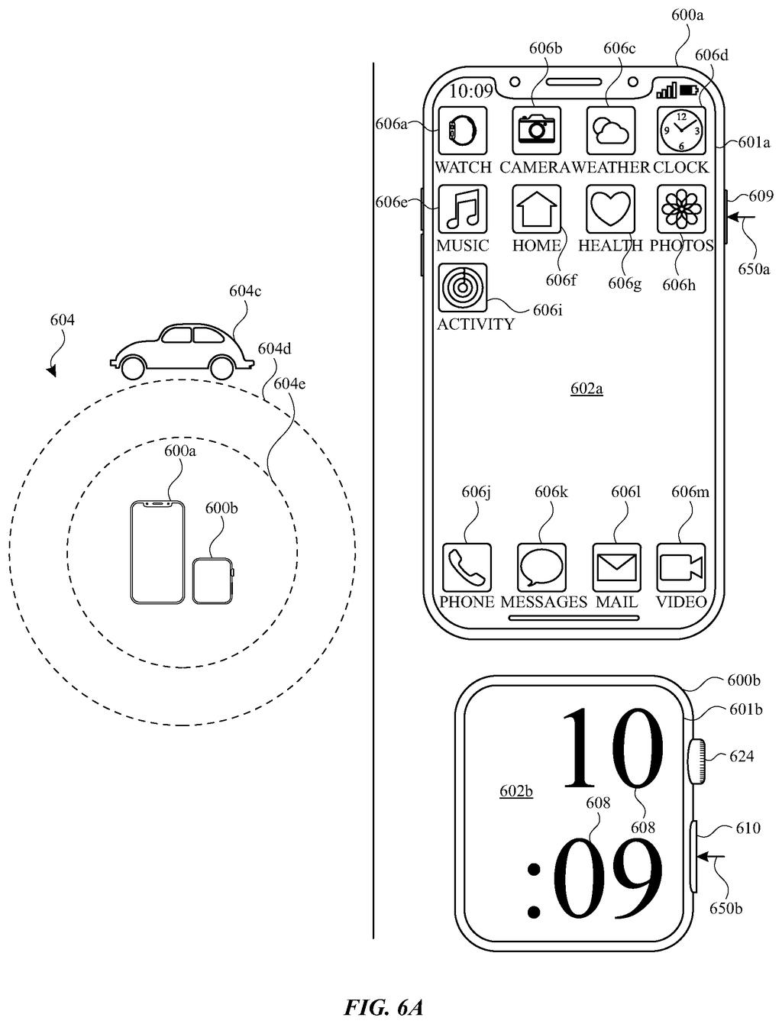
What Apple's digital car key control screen actually does
Most digital car keys today do one thing: unlock your car when your phone gets close. The actual controls, like adjusting the temperature before you get in or popping the trunk remotely, still live in a separate app or on the key fob.
Apple's patent describes a different setup. When you tap on your car's digital key inside an accounts screen on your device, a new screen appears with three quick-action buttons: lock or unlock the car, adjust the climate, and open the trunk. Everything is in one place, attached directly to the stored key.
For you, that means fewer apps to juggle and no more hunting for a separate remote-start screen. The patent frames this as a natural extension of the credential itself, so the controls follow the key rather than living somewhere else on your phone.
In some examples, an accounts user interface includes a user interface object corresponding to a secure credential of a vehicle. In response to selection of the user interface object, a computer system displays a plurality of control user interface objects.
Translation: Selecting your digital car key on screen instantly opens up a menu of remote vehicle controls.
How the interface layers controls onto a stored car credential
The patent describes a computer system (a phone, tablet, or watch running Apple software) that manages what Apple calls a secure credential for a vehicle. That credential is the digital equivalent of a physical key fob, stored on the device and used to authenticate with the car.
The core behavior is straightforward: while the user is looking at an accounts user interface (a screen that lists stored passes, keys, and credentials, think Apple Wallet), they tap on the tile representing their car. The system responds by showing three control user interface objects (buttons or tappable elements):
- A lock or unlock control for the vehicle's doors
- A climate control for adjusting heating or cooling remotely
- A trunk control for opening or closing the cargo area
The claim is intentionally broad about what hardware runs this. It specifies a processor, memory, a display generation component, and input devices, language that covers iPhones, iPads, and Apple Watch without naming any of them. The patent does not specify how the phone communicates the commands to the car, whether via Bluetooth, NFC, or Wi-Fi, leaving the transport layer open.
What this means for drivers using phone-based car keys
For everyday drivers, this is about reducing steps. Today, remote climate or trunk controls usually require opening a dedicated automaker app, signing in, and waiting for the car to respond. Folding those actions into the same screen where your digital key lives is a real friction reduction, especially when you're standing in a parking lot with your hands full.
The tradeoff is consolidation risk: putting lock, climate, and trunk access on one screen that appears after a single tap means a stray tap could do more than you intended. Apple's broader Apple's bet on digital identity and access credentials suggests this pattern could extend beyond cars, but this patent is focused specifically on vehicle keys.
Apple's 460th filing in our Apple coverage since May adds to a growing map theme, joining drawing routes on a map and logging location automatically.
Putting your car's lock, unlock, horn, and trunk controls on one screen saves taps, but it also removes the small friction that kept accidental commands rare. Right now, those actions live in different places precisely because mixing them up has consequences: a horn blaring at 2am or a trunk swinging open in a crowded garage are not gentle errors.
That cost is probably invisible to most drivers most of the time, and the convenience trade reads as reasonable for everyday use. The worry is that "most of the time" sets a low bar when the occasional mistake is loud, public, or a security risk.
What Apple is actually protecting here is a specific visual arrangement of buttons on a phone screen, not a new technology. The invention is a layout, which makes this a narrower claim than it sounds, and its real-world weight depends entirely on whether automakers build around it or just build around it.
Get our take in your Top Stories
Liked this breakdown? Add Patentlyze as a preferred source on Google, and our plain-English take shows up more often in your Top Stories the next time Apple patent news breaks.
There are more where this came from
We read every patent application Big Tech publishes and send you the ones worth knowing. Plain English, free, every week.
The drawings
28 drawing sheets from US 2026/0274036 A1 · click any drawing to enlarge


Show the other 20 sheets


Want this weekly breakdown for a company we don't cover? Patentlyze Pro →
Be the first to weigh in