
Meta Patents AR Glasses That Scroll Menus Based on Finger Rub Speed
Rubbing your thumb over your index finger slowly might scroll one item at a time, while a quick forceful swipe jumps you several ahead. Meta has filed a patent that makes the intensity of that tiny hand gesture the scroll wheel for AR menus.
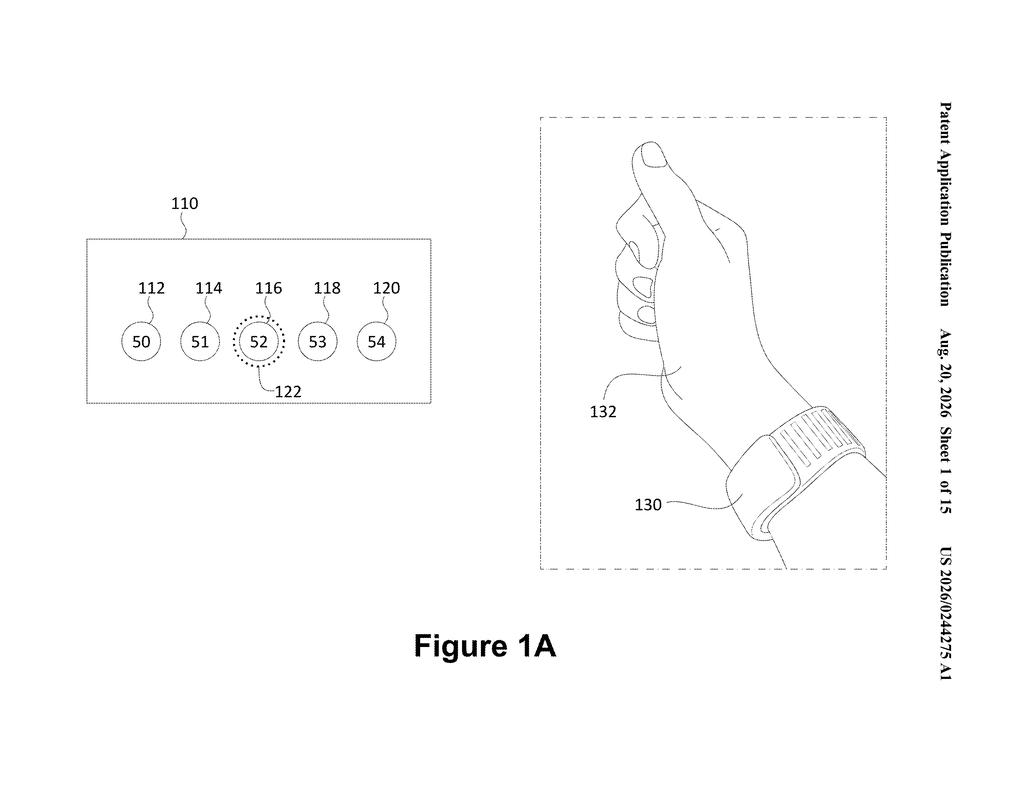
What Meta's thumb-swipe scroll control actually does
A person wearing AR glasses stares at a floating menu in the air, no touchscreen in sight, and needs to scroll through a long list of options. That basic problem is one Meta is working hard to solve for its headset and glasses lineup, and it affects you the moment you try to use a hands-free device for anything more than a quick tap.
Meta's answer, described in this patent, is to treat a thumb-rub gesture like a variable-speed dial. Rub your thumb across your index finger gently and slowly, and a highlight moves through your menu one item at a time. Speed up or press harder, and the highlight starts jumping through items faster, in proportion to how intense your gesture is. The device reads those differences through neuromuscular sensors worn on your wrist or hand, which detect the electrical signals your muscles produce before your fingers even visibly move.
The practical result is that you get two modes of browsing built into a single gesture, slow and precise for picking individual items, or fast and loose for skipping through a long list, just by changing how you move your fingers.
… obtaining, via one or more neuromuscular signal sensors, data generated during performance of a first swiping motion of a thumb over an index finger, the first swiping motion having a first kinematic profile; based on the first kinematic profile, causing movement of a focus selector at a first rate …
Translation: The device tracks the speed and force of your fingers rubbing together to decide how fast to scroll through a menu.
How neuromuscular sensors turn swipe speed into scroll rate
The patent describes a system that captures finger-swipe gestures using neuromuscular signal sensors (small electrodes, likely in a wristband or glove, that detect electrical activity in your muscles). Those sensors pick up two distinct qualities of a thumb-rubbing-over-index-finger motion: its speed and its intensity.
The system then maps those qualities to a kinematic profile (a technical term for the full description of a motion: how fast it is, how forceful, and how it changes over time). Based on that profile, it moves a focus selector (the highlighted cursor that shows which menu item is active) at a matching rate:
- A slow or light swipe moves the selector at a low rate, one item at a time through a small set of UI elements.
- A faster or more intense swipe moves the selector at a proportionally higher rate, jumping through a larger set of items in the same amount of time.
Critically, the second rate scales proportionally with the intensity of the gesture. This is not a binary fast-or-slow switch; it is a continuous dial. The system is always comparing the incoming motion data against an intensity threshold, a calibrated cutoff that distinguishes deliberate slow navigation from the faster scanning mode.
The data pipeline runs from sensor to processor to display in real time, adjusting scroll speed as your gesture changes mid-swipe.
… the second swiping motion having a second kinematic profile different than the first kinematic profile, and based on the second kinematic profile, causing movement of the focus selector at a second rate through a second set of the plurality of UI elements.
Translation: Changing the intensity of your finger gesture allows you to jump through a larger number of items on the screen.
What this means for hands-free AR navigation
For anyone using AR glasses or a headset in a public or hands-busy context, this kind of control matters a lot. Touchscreens and scroll wheels are absent, voice commands feel awkward in quiet rooms, and eye-tracking alone can be imprecise. A gesture that works like a physical scroll wheel, where the speed of your hand movement directly controls the speed of the cursor, solves a real usability gap without requiring extra hardware or a new interaction vocabulary.
The filing positions Meta to make long menus and content lists actually usable on a wearable device, something that remains one of the friction points holding AR glasses back from everyday use. It fits into a broader category of neuromuscular input research Meta has been pursuing through its CTRL-labs acquisition, and it sits alongside other new Big Tech patents in the AR input space that are reshaping how companies expect people to control screens they cannot touch.
Meta's 54th filing we've tracked since May in our smart glasses work adds to earlier applications like the hardware mute switch and skin contact data transfer.
Scrolling a long list in AR without a touchpad is one of those friction points you notice immediately, and a thumb rub that naturally speeds up when you swipe harder means you never have to stop and switch modes or remember a second gesture. The concrete benefit lands the moment you are moving through a dense menu and can blow past irrelevant options with a fast swipe, then slow-scroll to land precisely where you want. Whether the intensity detection holds up across different skin types and hand positions in real-world conditions is the question that separates a useful daily tool from a feature that works only in a demo room.
Get our take in your Top Stories
Liked this breakdown? Add Patentlyze as a preferred source on Google, and our plain-English take shows up more often in your Top Stories the next time Meta patent news breaks.
There are more where this came from
We read every patent application Big Tech publishes and send you the ones worth knowing. Plain English, free, every week.
The drawings
15 drawing sheets from US 2026/0244275 A1 · click any drawing to enlarge


Want this weekly breakdown for a company we don't cover? Patentlyze Pro →
Be the first to weigh in