
Samsung Patents AR Glasses That Light Up Just One Lens for Simple Alerts
A battery warning doesn't need depth, so why draw it with both eyes' displays? Samsung's patent application has AR glasses drop to a single display for simple alerts and keep both for real 3D content.
What Samsung's one-eye alert mode actually does
Ever wondered why a plain "Battery 15%" warning needs the full 3D treatment? The filing says conventional AR glasses draw even a short text message on both lens displays, the same way they would a floating 3D model. That costs power and gives you nothing extra to look at.
Samsung's patent application describes glasses with two modes. While you're looking at a 3D scene, a text message, battery warning or clock reading can show up as a flat 2D card drawn by just one of the two displays. Content that benefits from depth, like a navigation overlay on the road, still uses both.
The filing also describes switching to one display when you're moving quickly, or picking the display on your dominant eye. The stated goal is simple: use less power when the extra display isn't earning its keep.
perform a first displaying mode using the first and second display modules such that a three-dimensional image is outputted to the user via the first and second display members together using a first image provided by the first display module and a second image provided by the second display module …
Translation: The glasses normally show a 3D image across both lenses.
How the glasses decide which display stays on
The claims cover glasses with a display module (the small projector that feeds an image into the lens) for each eye. In the first mode, both modules show slightly different images, which your brain combines into a 3D picture. When a specified event happens, such as a designated notification, the glasses switch to a second mode. In that mode, one module shows a flat 2D image and the other display shows nothing for it.
The claims say the flat image can appear alongside the 3D scene for a while. Only designated alerts, such as a message notification with a particular icon, get this treatment. Other notifications still show up as 3D indications on both displays.
The description and some of the other claims add more detail:
- Other triggers: battery level, device temperature, app type, or movement above a set speed.
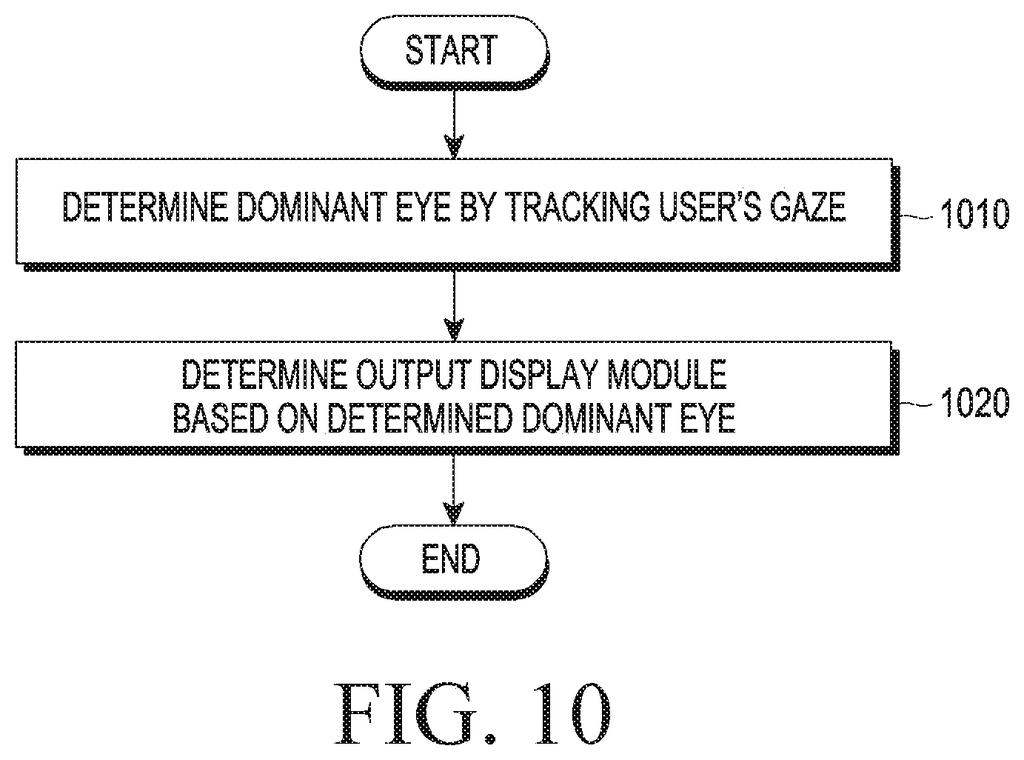
- Choosing the display: the dominant eye (found with a gaze-tracking camera), or whichever display has been used less, to wear them evenly.
- Extra savings: the depth sensor can be switched off, and the eye-tracking camera can drop from 90 to 30 frames per second.
- Distance rule: an object shows in 3D when you're within a set distance of it, and as flat 2D when you're farther away.
When the mode changes, the glasses can show an in-between image so the shift from 3D to 2D isn't abrupt.
… switch from the first mode to a second mode based on at least one of an occurrence of a notification event, a moving speed of the wearable device, or a type of an application executing on the wearable device …
Translation: It changes display modes when you get an alert or start moving.
Why a text alert shouldn't drain AR glasses
Battery life is one of the hard limits on glasses you wear on your face. A text message or a battery warning is the most common thing glasses show you, and the filing's point is that it shouldn't cost as much power as a 3D scene.
If glasses could do this well, you might see less heat and get more time between charges. The filing also covers practical details, like letting your dominant eye handle the flat card and not showing the status bar on both displays. It describes a power-saving approach for smart glasses, and it says nothing about a specific product or release.
Samsung's 59th filing we've tracked since May in the AR glasses race adds to a run that includes one fixing color and brightness jumps and one on flattening tiny display films.
Every saving has a price, and here it is a lopsided picture. A text alert drawn on one lens is flat and sits in a fixed spot. The glasses give up depth and some tracking (the filing turns off a camera and slows the eye-tracking camera from 90 to 30 frames per second) to stretch the battery.
The bigger risk is the switching. If the glasses guess wrong and flatten something you wanted in 3D, or change modes while you're mid-glance, the experience could feel jumpy. The filing tries to cover this with a blend between 3D and 2D, a choice of the display on your dominant eye, and a rule that only designated alerts get the one-lens treatment.
For short texts and battery warnings, the trade looks worth making. Nobody needs depth to read "Battery 15%", and glasses have to find power savings wherever they can.
Get our take in your Top Stories
Liked this breakdown? Add Patentlyze as a preferred source on Google, and our plain-English take shows up more often in your Top Stories the next time Samsung patent news breaks.
There are more where this came from
We read every patent application Big Tech publishes and send you the ones worth knowing. Plain English, free, every week.
The drawings
15 drawing sheets from US 2026/0311622 A1 · click any drawing to enlarge


Show the other 7 sheets


Want this weekly breakdown for a company we don't cover? Patentlyze Pro →
Be the first to weigh in