
Adobe Files Patent for an AI Tool That Builds Posters You Can Still Edit Piece by Piece
Ask for a Halloween party poster and this Adobe patent application describes getting back a background, a haunted house with bats, and orange lettering as separate pieces you can click and change.
What Adobe's layered AI poster maker does
Ever asked an AI for a party flyer, then spotted a typo you couldn't fix without starting over? Most AI image tools hand back one flat picture, so every word and decoration is baked in.
An Adobe patent application describes a different approach. You type something short, like "Halloween party," and can also pick a document type, shape, style and mood. The AI then builds the design in separate layers: a gray background, a haunted house with bats overhead, and the orange lettering.
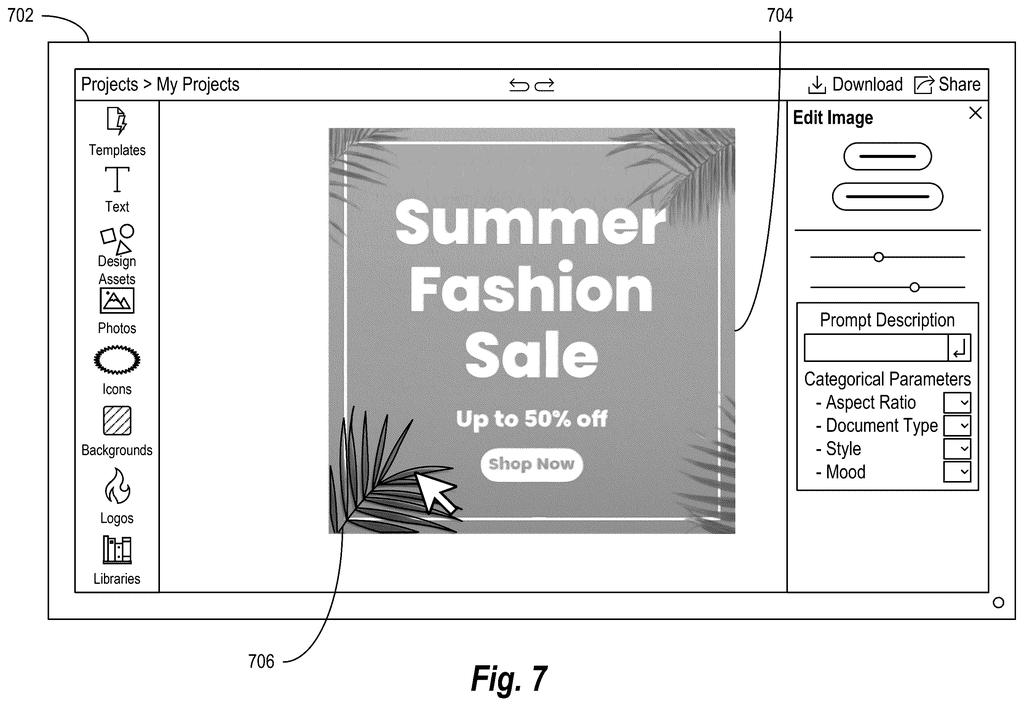
Each piece stays separately editable. The words come back as real text you can retype, and the other elements can be moved, resized or deleted inside a design app. The idea is that a quick AI draft becomes a starting point you can finish by hand.
generating, utilizing one or more encoder neural networks, a set of input tokens from a prompt comprising a description of a target digital design and one or more categorical parameters for the target digital design …
Translation: The AI reads your text prompt and layout settings to prepare instructions for building the design.
How the AI builds every layer in one pass
The process starts by turning your request into numbers a computer can work with. A large language model (the same technology behind chatbots) expands a short prompt into a fuller description of mood, background and assets. Categorical parameters (preset choices such as document type, aspect ratio, style, mood or number of layers) are either picked from drop-downs or inferred from your wording. Encoder networks (programs that convert text and images into lists of numbers) then pack all of that, plus an optional reference design for style, into a set of input tokens.
Next, a diffusion model (an image generator that starts from random static and removes noise step by step) produces every layer in a single pass, which helps the pieces fit together. It sorts elements by type:
- Background layers
- Shape layers holding vector graphics
- Text layers
- Image layers
Non-overlapping elements of the same type share a layer, which avoids a pile of nearly empty layers.
Text gets extra treatment. Software detects the lettering, reads it with optical character recognition (technology that turns pixels into letters), matches the closest available font, and renders it as editable text. The design can also be generated at a lower resolution, such as 512 pixels, and then enlarged.
For training, the filing mixes labeled layered designs with ordinary flat ones, and pads short layered samples with blank "zero-frame" layers up to a fixed layer count.
Why editable AI designs matter for Adobe Express
If you have ever built an invite or flyer in a design app, you know the slow part is usually fixing details after the first draft. A generator that hands back separate, editable pieces fits that routine: you get a draft fast, then change the headline, swap a graphic or resize an element yourself. The filing says the system could run inside Adobe applications such as Adobe Express and Adobe Firefly, so it reads as a feature for tools people already use.
Keep expectations modest. This is a patent application, and the examiner's first review rejected the claims as filed, which is routine and usually followed by amendments. Even so, a filing shows an idea Adobe wants on record. It does not promise a feature.
Adobe's 32nd filing we've tracked since May on controllable AI images follows words and pictures answers and guessing room lighting from one photo.
Every choice here buys editability and pays for it somewhere. Grouping similar items into shared layers keeps the file tidy, but in the patent's own Halloween example the haunted house and the bats ride together in one layer, so you might not be able to move a single bat by itself.
Text carries the same bargain. The software reads the letters out of the generated picture and assigns the closest available font, so the lettering you can edit may look a little different from what the AI first drew. Starting at a small size (512 pixels in the example) and enlarging afterward also means the first draft is less sharp.
The trades look worth it. A poster with a few chunky layers and fixable text is far more useful than a flat image you have to regenerate every time you spot a mistake, and the pieces that give way are ones a person can patch by hand in a minute.
Get our take in your Top Stories
Liked this breakdown? Add Patentlyze as a preferred source on Google, and our plain-English take shows up more often in your Top Stories the next time Adobe patent news breaks.
There are more where this came from
We read every patent application Big Tech publishes and send you the ones worth knowing. Plain English, free, every week.
The drawings
19 drawing sheets from US 2026/0320862 A1 · click any drawing to enlarge


Show the other 11 sheets


Want this weekly breakdown for a company we don't cover? Patentlyze Pro →
Be the first to weigh in