
Adobe
Adobe · AI / ML · Filed May 27, 2026 · USPTO published Oct 8, 2026 · Oct 8 release
Adobe Patents an AI Photo Brush That Lets You Dial In How Much Changes
Most AI photo tools treat your selection as all or nothing: everything inside the outline gets replaced. Adobe's new patent adds a dial, so the brush can keep as much of your original photo as you choose.
- Publication number
- US 2026/0311406 A1(US20260311406A1)
- Applicant
- ADOBE INC.
- Filed · Published
- May 27, 2026 · Oct 8, 2026
- Inventors
- Dana Michelle Jefferson, Benjamin Delarre, Davis Taylor Brown, Michael Spencer Cragg
- Status when we published
- Waiting for an examiner
- Document
- 20 claims
- US classification
- 345/442
- Parent application
- Continuation of 18/511,230 (filed Nov 16, 2023)(18511230)
What Adobe's content-preservation brush does
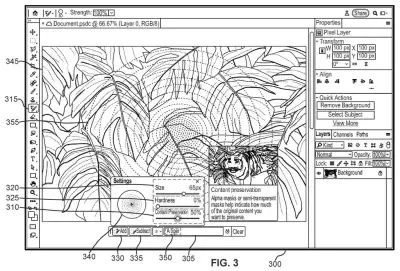
You're editing a photo of a jungle and you want a tiger peeking out from the leaves. You circle the spot, type a tiger, and the AI drops in a cat that looks cut out of a different picture.
Adobe's patent goes after that problem. When you paint over an area, you also pick how much of the original photo should survive there. Set it low and the AI mostly replaces what's underneath. Set it high and the leaves, light and colors stay put while the new subject shows through them.
The brush can have soft, fading edges, so the new content blends in gradually. The patent also describes a master slider for the whole edit, plus a row of preview versions so you can pick the one that looks best.
… generating, using an image generation process guided by the second image and performed by an image generation machine learning model, an output image based on the first image and the content generation selection …
Translation: An artificial intelligence model creates a brand new picture using your original image and your brush adjustments.
How the brush sets each pixel's blend level
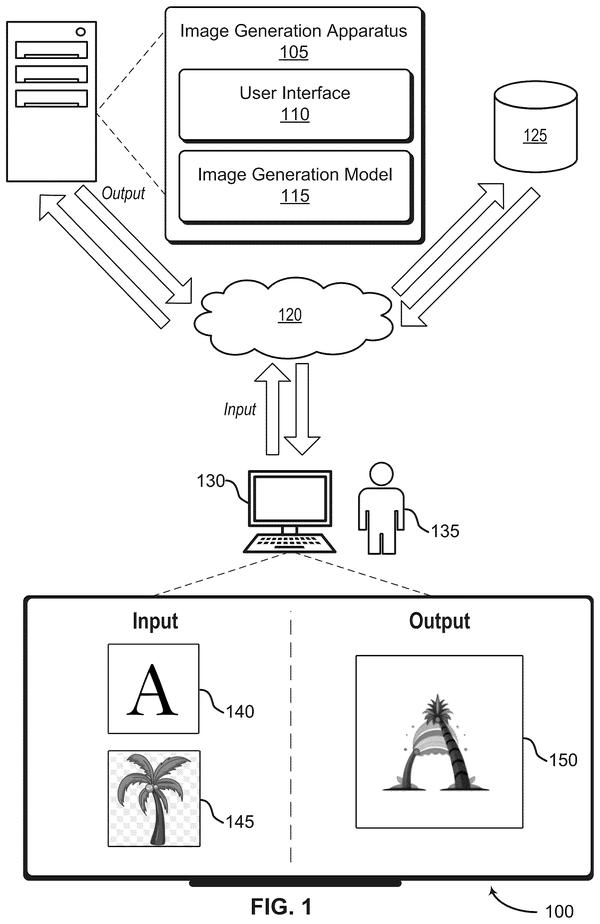
Claim 1 describes an editing tool where you supply a base photo, a second image that tells the AI what to add, and a number called the local content preservation value (how much of the original picture to keep). A selection, such as brush strokes, applies that number to the pixels you choose.
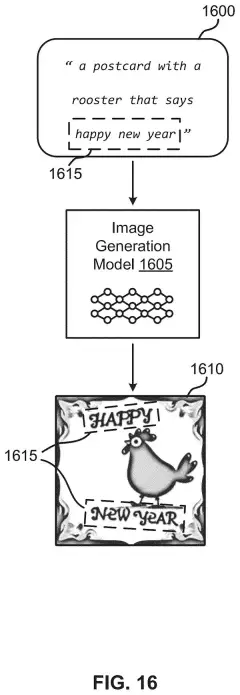
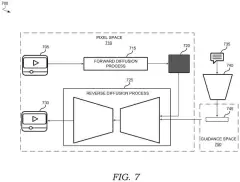
An image generation model (a trained AI that produces pictures; the filing names diffusion models and GANs as examples) then fills the selected region with content described by the second image. The link between the two is simple: the higher the preservation number, the lower the weight (the influence) of the second image on that spot. In the filing's example, a jungle photo plus a tiger prompt yields a tiger emerging from the leaves with matching light and shadow.
The filing and the dependent claims add plenty of controls:
- Brush size and hardness: hardness sets how many bands of different transparency the mask has, and each band carries its own preservation value, so a soft brush blends gradually.
- Global slider: a baseline preservation level that gets combined with each local value.
- Match shape and guidance strength: how tightly the new content follows the selection's outline and the prompt.
- Insert and remove modes, a preview of several variations, and the selection saved as metadata in an image layer.
… where a weight of an effect of the second image on the image generation process corresponds to the local content preservation value.
Translation: How strongly the new elements blend in depends on the specific intensity setting you chose.
Why this matters for everyday photo editing
The practical payoff is fewer do-overs. The filing says conventional masks are hard and binary, so people tend to replace everything inside the outline and then retry until the result looks less pasted-on. A per-spot dial lets you nudge an edit toward the original or toward the new content without rerunning the whole thing.
It also fits a pattern in AI editing: moving control out of the prompt box and onto the canvas, where photographers and designers already work with brushes and opacity. The filing is a continuation of an application first filed in November 2023, and it frames the tool as friendly to non-expert users, who would only need to learn a slider and a brush.
Adobe's 28th filing we've tracked for controllable AI images since May builds on earlier applications like one cutting training costs and one staging product photos.
Source: US 2026/0311406 A1 at the USPTO (PDF). Full patent text and figures are in the official publication.
Get our take in your Top Stories
Liked this breakdown? Add Patentlyze as a preferred source on Google, and our plain-English take shows up more often in your Top Stories the next time Adobe patent news breaks.
Add Patentlyze on Google
One click.
There are more where this came from
We read the new patents from Big Tech, carmakers and more and send you the ones worth knowing. Plain English, free, every week.
The drawings · 9 sheets
9 drawing sheets from US 2026/0311406 A1 · click any drawing to enlarge


Show sheet 9

More from Adobe
All 270 Adobe patents →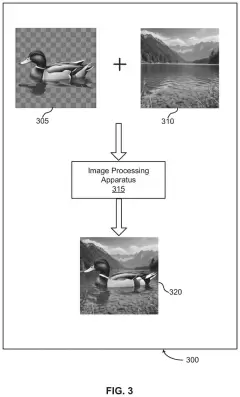
More in AI image & video
All 226 AI image & video patents →
Adobe
Adobe Patents an AI That Builds Images From Multiple Reference Photos at Once
Adobe
Adobe Patents an AI Image Generator That Keeps Your Brand Style Intact
Nvidia
Nvidia Patents a Way to Fill in Missing Video Frames Using Motion Data from Past Images
Samsung
No comments yet