
Apple
Apple · AI / ML · Filed Jan 12, 2026 · USPTO published Nov 19, 2026 · This week's release
Apple Files Patent for Fixing Dictated Messages by Just Talking to Your Phone
Fixing a dictated message usually means tapping around the screen. This Apple patent application describes saying 'Change the third Jon to J-O-H-N' and having your device simply do it.
- Publication number
- US 2026/0369269 A1(US20260369269A1)
- Applicant
- Apple Inc.
- Filed · Published
- Jan 12, 2026 · Nov 19, 2026
- Inventors
- Timothy S. PAEK, Viet Huy LE, Susumu HARADA, Leena A. PANCHMATIA, Felicia W. EDWARDS, Livi ZHU, Mahesh KRISHNAMOORTHY, Kevin LUIKENS, Leo LIU, Muktan Rahulkumar PATEL, Jin WANG
- Status when we published
- Waiting for an examiner
- Document
- 20 claims
- US classification
- 704/257
- Parent application
- Claims priority from a provisional application 63808519 (filed May 19, 2025)
What Apple's voice-editing patent actually does
A man dictates a text to his friend, and his phone writes 'John' when the friend spells his name 'Jon.' Fixing it means tapping the screen, dragging the cursor and retyping, which is the work talking was supposed to save him from.
Apple's patent application describes fixing that by speaking instead. You could say, 'Change the third Jon to J-O-H-N,' or 'Change except to accept, like accepting a deal.' The device works out which word you mean, even when it appears several times, and can highlight the options so you can pick one.
Behind the scenes, your request goes through lighter software first. If that cannot handle it, a large language model (the type of AI behind chatbots) steps in and makes the edit.
… receiving a speech input including a command to modify a target set of characters, wherein the command corresponds to a natural language request; processing the command using one or more first models …
Translation: The system listens to your spoken edit request and tries to process it using standard tools.
How a quick check decides when the AI steps in
The patent describes a voice-editing setup with two tiers. While text is on screen, you speak a command in everyday language (the filing calls it a natural language request) asking to change part of that text. The device first runs the command through one or more first models, the lighter software meant for straightforward requests.
Then it checks whether that first pass met a completion criteria (in plain terms, did the quick tools understand the request and finish the job?). In the dependent claims, the check passes when the quick models can pinpoint the text you mean and you want to edit it, or when you dictate new content relative to existing text. It fails when you dictate content with no reference to existing text. A failed check sends the command to second models, which include a large language model, and those make the change.
The filing also describes extras:
- Clues like a spelling or a description, such as 'accepting a deal,' to pick the right word
- Choosing a specific repeat, like the 'third Jon,' or highlighting each match so you can tap the right one
- Fixing punctuation and the text around it after an edit
- Finding the target from where you are looking, or from text read aloud to you
- A disfluency filter that strips repeated words, restarted phrases and spoken self-corrections from dictation
… processing the command using one or more second models, wherein the one or more second models include a large language model, and modifying the target set of characters using the one or more second models.
Translation: If standard tools fail, a large language model steps in to fix your text.
What this means for dictating on your iPhone
Dictation is already decent at getting words onto the screen. Fixing them is where many people give up and reach for the keyboard. This approach aims at that gap, so you could correct a name or a misheard word by saying so, which would help when your hands are busy or your screen is small, like a watch.
The filing does not explain why it uses two tiers, but the split lets simple fixes stay with lighter tools while the heavier AI model is saved for harder requests. It lists iPhone, iPad, Apple Watch and earphones among its example devices, so the idea is meant to work across Apple's lineup.
That makes this Apple's third filing in our Enterprise AI coverage since June, joining one on location-aware task lists and one on AI video reframing.
Source: US 2026/0369269 A1 at the USPTO (PDF). Full patent text and figures are in the official publication.
Get our take in your Top Stories
Liked this breakdown? Add Patentlyze as a preferred source on Google, and our plain-English take shows up more often in your Top Stories the next time Apple patent news breaks.
Add Patentlyze on Google
One click.
There are more where this came from
We read every patent application Big Tech publishes and send you the ones worth knowing. Plain English, free, every week.
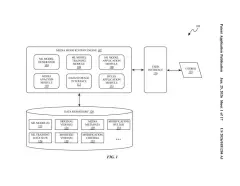
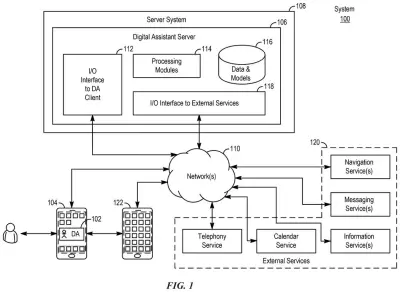
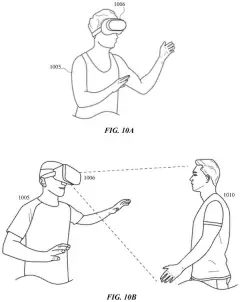
The drawings · 25 sheets
25 drawing sheets from US 2026/0369269 A1 · click any drawing to enlarge


Show the other 17 sheets


More from Apple
All 748 Apple patents →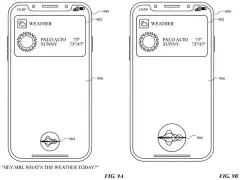
More in AI / ML
All 2,738 AI / ML patents →
Samsung
Samsung Patents an AI That Swaps Out Your Real Data Before Reading Your Messages
Adobe
Adobe Wins a Patent for Two AIs That Take Turns Editing and Critiquing Your Video
Microsoft
Microsoft Files Patent for an AI Chat That Lets You Keep Talking While It Thinks
Salesforce
No comments yet