
Apple
Apple · Software · Filed May 11, 2026 · USPTO published Nov 12, 2026 · This week's release
Apple Files Patent for Sharing Your Text Size and Display Settings Between Devices
Apple has filed a patent application for letting one device hand its display settings, like text size, to another, with a clear prompt to accept them and a way to go back. The most careful part is how the borrowed settings get undone.
- Publication number
- US 2026/0358939 A1(US20260358939A1)
- Applicant
- Apple, Inc.
- Filed · Published
- May 11, 2026 · Nov 12, 2026
- Inventors
- Daniel M. GOLDEN
- Status when we published
- Waiting for an examiner
- Document
- 20 claims
- US classification
- 715/762
- Parent application
- Claims priority from a provisional application 63804541 (filed May 12, 2025)
What Apple's settings-sharing patent does
A man picks up a shared family tablet and squints at text sized for someone else. He knows exactly how he likes his screen, but those choices are buried in a settings menu he does not want to hunt through.
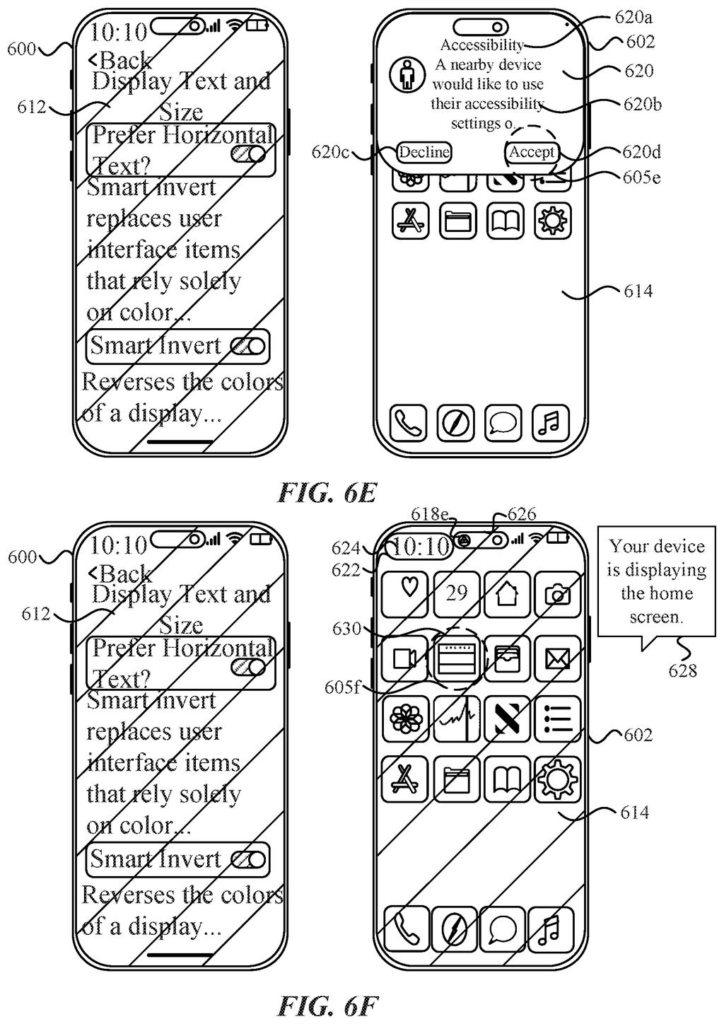
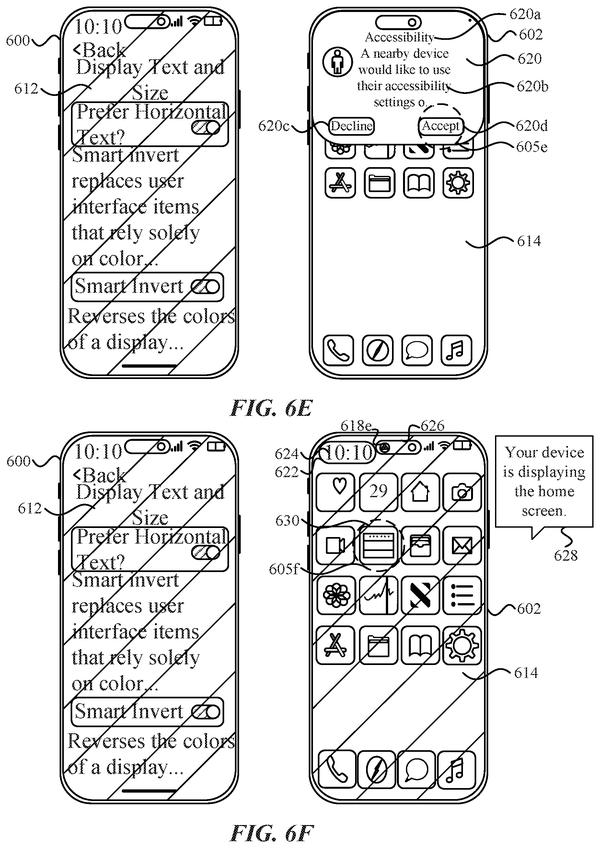
Apple's patent application describes a shortcut. Your own device could send its settings, such as text size or inverted colors, to the tablet. The tablet then shows a button asking whether to apply them. Tap it, and the screen changes to match you.
The filing also plans for the way back. The tablet can show a note that borrowed settings are in use, and tapping that note leads to an option to return to its own. Other parts of the filing describe switching back when the two devices move apart, or after the tablet has been locked.
… displaying, via the one or more display generation components, a user interface element to apply the respective set of one or more settings to the first computer system …
Translation: Your device prompts you with a button to accept the incoming display changes.
How a nearby device's settings get applied
Claim 1 covers a method run on a first computer system (say, a tablet) that is already showing its screen according to its own settings. While that is happening, a second, different computer system sends over a set of settings. The first system responds by showing an on-screen element, such as a button, that offers to apply them.
If you pick that element, the screen changes based on what the received settings contain. One setting produces one look, and a different setting produces a different look. The background section names text size and inverted colors as examples of what a setting might control.
The other claims add the details that make this practical:
- The settings can arrive when the two devices are in proximity, meaning close to each other (claim 2).
- The sending device can send a different subset of its settings depending on what type of device is receiving them (claim 9).
- An indicator shows the borrowed settings are in use, and tapping it leads to a way to switch back (claims 11 to 13).
- The device returns to its own settings if it was locked in between, or when the other device moves away (claims 15 and 16).
One claim also covers a non-visual alert (the claim does not say which kind) that fires on an event before you apply the settings but is skipped for the same type of event afterward.
The description also covers a separate idea about zooming a virtual environment so that on-screen elements and a live camera view zoom to different levels. The claims we were given focus on sharing settings.
The present disclosure generally relates to managing settings. Some techniques are for sharing settings in accordance with some embodiments. Other techniques are for zooming content in accordance with some embodiments.
Translation: Apple's patent describes methods for sharing display and zoom configurations across devices.
Why this matters for your iPhone and iPad
The practical win is fewer steps. The filing says existing ways of managing settings take multiple key presses and waste time and battery, and this approach is meant to cut that. If you use a shared screen, a borrowed device or a second device of your own, one prompt could replace a trip through menus.
The return path is the part you would notice most. Settings you borrowed for a moment should not stick around, and the filing describes undoing them when you lock the device or the other one moves away. The description lists iPhone, iPad, laptops, desktops and head-mounted displays as possible devices, so the idea is not tied to one kind of screen. As with any patent application, it shows what Apple has described on paper, not a feature you can expect to see.
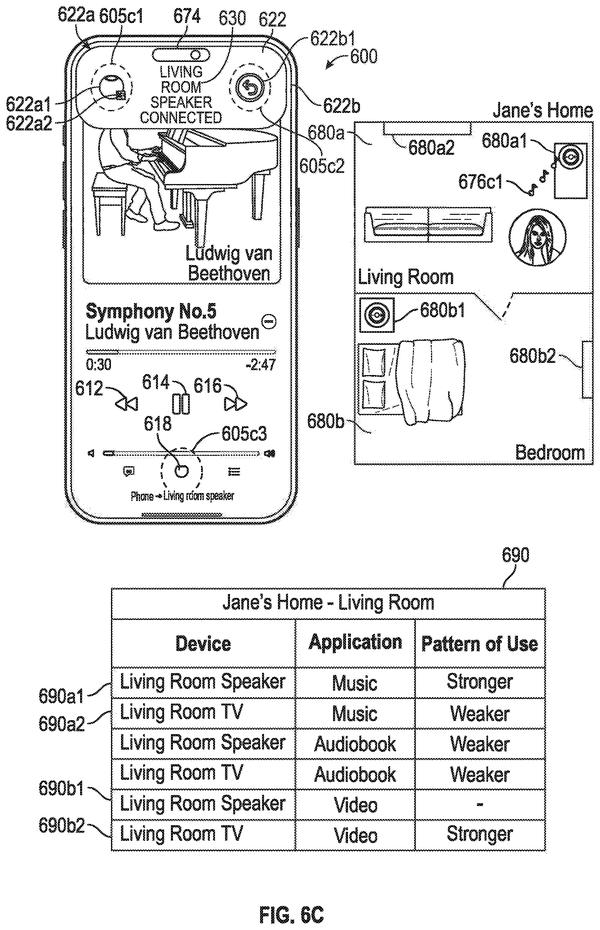
Apple's 32nd filing we've tracked since May on our device-to-device handoff watch builds on ideas like borrowing a phone's camera and routing audio to the right room.
Source: US 2026/0358939 A1 at the USPTO (PDF). Full patent text and figures are in the official publication.
Get our take in your Top Stories
Liked this breakdown? Add Patentlyze as a preferred source on Google, and our plain-English take shows up more often in your Top Stories the next time Apple patent news breaks.
Add Patentlyze on Google
One click.
There are more where this came from
We read every patent application Big Tech publishes and send you the ones worth knowing. Plain English, free, every week.
The drawings · 27 sheets
27 drawing sheets from US 2026/0358939 A1 · click any drawing to enlarge


Show the other 19 sheets


More from Apple
All 672 Apple patents →
More in Software
All 753 Software patents →
Apple
Apple Patents a Way to Toss Video Between Screens With a Live Animation
Apple
Apple Patents a System That Flags Bad Photos on One Device and Alerts Another
Apple
Apple Files Patent for Borrowing Your Phone's Camera on a Shared TV
Apple
No comments yet